
Participant
August 3, 2020
Answered

Refine Edge Tool Dots

  • August 3, 2020
  • 2 replies
  • 580 views

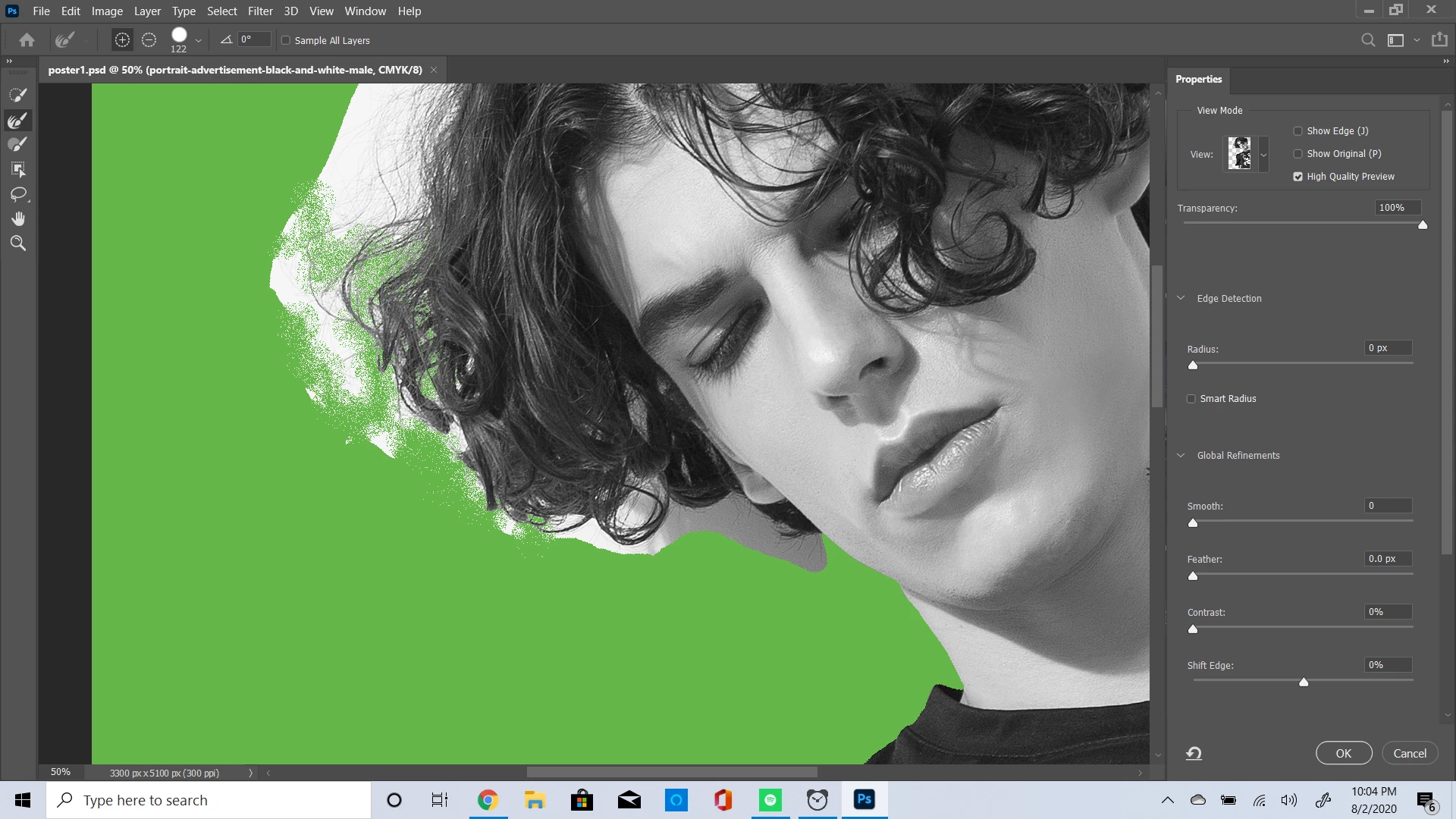
Hi, I'm working on this image as a part of a Udemy course. I'm using the refine edge tool, but when I go over between the hair, it leaves a bunch of dots instead of wiping everything away completely. I'm not sure what I'm doing wrong. I'll attach an image to show what I mean. 
 

This topic has been closed for replies.
Correct answer lambiloon

Hi i see you need to go back and forth and find a best setting for you check this video....regards


https://youtu.be/cSXKTXQI3HI

2 replies

Participant
August 5, 2020

That didn't work. There's still all these dots and I'm unable to just click and drag my brush around, there is this lag when I do. This is what it looks like. 

lambiloon
Community Expert
lambiloonCommunity ExpertCorrect answer
Community Expert
August 5, 2020

Hi i see you need to go back and forth and find a best setting for you check this video....regards


https://youtu.be/cSXKTXQI3HI

Ali Sajjad / Graphic Design Trainer / Freelancer / Adobe Certified Professional
Participant
August 5, 2020

I just redid the photo over again. Knowing that there is a subject select tool is helpful. I've got it to a point where I'm ok with it. Thanks for sharing that video. 

lambiloon
Community Expert
Community Expert
August 3, 2020

Hi turn on smart radius hope it helps you or check following video.....regards


https://youtu.be/378VxLNTD5U

Ali Sajjad / Graphic Design Trainer / Freelancer / Adobe Certified Professional