
Participant
March 30, 2021
Answered

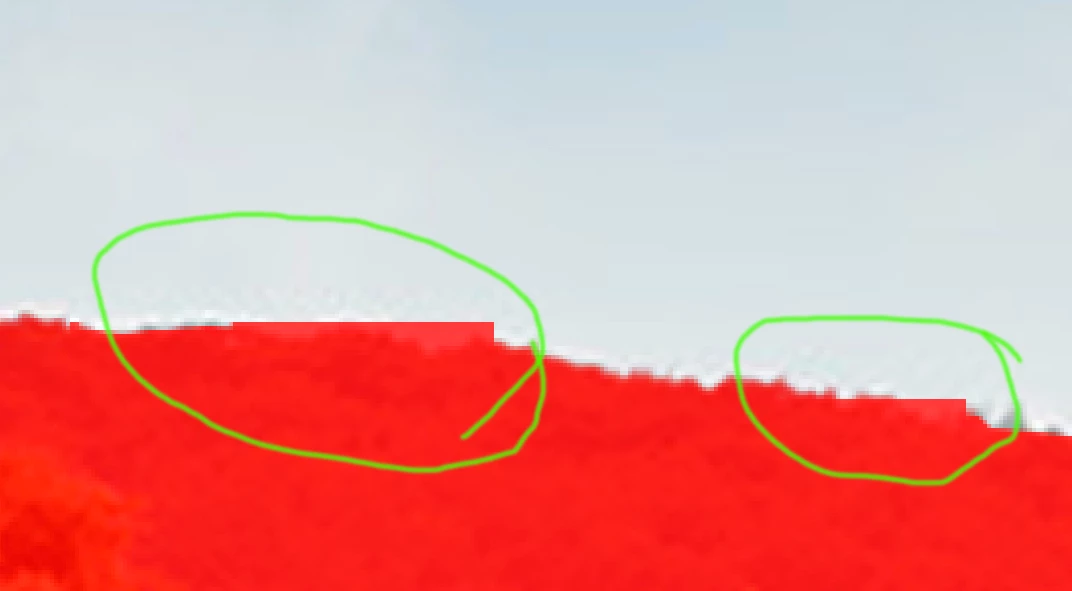
Refining edges does not detect the edges properly

  • March 30, 2021
  • 1 reply
  • 561 views

For a while now, the refine edge tool has not worked properly. It does not feel the edges in some places as before and the tool is unusable right now. When it does not work, it only becomes straight edges. And if you do the maneuver in the same place again, it will be the same result.
This topic has been closed for replies.
Correct answer Sahil.Chawla

Hi there,

Sorry to hear about the refine edges not working as expected. Would you mind telling us which exact version of Photoshop and the operating system you're working with? We're here to help, just need more info. 

You may try resetting the preferences of Photoshop and let us know if that helps: 

https://helpx.adobe.com/photoshop/using/preferences.html


Note: Make sure that you back up all your custom presets, brushes & actions before restoring Photoshop's preferences. https://helpx.adobe.com/photoshop/using/preset-migration.html


Regards,
Sahil

1 reply

Sahil.Chawla
Adobe Employee
Sahil.ChawlaCorrect answer
Adobe Employee
April 2, 2021

Hi there,

Sorry to hear about the refine edges not working as expected. Would you mind telling us which exact version of Photoshop and the operating system you're working with? We're here to help, just need more info. 

You may try resetting the preferences of Photoshop and let us know if that helps: 

https://helpx.adobe.com/photoshop/using/preferences.html


Note: Make sure that you back up all your custom presets, brushes & actions before restoring Photoshop's preferences. https://helpx.adobe.com/photoshop/using/preset-migration.html


Regards,
Sahil

Participant
April 6, 2021

Thanks Sahil.

Looks like everything works well after reseting all the preferences.

The version is psd 2021 and the system is mac OS Big Sur v. 11.2.3.


Regards

Marcus


Sahil.Chawla
Adobe Employee
Adobe Employee
April 8, 2021

Glad to know we got it working, Marcus! Please feel free to reach out for more assistance in the future.