

Regressions in Export As "Reduced file size (8-bit)" mode
The current "Export As" feature does not produce reduced-size PNGs as good as the previous, now legacy, "Export As" did. The old version produced indexed-looking PNGs without them actually being indexed, and it preserved full alpha transaprency, all while maintaining a smaller file size than the current version's output.
Here is an example image I produced.
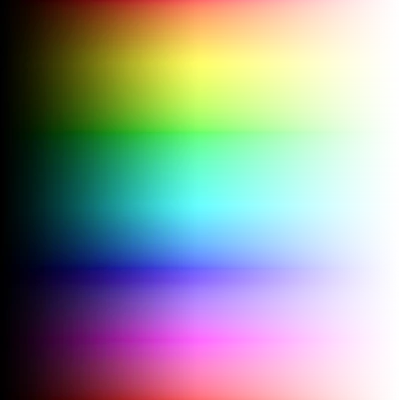
Just a standard color gradient with a fading black gradient on the left (to produce more colors) and a transaprent mask on the right.
Using the current Export As, this is what I get:
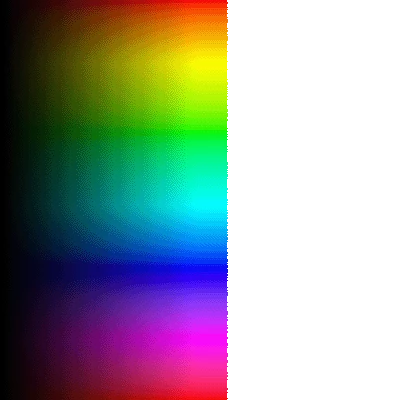
Transaprency is 1-bit, eseentially cutting the image in half. There is also notable dithering and banding to the image from the indexing. File size is 41.3 KB.
Using the legacy Export As, this is what I get:
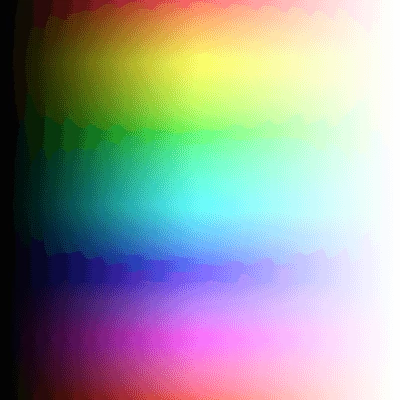
Still some dithering, but the color reduction algorithm generally produces better-looking results more closely matching the original. Also, full alpha transparency is supported, retaining the faded edge. File size is 36.3 KB.
Now, besides these toy examples, I feel this regression essentially makes the option unusable in practice. Previously, I would use the reduced size option for icons and logos, which benefit from indexing and reduce quite well. With the current implementation, I would get hard edges around the graphic, which is unacceptable in today's standards. It's like saving a GIF of a logo in 1999, but today.
I created this example on the current version of Photoshop, 26.0, on Windows 10. Though I'm fairly sure this has been an issue since the new Export As replaced the old one. For now, I will continue using the legacy Export As, as it is more reliable in this area.
 AdChoices