Participating Frequently
August 14, 2018
Answered

Remove background from mask

  • August 14, 2018
  • 1 reply
  • 378 views

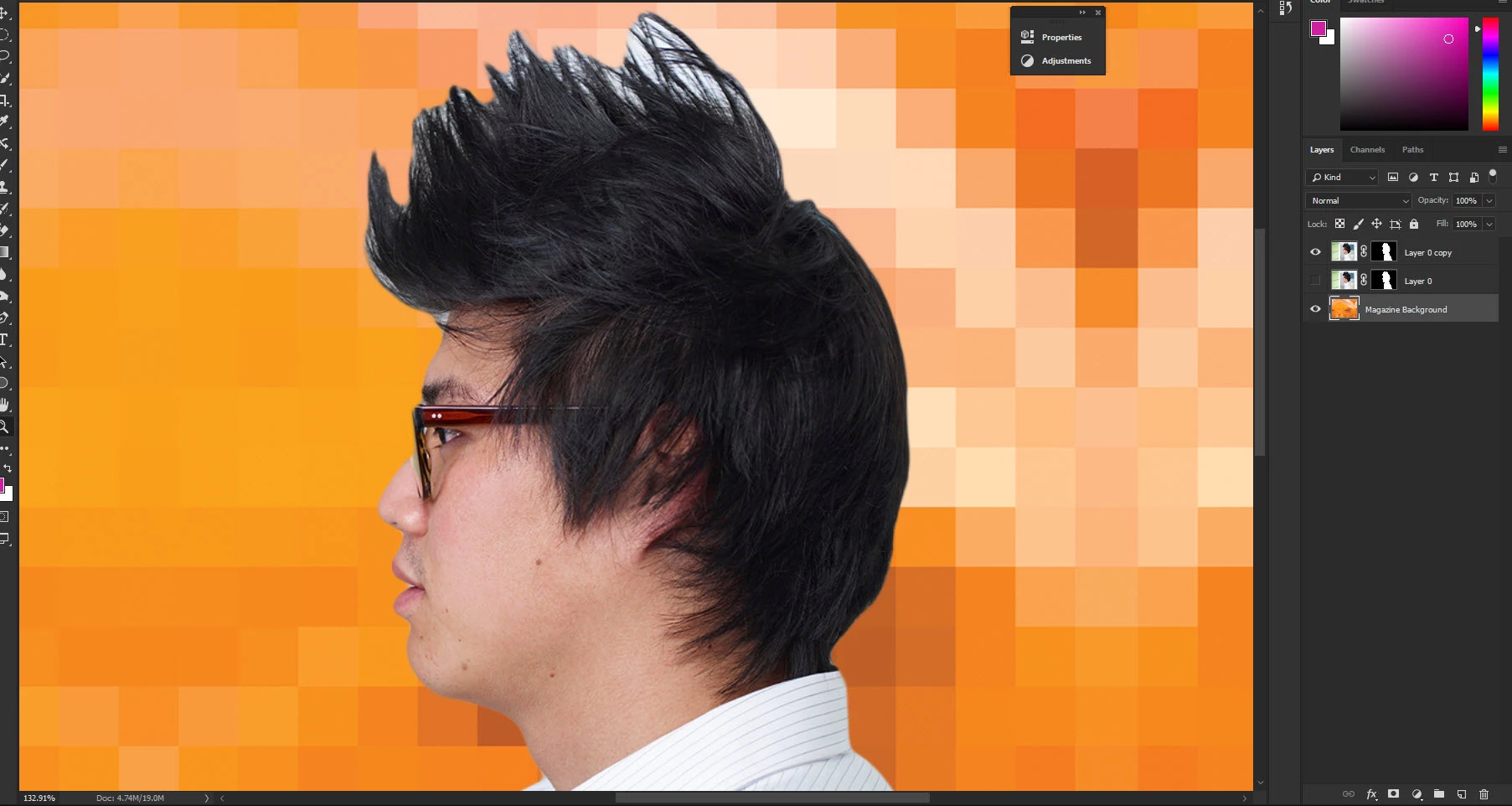
This picture is from a CC classroom in a book that came out in 2015 and shows how to use Refine Radius tool () to remove the white around the man's lips and between the spikes in his hair.  I used select and mask instead of the refine mask tool shown in the book.  I don't see the equivalent of Refine Radius to remove the background I don't want in the mask.
    This topic has been closed for replies.
    Correct answer MarekMularczyk

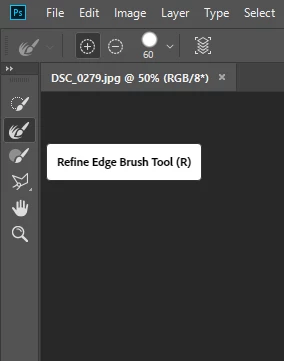
    In one of the recent updates Adobe replaced "Refine Mask" with "Select and Mask" as you know and now when you're in "Select and Mask" you get tools on the left hand side:

    Refine Edge Brush tool can now be used to refine edges of your selection, either to add or remove from your selection (notice + and - in the Options bar)

    1 reply

    MarekMularczyk
    Community Expert
    MarekMularczykCommunity ExpertCorrect answer
    Community Expert
    August 14, 2018

    In one of the recent updates Adobe replaced "Refine Mask" with "Select and Mask" as you know and now when you're in "Select and Mask" you get tools on the left hand side:

    Refine Edge Brush tool can now be used to refine edges of your selection, either to add or remove from your selection (notice + and - in the Options bar)

    Adobe Community ExpertAdobe Certified Professional