
Copy link to clipboard
Copied
Hello,
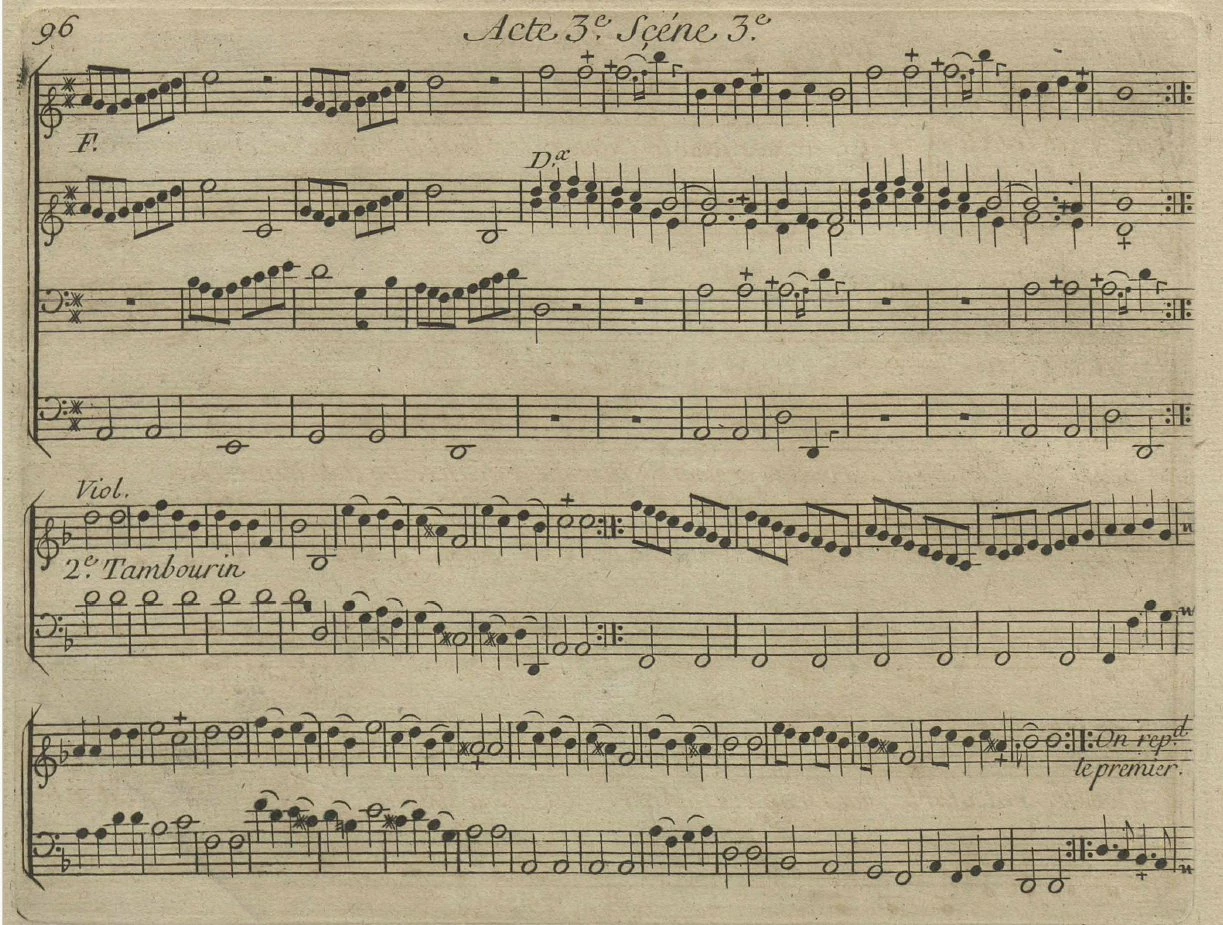
I have downloaded a musical score in PDF.
In this PDF, the music notes are in black, but the background is yellow. How to remove the yellow background while keeping the best quality for the music notes ?
I have tried to do it directly in the PDF by using Acrobat Pro, but I did not succeeded to do it. In Photoshop, is it possible to do it and how ?
Copy link to clipboard
Copied
@pierret18811376 you could try using Blend If
Copy link to clipboard
Copied
Hi Ged,
As all the music score is inside a PDF, is it possible to edit the PDF in Photoshop by using the "Blend" mode ?
Copy link to clipboard
Copied
This was upscaled to 3987 x 3015 using an Ai plugin which also enhanced the music. Things like this have certainly moved on in recent times.
Copy link to clipboard
Copied
Nothing fancy here, just desaturation and a simple curve adjustment
Dave
Copy link to clipboard
Copied
If I understand well, I can open a multipage PDF inside Photoshop and work on this PDF inside Photoshop ?
Copy link to clipboard
Copied
Not exactly. When you open a multipage PDF in Photoshop it will ask which page you wish to open, and open just the selected page. I'm guessing that you can't recombine the edited pages with the free Acrobat reader — you obviously can with the full version of Acrobat. I expect the will be third party PDF apps that will recombine the pages.
Copy link to clipboard
Copied
I have a wee theory that while a lot of people won't have a full Creative Cloud subscription, a lot of people will be running Office 365 which (AFAIK) includes Publisher, and there's a good chance Publisher can rebuild and save out a multipage PDF. It wouldn't be High Quality Print as the content is going to be all raster, unless you add some Type layers.
Copy link to clipboard
Copied
If I understand well, I can open a multipage PDF inside Photoshop and work on this PDF inside Photoshop ?
By @pierret18811376
But in the thread posted on InDesign forum - you've said that you don't have Photoshop?
Copy link to clipboard
Copied
But I have not Photoshop : I simply ask informations about Photoshop.
Copy link to clipboard
Copied
But I have not Photoshop : I simply ask informations about Photoshop.
By @pierret18811376
If you don't have Photoshop - then why have you asked a question on the Photoshop Forum?
Copy link to clipboard
Copied
As all people are advising me to use Photoshop for my problem, I was interested on how is working Photoshop to solve my problem.
Copy link to clipboard
Copied
As all people are advising me to use Photoshop for my problem, I was interested on how is working Photoshop to solve my problem.
By @pierret18811376
Yes, it's extremely easy to "fix" your images in the Photoshop.
And if they've been scaned / prepared in the same way - you can then record Action and run it on all images - so no need to edit them one-by-one.
But one more thing - you've mentioned in your opening post - that you've downloaded this PDF - do you have rights to use it?
Copy link to clipboard
Copied
To respond to your question about the PDF I have downloaded, on this PDF there is no copyright (copyright free), so I can use it with no problem.
Copy link to clipboard
Copied
To respond to your question about the PDF I have downloaded, on this PDF there is no copyright (copyright free), so I can use it with no problem.
By @pierret18811376
That's great. Just didn't want you to get into any trouble.
Get ready! An upgraded Adobe Community experience is coming in January.
Learn more