Inspiring
June 25, 2021
Answered

Remove fuzziness

  • June 25, 2021
  • 3 replies
  • 1599 views

How do i remove the fuzziness around the edges of this old calligraphic design?


This topic has been closed for replies.
Correct answer davescm

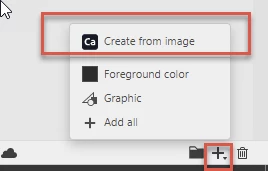
With your image selected click on the + sign at the bottom of the libraries panel. Then choose Create from Image.


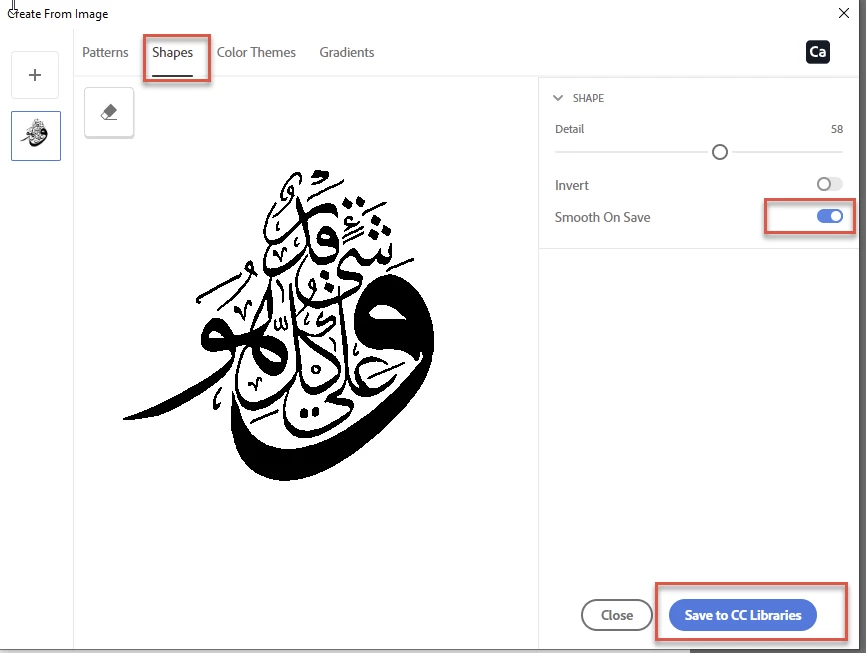
In the dialogue choose shapes and turn on Smooth on Save - then click on Save to CC libraries
 

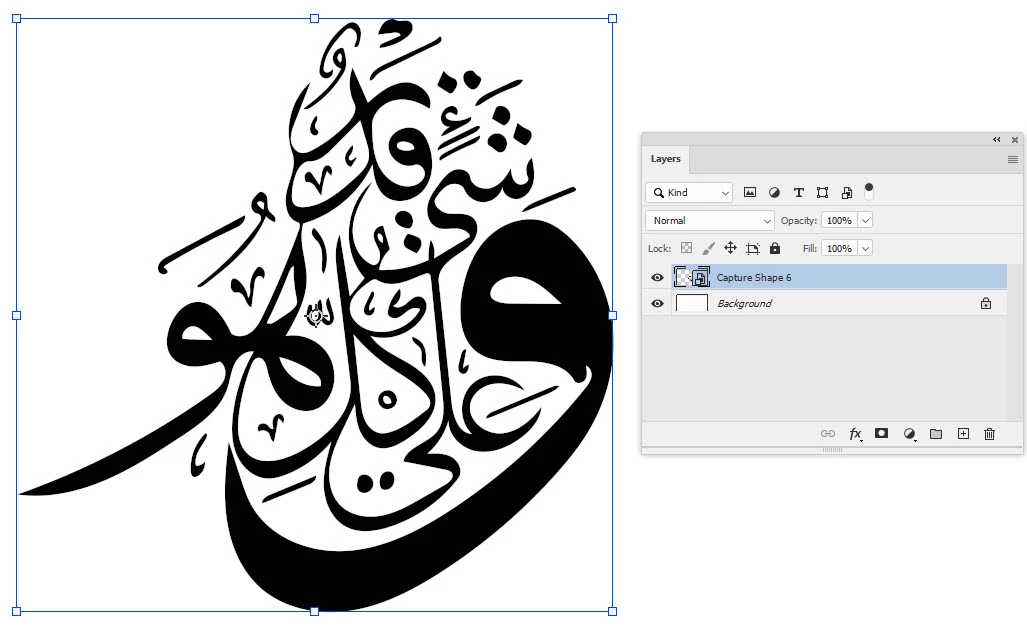
You now have a smoothed shape in your library that you can use in your document
Dave


3 replies

davescm
Community Expert
davescmCommunity ExpertCorrect answer
Community Expert
June 25, 2021

With your image selected click on the + sign at the bottom of the libraries panel. Then choose Create from Image.


In the dialogue choose shapes and turn on Smooth on Save - then click on Save to CC libraries


You now have a smoothed shape in your library that you can use in your document

Dave


Trevor.Dennis
Community Expert
Community Expert
June 25, 2021

Apply Gaussian blur to soften the outline.  I used a value of three

Then use Levels to harden and crisp up the outline.

It's not going to be a really decent quality unless you make it again with the Pen tool.

Inspiring
June 25, 2021

Thank you

Inspiring
June 25, 2021

I was given an MS Word document to typeset in InDesign. These designs were in the word doc as an image.

jane-e
Community Expert
Community Expert
June 25, 2021

How did you get it out of Word, and do you know how it was put in? Does it look the same in Word? When you right-click the image in Word, has it been scaled?

~ Jane

Inspiring
June 25, 2021

It looks the same in word.

I right clicked on the image in Word and the selected 'save as picture' and saved it as PNG.
