
kevinu
Participant
October 6, 2017
Answered

Remove number sequence when "Export layers to files" in CC

  • October 6, 2017
  • 6 replies
  • 34374 views

When I want to use the "export layers to files" function in Photoshop, there's always a prefix of the layer number sequence. For example, I'll export a number of layers (to pngs) and the prefix is _0001, _0002, _0003... I don't think this feature necessary in most cases. I already removed the standard 'File Name Prefix' in this dialog box. But, that doesn't hold true after export. Is there a way to quickly remove this default script?
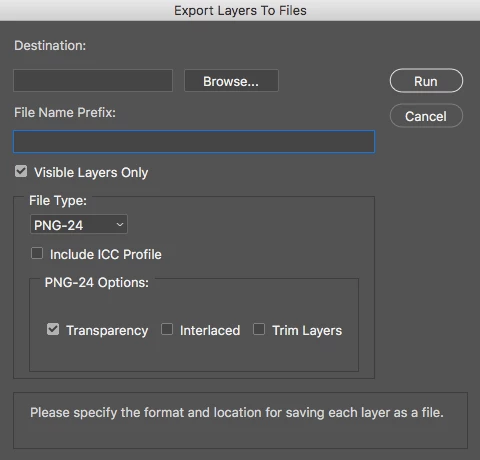
 

Or if not possible, is there any recommendations on advance 'file renaming tools' like GREP in InDesign?

Correct answer FrankDraws

For Photoshop CC 2018 go to:

Applications/Adobe Photoshop CC 2018/Presets/Scripts/Layer Comps To Files.jsx

Once you open the file, go to line 209 and comment it out.

I've attached an image for reference.

Once I did this, Photoshop stopped adding the sequence number prefix to when I export Layer Comps To Files.

6 replies

willcampbell7
Legend
May 9, 2024
aReuhl
Participating Frequently
May 7, 2024

On windows machines in powershell after some trial and error I found the following command running in the same folder as the files I want to rename did the trick regardless of whether you specify a prefix or not. change the file type extension accordingly after the *

Get-ChildItem -Filter '*.png' | 
    Rename-Item -NewName { $_.Name -replace '_\d+s+_\d+_', '_' } 

 Tip of the hat to this thread  with a little extra help from ai

Participating Frequently
July 30, 2018

Thank you!

Randy

FrankDrawsCorrect answer
Participant
December 8, 2017

For Photoshop CC 2018 go to:

Applications/Adobe Photoshop CC 2018/Presets/Scripts/Layer Comps To Files.jsx

Once you open the file, go to line 209 and comment it out.

I've attached an image for reference.

Once I did this, Photoshop stopped adding the sequence number prefix to when I export Layer Comps To Files.

Participant
May 7, 2020

This is great, thanks for the tip! Was able to apply this same method on 'Export Files to Layers' removing the starting has marks.

Here is the code to remove the hash for that jsx file. Change 'fileNamePrefix' to layerName, see attached CC 19

Bojan Živković11378569
Community Expert
Community Expert
October 6, 2017
Silkrooster
Legend
October 6, 2017

Both Bridge and Lightroom can quickly rename the files for you. As long as all the files are not the same name, you should be fine.

If they are the same name, you could use a date for a unique name, or change the sequence format. Ex. number of 0's before or after the actual number.