Exit
  • Global community
    • Language:
      • Deutsch
      • English
      • Español
      • Français
      • Português
  • 日本語コミュニティ
  • 한국 커뮤니티
0

Remove placed image

Participant ,
Jul 30, 2019 Jul 30, 2019

Hi all,

I have a photo which I placed a picture there but cannot get the layer for it so I can delete it and replace it.  below is how it looks.  How can I fix that, if possible?
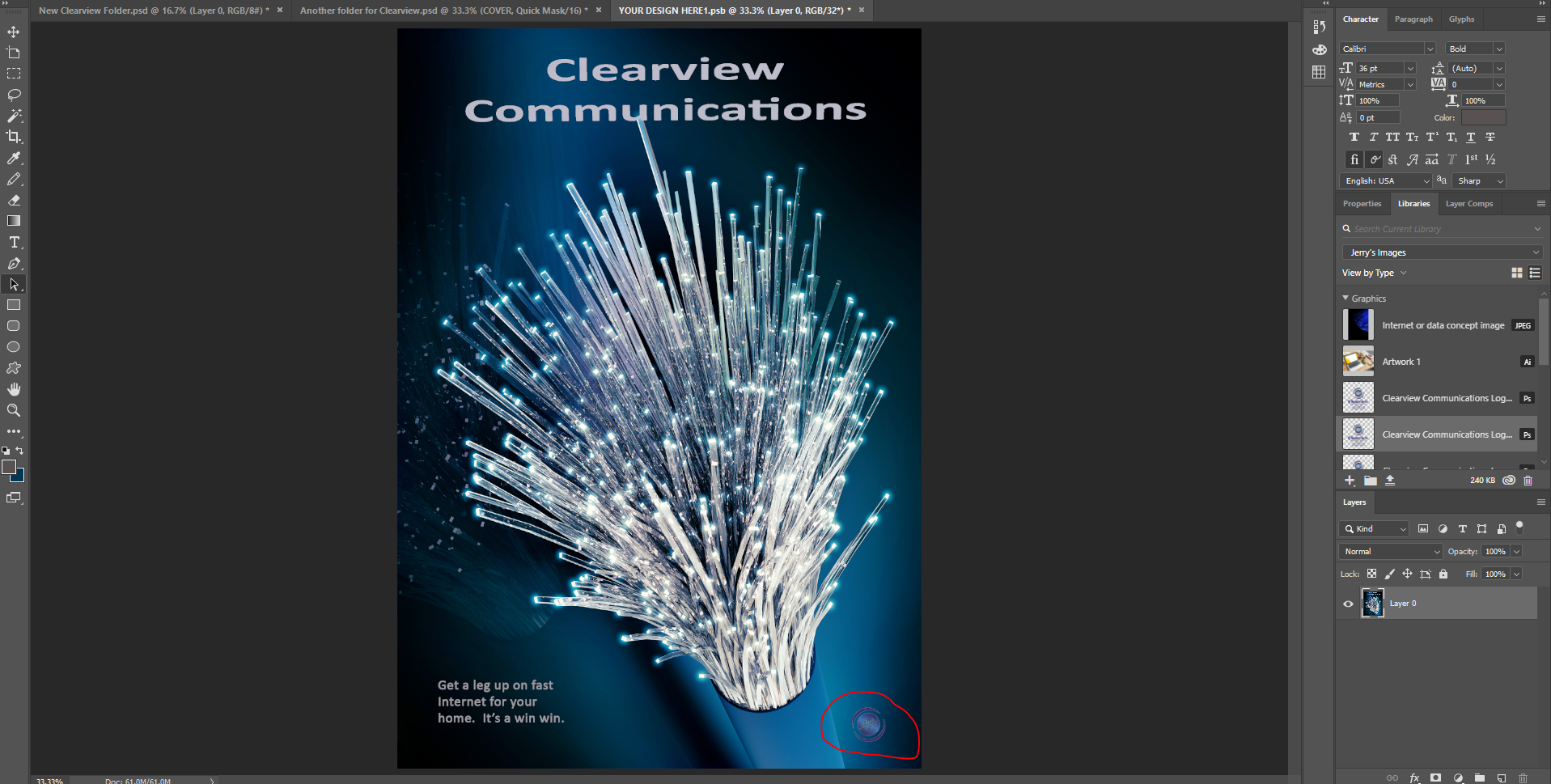
[Title renamed by moderator. Was "PS question".]

966
Translate
Report
Community guidelines
Be kind and respectful, give credit to the original source of content, and search for duplicates before posting. Learn more
community guidelines

correct answers 1 Correct answer

Community Expert , Jul 30, 2019 Jul 30, 2019

Hi

One click with the spot healing brush :
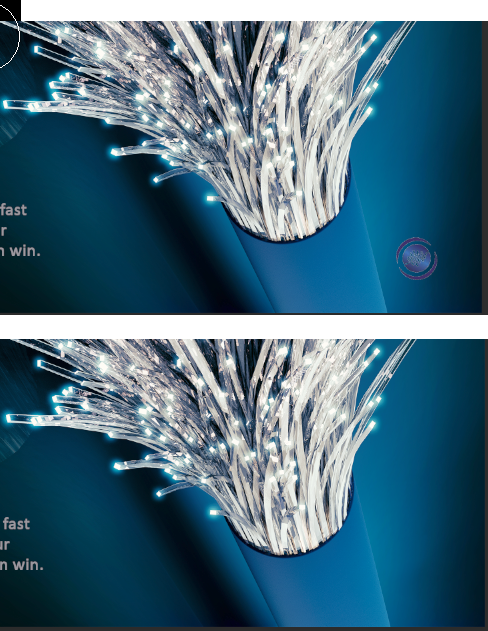
Then add your new object

Dave

Translate
Adobe
Community Expert ,
Jul 30, 2019 Jul 30, 2019
I have a photo which I placed a picture there but cannot get the layer for it so I can delete it and replace it.

There is only one Layer – did you inadvertently flatten the image?

Translate
Report
Community guidelines
Be kind and respectful, give credit to the original source of content, and search for duplicates before posting. Learn more
community guidelines
Participant ,
Jul 30, 2019 Jul 30, 2019

Yes, I did that accidentally and now trying to undo it.

Translate
Report
Community guidelines
Be kind and respectful, give credit to the original source of content, and search for duplicates before posting. Learn more
community guidelines
Community Expert ,
Jul 30, 2019 Jul 30, 2019

Please post a screenshot with the History Panel visible.

Translate
Report
Community guidelines
Be kind and respectful, give credit to the original source of content, and search for duplicates before posting. Learn more
community guidelines
Community Expert ,
Jul 30, 2019 Jul 30, 2019

I agree with

Translate
Report
Community guidelines
Be kind and respectful, give credit to the original source of content, and search for duplicates before posting. Learn more
community guidelines
Community Expert ,
Jul 30, 2019 Jul 30, 2019

If you worked on the image for more than an hour and are on a Mac with Time Machine running, the psd version (unflattened) may. be available.

Translate
Report
Community guidelines
Be kind and respectful, give credit to the original source of content, and search for duplicates before posting. Learn more
community guidelines
Participant ,
Jul 30, 2019 Jul 30, 2019

Below is screen shot with history.

Nothing shows the icon I want to remove.

Translate
Report
Community guidelines
Be kind and respectful, give credit to the original source of content, and search for duplicates before posting. Learn more
community guidelines
Community Expert ,
Jul 30, 2019 Jul 30, 2019

jerryc75922535  wrote

I have a photo which I placed a picture there but cannot get the layer for it so I can delete it and replace it.  below is how it looks.  How can I fix that, if possible?

Is “your design here.psb” a Smart Object that is inside one of the other two files? If so, close it to return to the main file and you will see the other layers.

DF4E62BE-B7DD-4DBB-AE78-478F39C0C0F6.jpeg

Where did this file originate? Is it one you created or one you bought?

~ Jane

Translate
Report
Community guidelines
Be kind and respectful, give credit to the original source of content, and search for duplicates before posting. Learn more
community guidelines
Participant ,
Jul 30, 2019 Jul 30, 2019

It was one that what blank, and I created it from scratch.

Translate
Report
Community guidelines
Be kind and respectful, give credit to the original source of content, and search for duplicates before posting. Learn more
community guidelines
Community Expert ,
Jul 30, 2019 Jul 30, 2019

Hi

One click with the spot healing brush :

Then add your new object

Dave

Translate
Report
Community guidelines
Be kind and respectful, give credit to the original source of content, and search for duplicates before posting. Learn more
community guidelines
Participant ,
Aug 01, 2019 Aug 01, 2019

Thank you Dave.

Translate
Report
Community guidelines
Be kind and respectful, give credit to the original source of content, and search for duplicates before posting. Learn more
community guidelines
Community Expert ,
Aug 01, 2019 Aug 01, 2019
LATEST

You're welcome

Dave

Translate
Report
Community guidelines
Be kind and respectful, give credit to the original source of content, and search for duplicates before posting. Learn more
community guidelines