
Exit
  • Global community
    • Language:
      • Deutsch
      • English
      • Español
      • Français
      • Português
  • 日本語コミュニティ
  • 한국 커뮤니티
1

Remove Tool. not as good as it was?

Contributor ,
Oct 05, 2023 Oct 05, 2023

I've updated to the latest version of Photoshop (Also tested this on the latest Beta too)

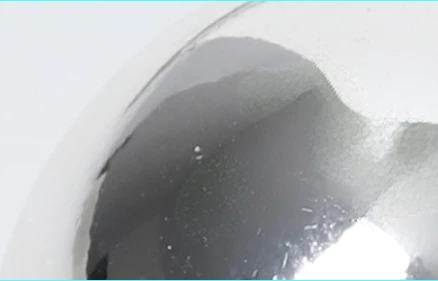
So when using the remove tool I find the results are not as expected. They were as good as perfect yet now they have a pattern effect showing.
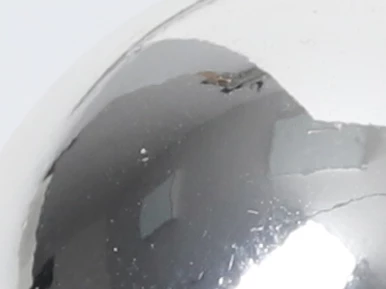
Mattmcquiff_0-1696500057262.png

Mattmcquiff_1-1696500205220.png

Is anyone else seeing this effect?


TOPICS
macOS
613
Translate
Report
Community guidelines
Be kind and respectful, give credit to the original source of content, and search for duplicates before posting. Learn more
community guidelines

correct answers 1 Correct answer

Community Expert , Oct 05, 2023 Oct 05, 2023

You may be having a problem with the Image processing part of this tool. It's easy to check.

Try this method and see if it goes away:


  •    Go to Preferences > Image Processing...
       Choose "More Stable" for Remove Tool Processing.
       RESTART Photoshop (Photoshop > Quit Photoshop, then relaunch).
       Note: You will need to do this for each version you use; Beta and regular.
  •    You might need to restart twice after applying the settings. 


Translate
Adobe
Community Expert ,
Oct 05, 2023 Oct 05, 2023

You may be having a problem with the Image processing part of this tool. It's easy to check.

Try this method and see if it goes away:


  •    Go to Preferences > Image Processing...
       Choose "More Stable" for Remove Tool Processing.
       RESTART Photoshop (Photoshop > Quit Photoshop, then relaunch).
       Note: You will need to do this for each version you use; Beta and regular.
  •    You might need to restart twice after applying the settings. 


Translate
Report
Community guidelines
Be kind and respectful, give credit to the original source of content, and search for duplicates before posting. Learn more
community guidelines
Community Expert ,
Oct 05, 2023 Oct 05, 2023

Gene, do you know why the double restart is needed?  

Translate
Report
Community guidelines
Be kind and respectful, give credit to the original source of content, and search for duplicates before posting. Learn more
community guidelines
Community Expert ,
Oct 05, 2023 Oct 05, 2023

I'm using the word "might".  If once doesn't work, try twice.


Kirk Voclain got his results in the second try because he didn't give up after the first.

https://community.adobe.com/t5/photoshop-ecosystem-discussions/my-remove-tool-stopped-working-it-onl...

Translate
Report
Community guidelines
Be kind and respectful, give credit to the original source of content, and search for duplicates before posting. Learn more
community guidelines
Contributor ,
Oct 06, 2023 Oct 06, 2023

Great many thanks for that! Its become such a speedy tool to have that, i didnt want to loose it.!

Translate
Report
Community guidelines
Be kind and respectful, give credit to the original source of content, and search for duplicates before posting. Learn more
community guidelines
Community Expert ,
Oct 06, 2023 Oct 06, 2023
LATEST

Thanks for letting the user forums know this is a good answer. I'm thinking not all systems work equally well with the updated Remove Tool and the above adjustment does help.

Translate
Report
Community guidelines
Be kind and respectful, give credit to the original source of content, and search for duplicates before posting. Learn more
community guidelines