Copy link to clipboard
Copied
Hello
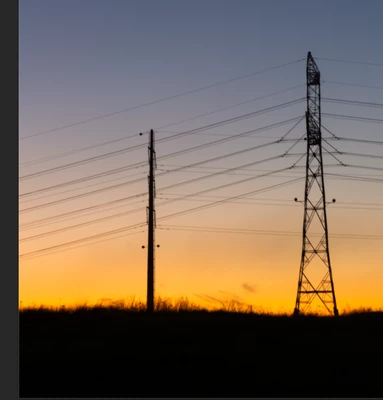
In photoshop 25 I try to remove the wires, but it doesn't work,
original:
after "removal wires and cables"
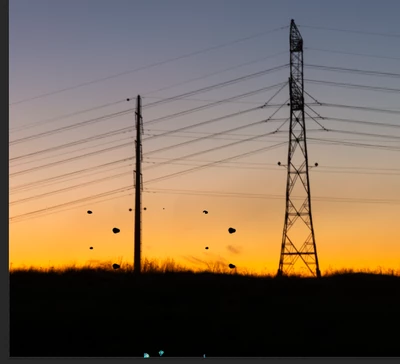
and the same in every photo 😞
What could be the problem?
Thank you

Copy link to clipboard
Copied
Hi there,
Thank you for reporting this issue, and we're sorry for the trouble caused you. Have you tried using remove tool on a different image for the same? To me, it looks like the details of wire are not so clear. Do you mind if you could share the same image with us, and we can try removing the wires at our end? Also, just to make sure you are using the right workflow, take a look at the following article and check all the steps: https://adobe.ly/3AnZJSC
Let us know how it goes.
Thanks,
Mohit
Copy link to clipboard
Copied
Hi @MaxBi ent
We would love to know your system info so we can understand why this is happening. (Help > System Info: Copy. Then paste into this chat).
Setting to "More Stable" for the tool should fix it: Go to Preferences > Image Processing... Choose "More Stable" for Remove Tool Processing. RESTART Photoshop (Photoshop > Quit Photoshop, then relaunch).
Thank you!
Get ready! An upgraded Adobe Community experience is coming in January.
Learn more