Exit
  • Global community
    • Language:
      • Deutsch
      • English
      • Español
      • Français
      • Português
  • 日本語コミュニティ
  • 한국 커뮤니티
1

Remove tool

Explorer ,
Sep 26, 2023 Sep 26, 2023

I'm using the last revision of Photoshop (25.0) and I tried to use he remove tool and the resul is that it remove the selected area without any replacement. See the images below.
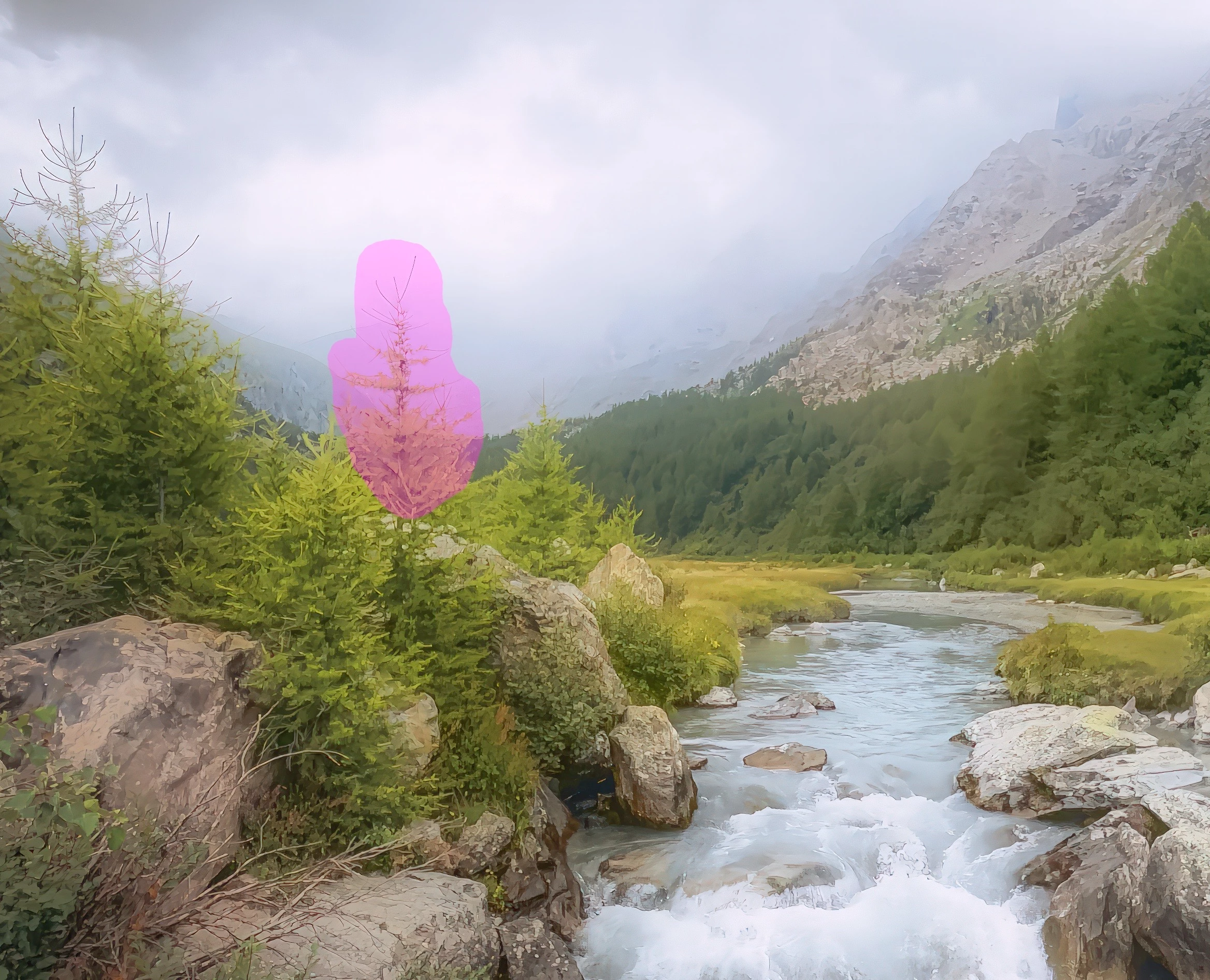
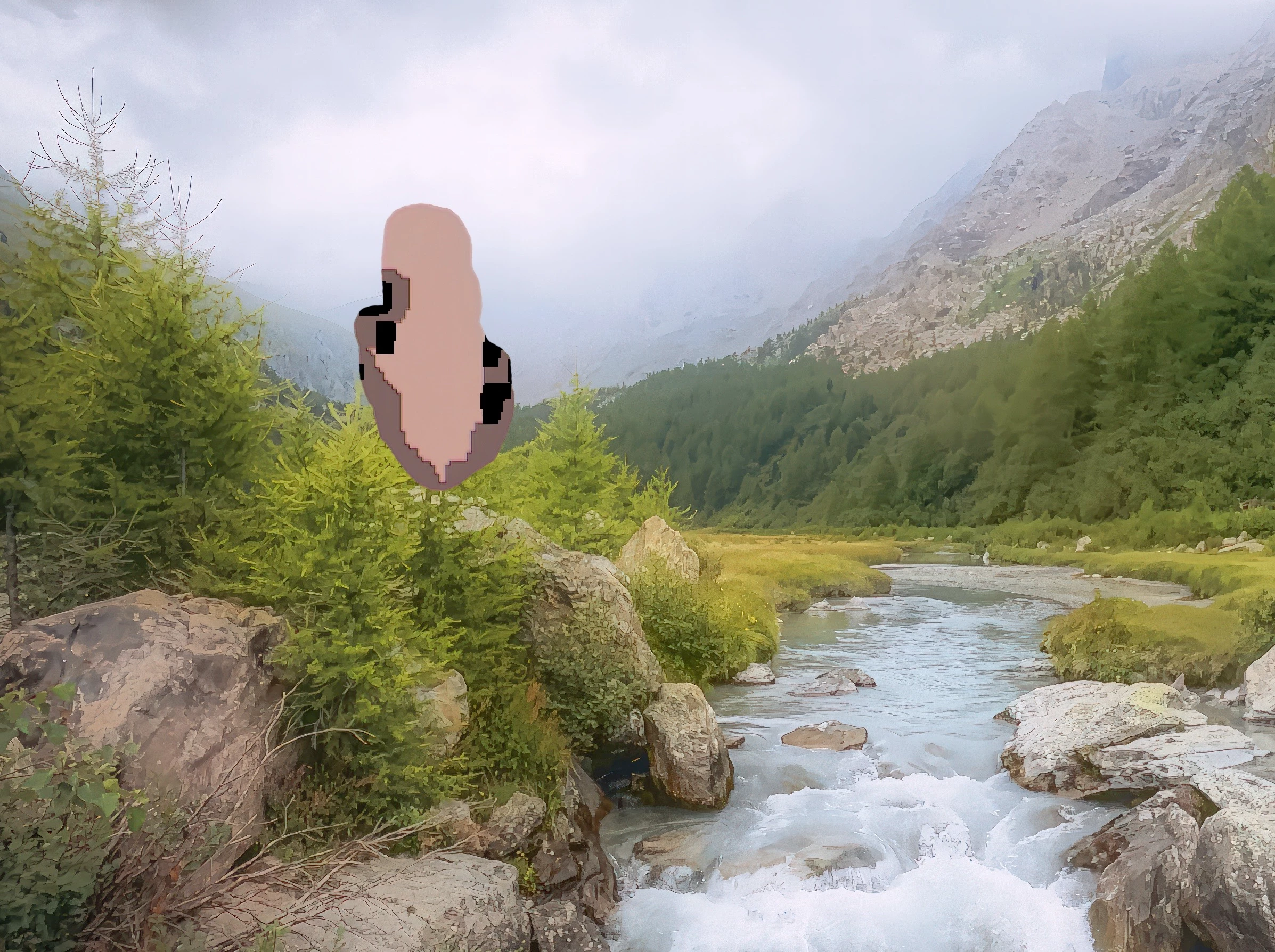
screenshot_1386.jpgscreenshot_1387.jpg

Any idea on how to solve the issue?

Thanks a lot

TOPICS
macOS
834
Translate
Report
Community guidelines
Be kind and respectful, give credit to the original source of content, and search for duplicates before posting. Learn more
community guidelines

correct answers 1 Correct answer

Community Expert , Sep 27, 2023 Sep 27, 2023

Oh wow!  That's properly broken.  I can't think of any settings or conditions that would cause that to happen.  I just checked and there is no provision for resetting the Remove Tool, so you might have to go straight to resetting Preferences.

Translate
Adobe
Community Expert ,
Sep 27, 2023 Sep 27, 2023

Could you please post screenshots with the pertinent Panels (Toolbar, Layers, Options Bar, …) visible? 

Translate
Report
Community guidelines
Be kind and respectful, give credit to the original source of content, and search for duplicates before posting. Learn more
community guidelines
Explorer ,
Sep 27, 2023 Sep 27, 2023

Sure,

following are the new screenshots

screenshot_1389.jpgscreenshot_1388.jpg

Thanks

Roberto

Translate
Report
Community guidelines
Be kind and respectful, give credit to the original source of content, and search for duplicates before posting. Learn more
community guidelines
Community Expert ,
Sep 27, 2023 Sep 27, 2023

Oh wow!  That's properly broken.  I can't think of any settings or conditions that would cause that to happen.  I just checked and there is no provision for resetting the Remove Tool, so you might have to go straight to resetting Preferences.

Translate
Report
Community guidelines
Be kind and respectful, give credit to the original source of content, and search for duplicates before posting. Learn more
community guidelines
Explorer ,
Sep 28, 2023 Sep 28, 2023
LATEST

Hi Dennis,

thank you so much for your help. I reset the preferences and now it seems to work fine.

Thanks again

Roberto

Translate
Report
Community guidelines
Be kind and respectful, give credit to the original source of content, and search for duplicates before posting. Learn more
community guidelines
Community Expert ,
Sep 27, 2023 Sep 27, 2023

If you right-click or ctrl-click (mac) on the Remove Tool, it should reset.

Of course I wonder if the way the layers are interacting would cause this.

Screen Shot 2023-09-27 at 10.31.19 PM.png

Translate
Report
Community guidelines
Be kind and respectful, give credit to the original source of content, and search for duplicates before posting. Learn more
community guidelines