
Inspiring
February 12, 2020
Question

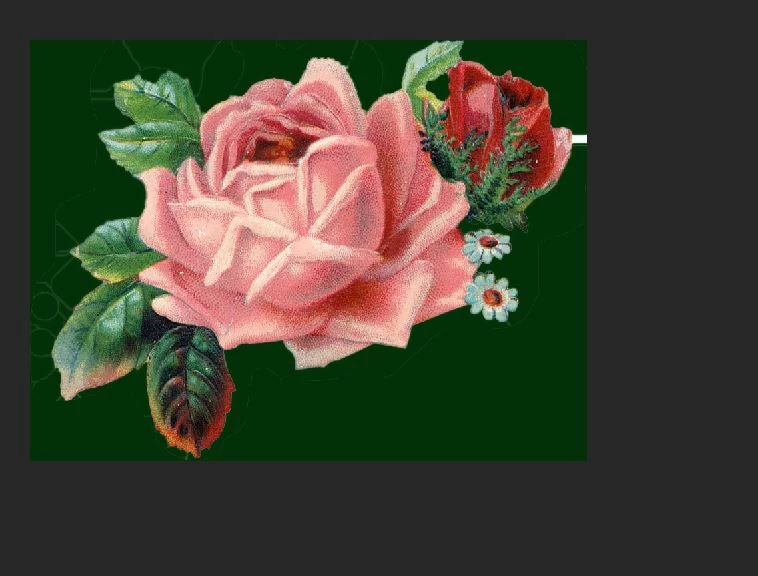
Removing lines in this image?

  • February 12, 2020
  • 1 reply
  • 1793 views

I've been trying to put a stroke around this flower in Illustrator, but there are extra lines (they are very faint white ones). Someone said I need to remove the lines in Photoshop. I added a dark green layer so I could see the lines, but now I don't know how to remove them. I've tried the eraser tool and quick selection. Neither worked. Can someone please advise? Thank you!
This topic has been closed for replies.

1 reply

JJMack
Community Expert
Community Expert
February 12, 2020

If you created them in AI they are most likely vector path strokes.  AI is Adobe vector editor application.  Photoshop does not support AI vector files.  Adobe Photoshop can import AI files as a raster layer there will be no vectors for that layer in Photoshop. You do not want to do that.  Photoshop is a Pixel editor with some vector tools and vector layer types Shapes and Text. IMO you were given bad advice. 


If you did not create the images with AI that it is a raster image why do you have it in AI.  I do no know or install AI you may good reason.   It would be easy to use Photoshop Pen tool to create a path around the flower then stroke the path on an empty layer or in the flower raster layer.


You could also use a selection tool like the quick selection tool to select the flower then stroke the selection.

JJMack
JJMack
Community Expert
Community Expert
February 12, 2020

You could also select the flower invert the selection and clear the background. You can then Select the layers transparency to select the flower. You can add a layer and stroke the section.  Play with Photoshop.  If you play with Photoshop you will learn much.

JJMack
Inspiring
February 12, 2020

Thank you. I found it is easier to select the flower in Photoshop after all.