
New Participant
February 12, 2024
Question

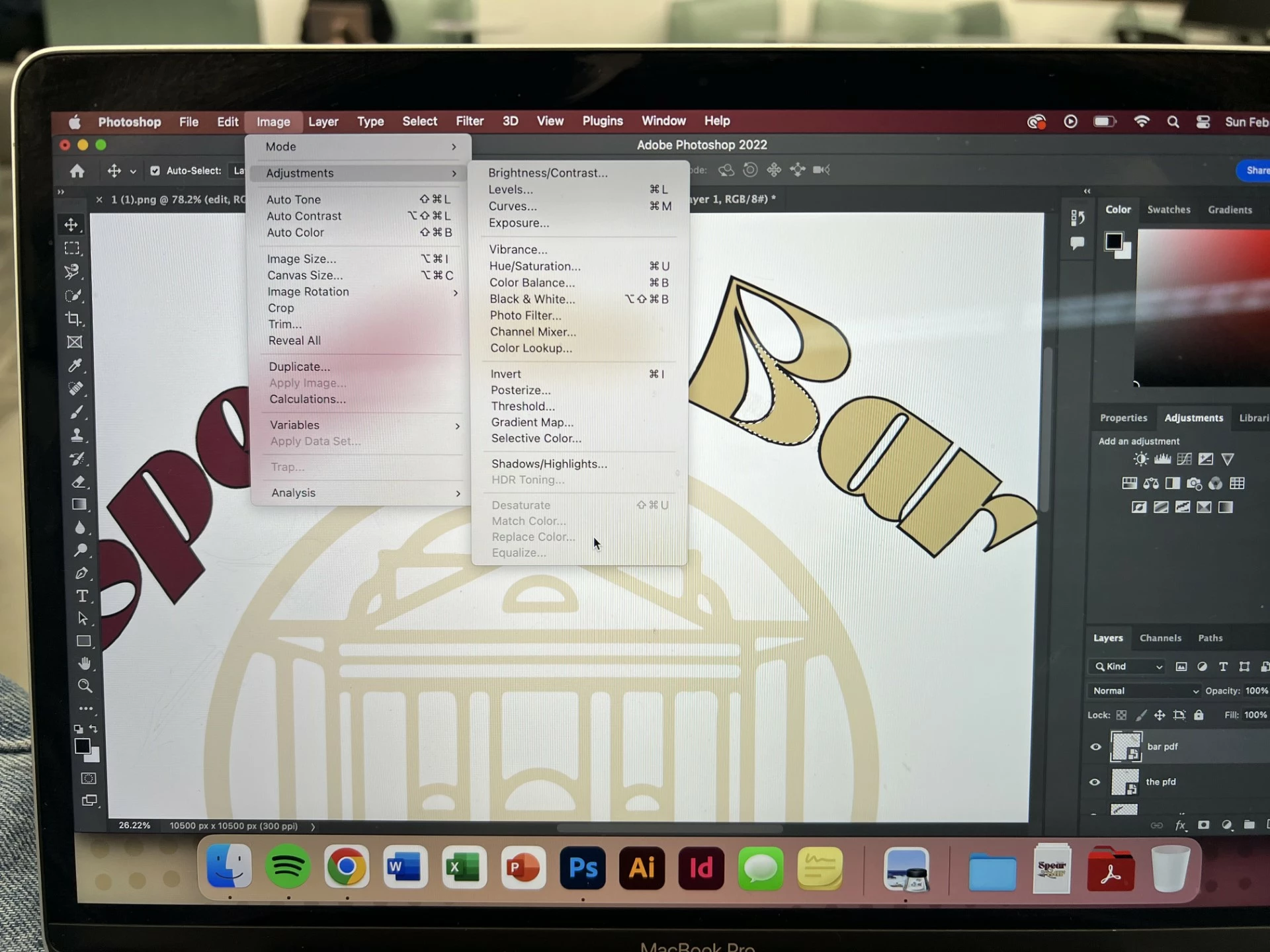
replace color option isn't available

  • February 12, 2024
  • 3 replies
  • 195 views

hey so im trying to change this gold color of the word "bar" to the garnet one to the left, i dont have access to the fonts and have to use the image which makes it difficult. i would like to use the replace color method because in hue/saturation it wont let me use the color dropping tool to pick up that specific garnet color. but the replace color option is gray and unavailable for me, does anyone know why? or if theres a way that i could do this?
This topic has been closed for replies.

3 replies

D Fosse
Community Expert
February 12, 2024

Replace Color is a very crude one-shot tool that just combines Hue/Sat and Select Color Range into one. It doesn't leave you any flexibility and no way to go back or readjust the result. I never use it.


The recommended way to do this is to

1 select the area and make a mask of the selection, using any selection tool (including Color Range)

2 use that mask on any adjustment layer (including Hue/Sat)


In other words, a much better way to do exactly the same thing. This way you can tweak both the mask and the adjustment later if you don't hit it right off (which you almost never do).


The color picker is always available and you can always use that to get any color numbers.

didiermazier
Community Expert
February 12, 2024

Maybe because the active layer is a smart object. Try to open it by double clicking on its thumbnail in the layers panel and change the color in the then open .psb file

New Participant
February 12, 2024

update- ive just screenshotted the garnet color and am warping it to fit the text, the best i can do right now.