
Participant
January 23, 2020
Question

Replace Color Tool & Color Replacement Tool showing wrong color outcome

  • January 23, 2020
  • 4 replies
  • 3356 views

Hi,

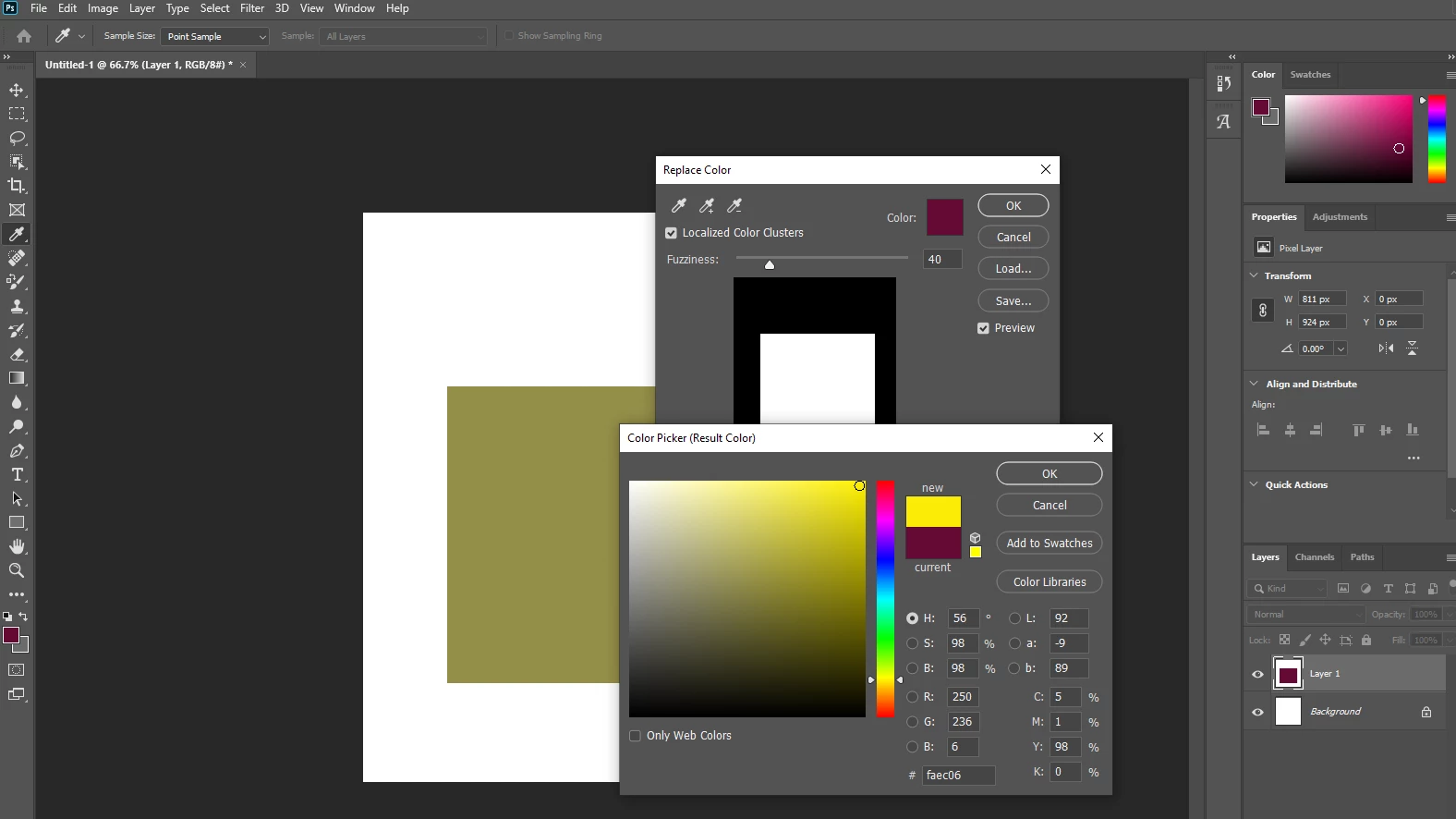
I have tried the Replace Color Tool (via Image - Adjustments - Replace Color) and the Color Replacement Tool but am experiencing a similar issue.

Replace Color Tool

The color replaced is not the color selected, as shown below for the Replace Color Tool. The color should be a very bright vibrant yellow.
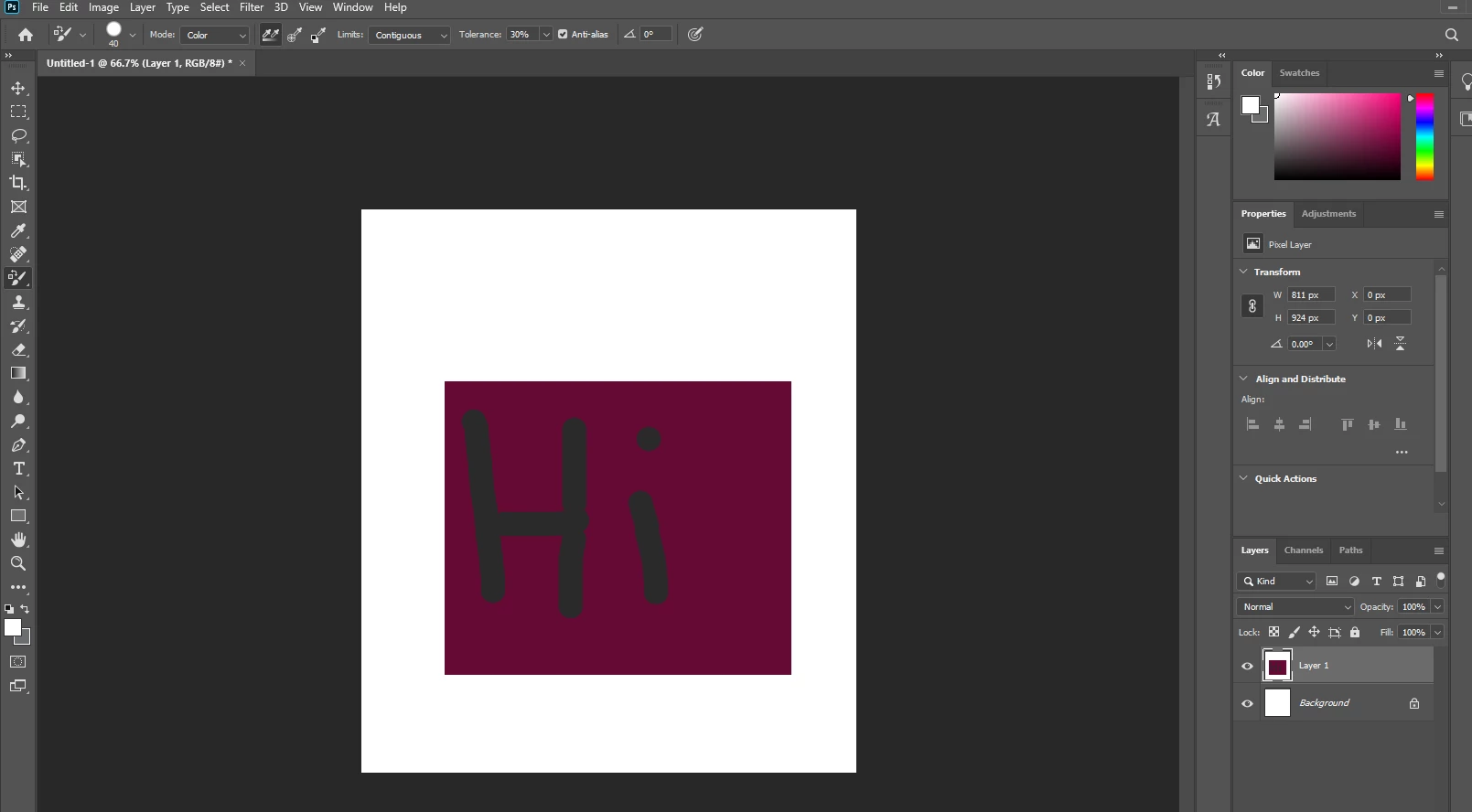
Color Replacement Tool

I then used the Color Replacement Tool brush, expecting the "Hi" writing to be white, not dark grey, below.
Photoshop version: 21

I've reset all the Photoshop Tools but this has not helped either.

Any ideas please?

This topic has been closed for replies.

4 replies

Legend
January 24, 2020
It works the same in CS6 (both tools). In which "previous" version does it work differently?
 
Participant
January 24, 2020

I'll re-install earlier versions over the weekend and update then.

c.pfaffenbichler
Community Expert
Community Expert
January 23, 2020

As Dag already explained some people seem to misunderstand the meaning of the word »color« in this context. 


As the Color Replacement Tool and the Replace Color-Adjustment are destructive they are worthless for serious work in my opinion and should be avoided altogether. 

Participant
January 24, 2020

Thank you for your comments. For what I needed the Color Replacement Tool would have been fine and wouldn't matter about the destructive side. The Color Replacement Tool worked fine in a previous Photoshop version I used and checking various online videos mine is not behaving as expected.


To get done what was needed I used a Hue/Saturation adjustment layer and this has done the trick.

D Fosse
Community Expert
Community Expert
January 24, 2020

And it works correctly in your example above. Read my reply again.

D Fosse
Community Expert
Community Expert
January 23, 2020

I'm not sure this is a bug, it sounds perfectly normal to me. Color and luminance are two different things.


I never use the color replacement tool, but to make any sense, it needs to work on the color component while ignoring the luminance component. If it didn't, it would just be a normal paintbrush.


That bright yellow, reduced to the very dark luminance of the purple color, should look exactly like that.


In any case, there are much better and more precisely targeted tools to achieve the same goal (which is why I never use it). The color replacement tool is a pretty coarse all-rolled-into-one combination tool.

January 23, 2020

Hi

I can replicate the issue with Photoshop 21.0.3, you can report it as a bug on the Adobe Feedback Forum