oleea656
Participant
September 20, 2016
Question

Replace Smart Object and Save

  • September 20, 2016
  • 1 reply
  • 616 views

Hello!

I'm in dire need of this community's scripting knowledge! I've tried looking over tutorials but I always end up scratching my head in confusion.

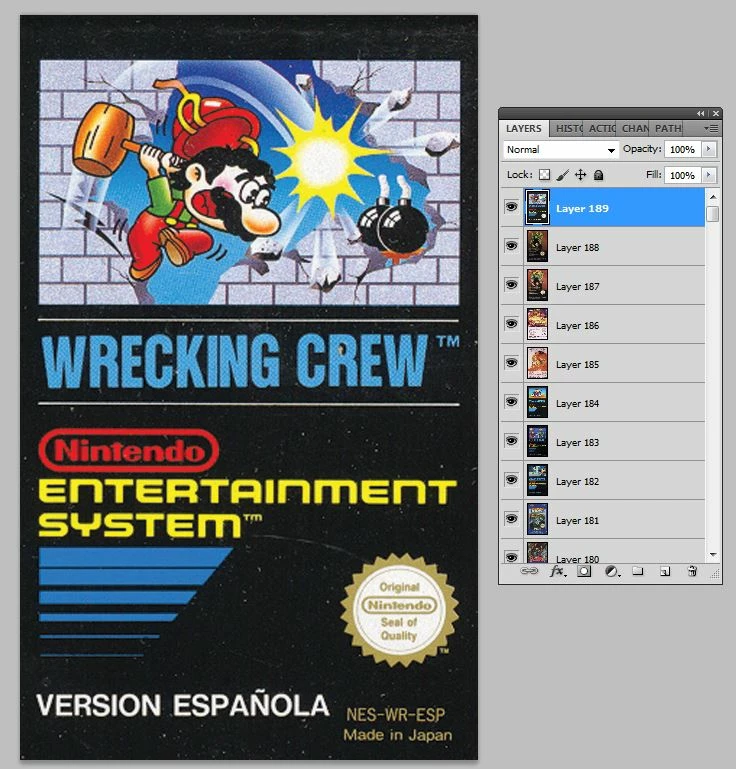
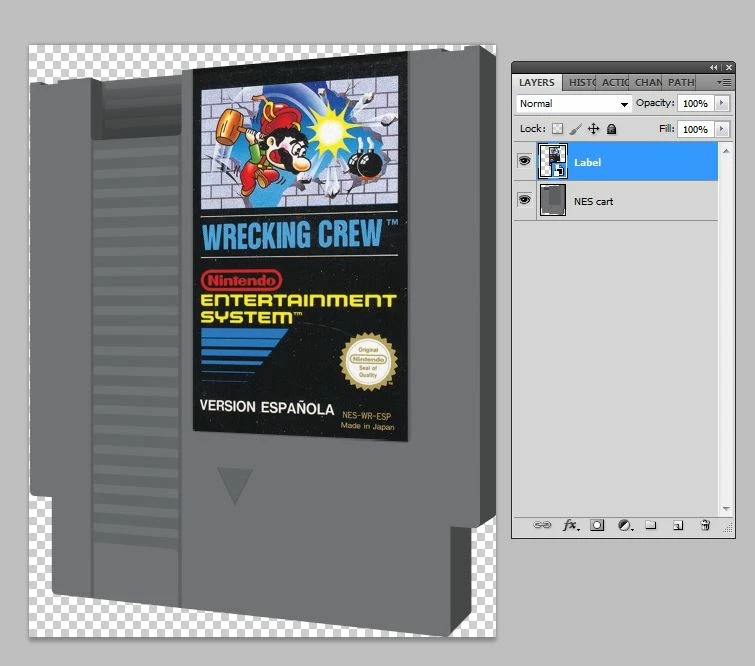
My project consists of creating Nintendo carts with their own unique label. I already have  the cart designed and all the labels are placed as smart objects. I've attached pics so you can see what I have.  So I'm looking for a script that will output each cart individually with its unique label and save as a png.

I've done this process manually before, but I don't want to go through that again. I hope someone out there helps me out. I'm using Photoshop CS5 btw.

Thanks!
This topic has been closed for replies.

1 reply

JJMack
Community Expert
Community Expert
September 20, 2016

You show all the labels as a stack of layers. I think  you should save the layers to files all the same x pixels by y pixels. Export layer to files.

You show your cartage template has a bottom layer that  is a normal layer with transparence and contains a 3d rendering of a game cartage.  There is a label layer above that layer with a place label image that has been transformed to fit the cartage.

What  you then need is a Batch script that opens the template file. and replace the label layers embedded smart object content with replacement labels image.  After replacing the smart object layers object content it saved out a Jpeg file with the label replacement with the label name. Then the script repeats this process till all  the replacement label files have been saved out as jpeg files. Then Script closes the template document without saving it and exits.

The script need to know the Template file and  the source it get the label files from.  These could be in a ScriptUI dialog so could pass the script. The Template file and source folder.

All image need to be the exact size of  the template's original object. So the Smart Object transform works correctly.  Smart Object layers associated transforms do not change.  And the object can be shared by several smart object layers.  It an ayes way to create Picture Package template.  Replacing a single object replaces all the images in the package.

JJMack
oleea656
oleea656Author
Participant
September 20, 2016

Thanks, JJMack.

Let me give it a shot!