
deonb24598648
Participant
September 20, 2020
Answered

Replace $ with £

  • September 20, 2020
  • 2 replies
  • 503 views

Hi,

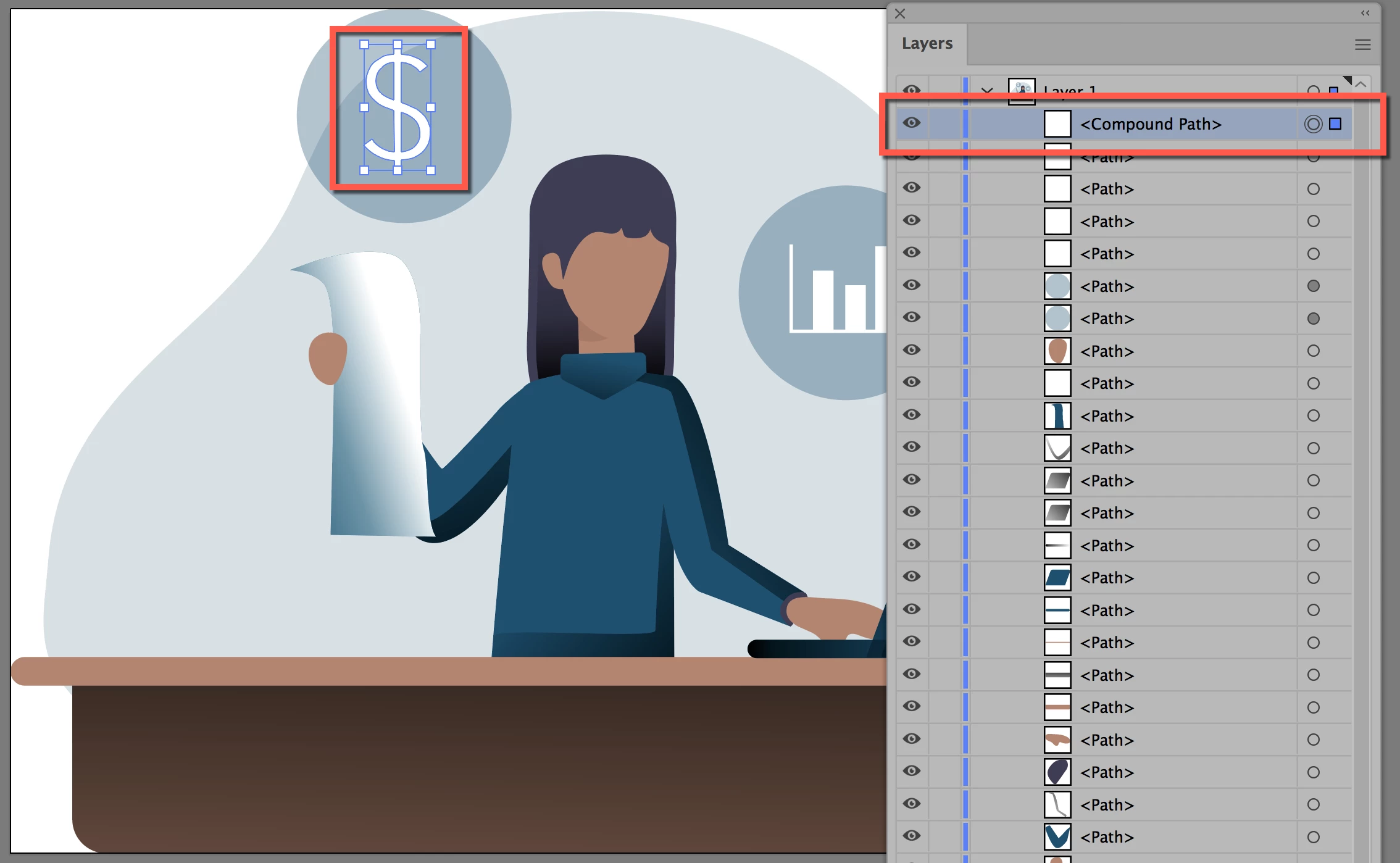
I'm a novice with PhotoShop 2020, and I'm looking for hopefully an easy way of replacing the $ with a £ in the attached image. Can you advise me on what method would be the way to do this? 


Thanks 

Deon
This topic has been closed for replies.
Correct answer jane-e

Thanks Jane


You're welcome, Deon.


The glitch has been fixed, and I was able to open the vector SVG in Illustrator. The dollar sign was converted from text to a path and can be selected and deleted, then the pound sign can be typed in.


Do you have Illustrator?


Jane


2 replies

deonb24598648
Participant
September 20, 2020

jane-e
Community Expert
Community Expert
September 20, 2020

Hi

Some of us can't open or access attachments right now due to a forum glitch, so this is general information:

  • An .svg is vector and is best opened in Illustrator. The checkered squares typically indicate transparency, and when you open it in Illustrator, open the layers panel and spin open any disclosure triangles to view what is on the layer(s). You should be able to delete or hide the rectangle with the checkered squares.
  • See if the text is live in Illustrator, and then make the edits.
  • If the "text" is not text, but instead raster pixels, you can clone out the dollar sign and then type the pound sign if you are in PS. In Illustrator, you can delete the raster text and type in the new text.

~ Jane

deonb24598648
Participant
September 28, 2020

Thanks Jane

Community Expert
September 20, 2020

Did you try using the Find and Replace text dialog which is opened using the menu Edit>Find and Replace Text...

-Manan

-Manan
deonb24598648
Participant
September 20, 2020

Hi, its not a text box its in the image.