
Answered
Replacing Images - Best Way
I'm new to PS and wanted to ask the forum for advice on how best to replace the cards below in the box with my own design so they look realistic??
Many Thanks in advance.
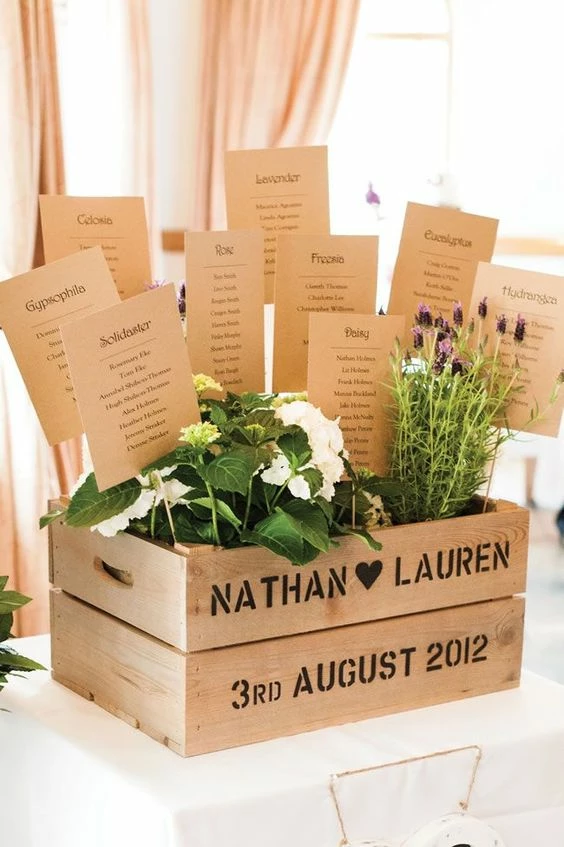

I'm new to PS and wanted to ask the forum for advice on how best to replace the cards below in the box with my own design so they look realistic??
Many Thanks in advance.
Smart Objects, Smart Object, Smart Objects, …
You would need
• to remove the texts from the existing cards (for that many operations can be useful, for example Clone Stamp Tool, Content Aware Fill, …)
• then crate the appropriate Masks (preferably on Groups in this case) and
• place and transform the new cards and, if necessary,
• use Blend Modes and Adjustment Layers etc. to emulate the lighting effects and paper structure
What do the new cards look like?
Already have an account? Login
Enter your E-mail address. We'll send you an e-mail with instructions to reset your password.
 AdChoices