Inspiring
November 1, 2018
Question

Request for Clone Source Shortcut

  • November 1, 2018
  • 5 replies
  • 721 views

Hi,

Can I put a suggestion forward to have an option in keyboard shortcuts to switch between "Current Layer", "Current & Below" and "All Layers". As the former 2 I am always switching between.

The same with healing brush/spot healing brush. An option to toggle the "Sample all layers" checkbox.

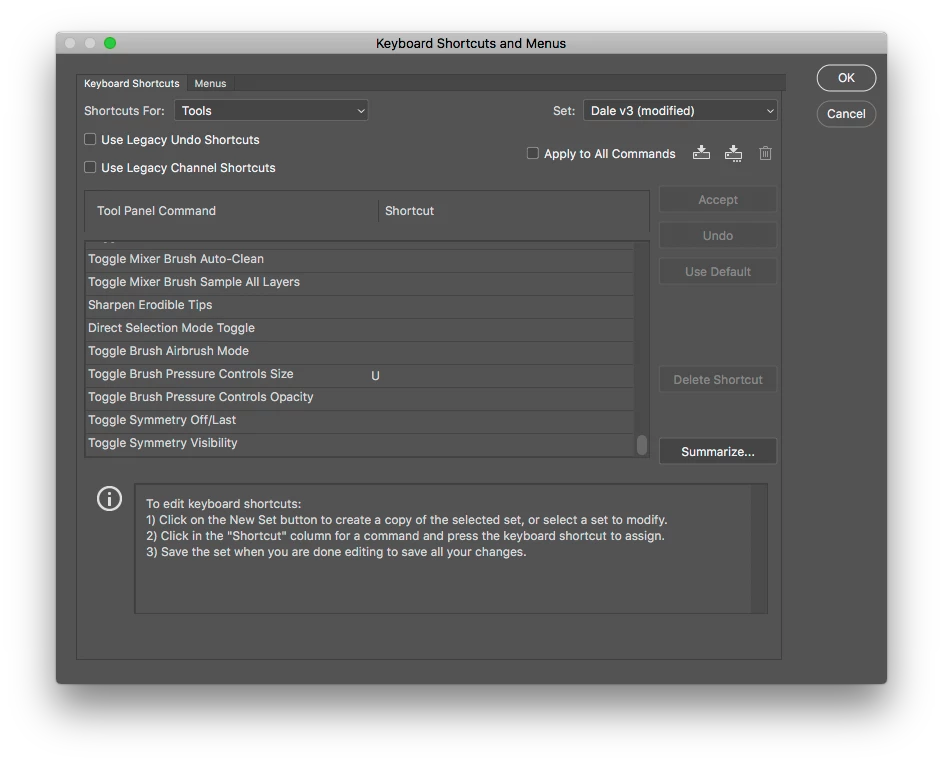
The mixer brush has this feature (as screenshot), so I would like the option for the other tools please.

This topic has been closed for replies.

5 replies

Kukurykus
Legend
November 3, 2018
Inspiring
November 1, 2018

Trevor, I have a Logi G510s at home, but sadly at work I can only use the apple keyboard. So not an option.

Trevor.Dennis
Community Expert
Community Expert
November 1, 2018

Make a series of actions, and assign them all a shortcut.

You'll need to borrow the shortcuts from other functions, so save your new shortcuts to a custom workspace, and switch back to Essentials, for instance, when you need the default shortcut.

As I  have mentioned a time or two on this forum, gaming keyboards and mice, that have programmable 'G-keys' allow you to have single key press to trigger your most used shortcuts.

Inspiring
November 1, 2018

Cheers Ged, thought there would be a home for it.

November 1, 2018

Hi

Feature request can be posted here

Photoshop | Photoshop Family Customer Community