
Inspiring
May 3, 2022
Question

Rescaper une vielle photo

  • May 3, 2022
  • 2 replies
  • 474 views

Bonjour,


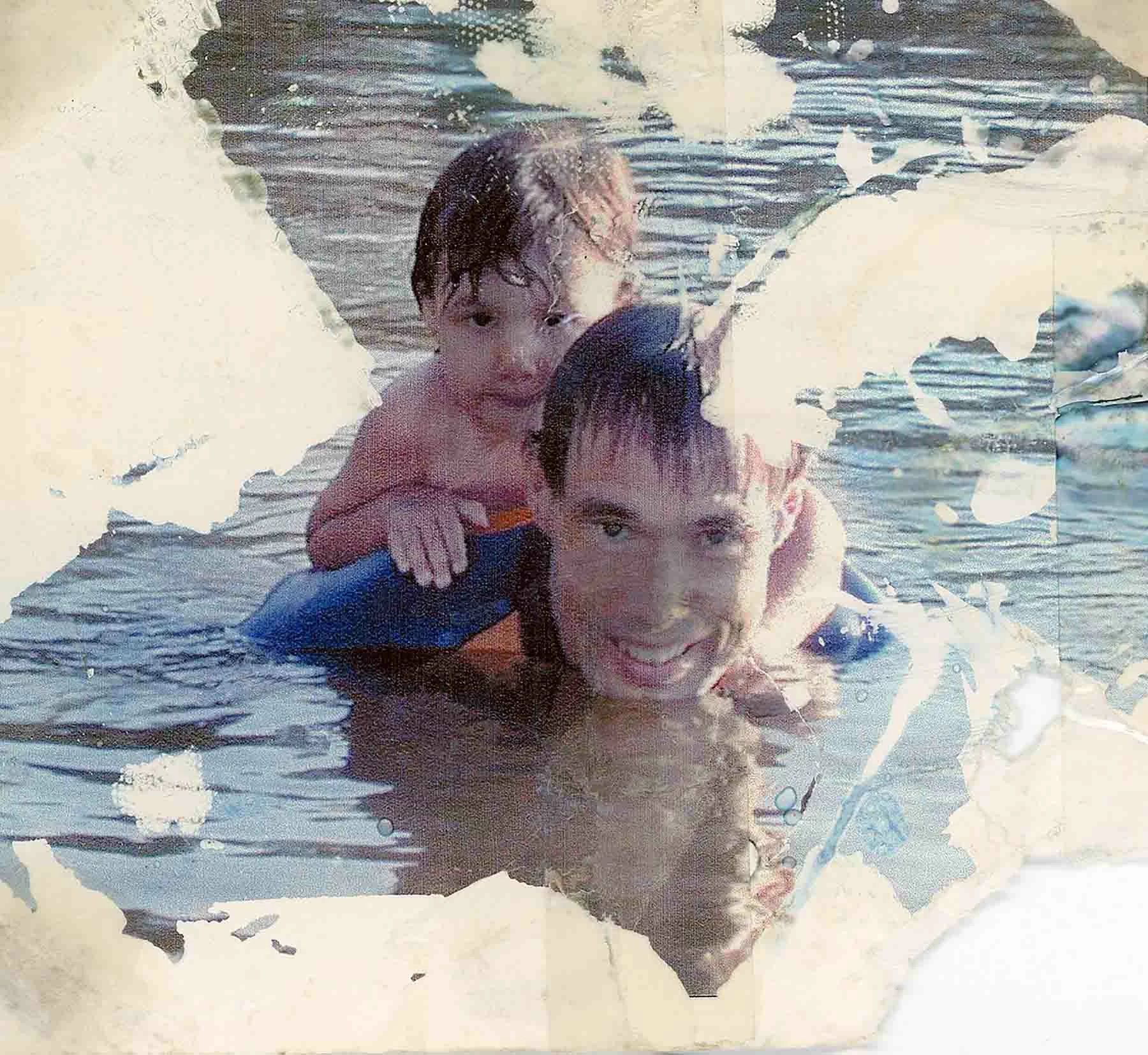
On m'a donné une vieille photo, dont je ne peux avoir le négatif, qui est affreusement abimée. Est-il possible avec Photoshop de la faire renaître? Les égratignures peuvent être retouchées avec l'outil correcteur de Photoshop, mais il manque de grandes parties de l'arrière-plan que j'aimerais retrouver, sauf que je ne sais pas comment.


Est-ce que quelqu'un aurait des idées!


Merci à l'avance!
[Moderator: OP has admitted to using non-genuine software. This goes against our Terms of Use, and therefore against our Community Guidelines. Locking this thread]

This topic has been closed for replies.

2 replies

Trevor.Dennis
Community Expert
Community Expert
May 4, 2022
quote

Bonjour,

I was given an old photo, of which I cannot have the negative, which is horribly damaged. Is it possible with Photoshop to revive it? Scratches can be retouched with Photoshop's proofreader tool, but there are large parts of the background missing that I'd like to find, except I don't know how.


Would anyone have any ideas!


Merci à l'avance!


By @Michel6755


Trevor.Dennis
Community Expert
Community Expert
May 4, 2022

Hi Michel


What tends to happen here is that if you provide a reasonably high resolution version of your image, then people here will try to fix it and describe how they did so.  Your image appears to be quite small.  When I click to expand it, I get a black screen, which I 'think' indicates the image is already at its full size.  This is a recent behaviour for this forum, so I am not 100% sure about it.


So can you upload a full res version of the scan you made?

Inspiring
May 4, 2022

Hi Trevor.Dennis,


Here is the same photo with a better resolution.


Is-it enough?

Ranjisha Sengupta
Legend
May 3, 2022

Hi there,


Thanks for reaching out. We understand your concern and are here to help.

Which version of Photoshop are you using? As you know, Photoshop is very powerful software; there are hopes to get the picture back in form.

There are different tools and procedures to do it. I am listing a few youtube tutorials below; please have a look;

1) https://www.youtube.com/watch?v=Mk4_Xng8CPY

2) https://www.youtube.com/watch?v=6uk6WZWhDw8

3) https://www.youtube.com/watch?v=071BM7l1jlQ

4) https://www.youtube.com/watch?v=W1gqEQXNeFo


Let us know if this helps.


Thanks.

Ranjisha

jacours
Inspiring
May 4, 2022

Hi Ranjisha

Thanks very much!
The problem occurred with the new version of Lightroom at the end of March. Thanks to tips in the community, the error has already been fixed.