
TheArker
Participating Frequently
March 31, 2020
Answered

Resizing Help

  • March 31, 2020
  • 1 reply
  • 449 views

Hello!

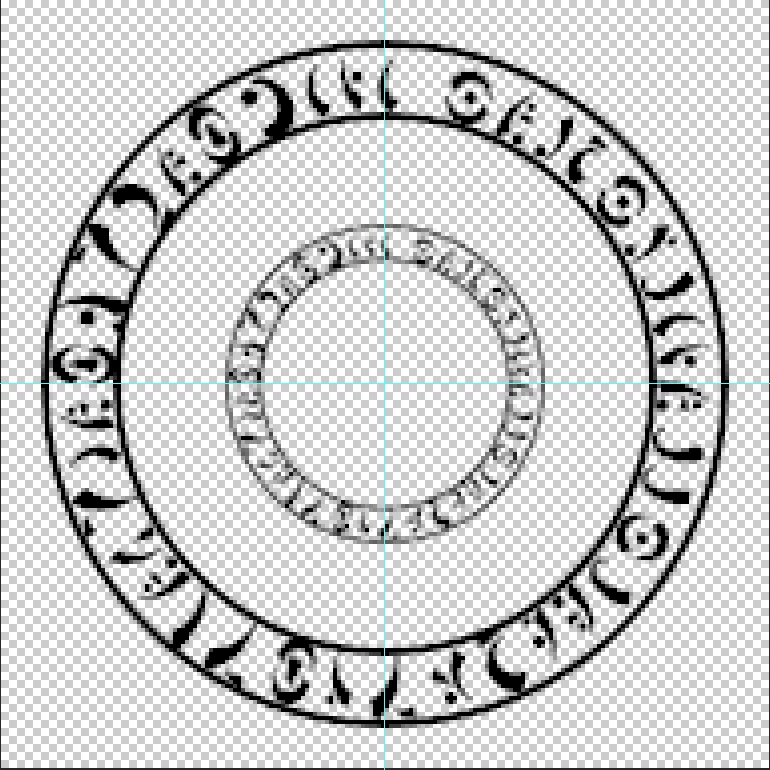
I seem unable to find any fixes or similarly asked questions about this particular problem, thus I was wondering if there was any way to reduce the circle's size without losing any opacity or any of the black color, as Photoshop seems to instantly smooth the whole thing when I reduce it.
Any help would be appreciated!

I'm working on a 192x192p canvas and have the "Nearest Neighbor" interpolation selected.

Thank you in advance!

This topic has been closed for replies.
Correct answer Mylenium

Not sure what you expect. Your source image is a thumbnail to begin with (by today's standards) ansd you're asking PS to throw away even more information. it will always degenerate, no matter what. you can of course try different interpolation methods and duplicate the layer a bunch of times to increase opacity of faint pixels, but otherwise it is simply mathematically impossible to retain more details in so few pixels. That's where you're quickly approaching the realm of icon design where sometimes stuff is painted pixel by pixel and looks terrible when zoomed in, but magically looks just fine when viewed at 100% due to how the human eye perceives things. unless you're ready to do that, you have to accept the limitations.


Mylenium

1 reply

Mylenium
MyleniumCorrect answer
Legend
April 1, 2020

Not sure what you expect. Your source image is a thumbnail to begin with (by today's standards) ansd you're asking PS to throw away even more information. it will always degenerate, no matter what. you can of course try different interpolation methods and duplicate the layer a bunch of times to increase opacity of faint pixels, but otherwise it is simply mathematically impossible to retain more details in so few pixels. That's where you're quickly approaching the realm of icon design where sometimes stuff is painted pixel by pixel and looks terrible when zoomed in, but magically looks just fine when viewed at 100% due to how the human eye perceives things. unless you're ready to do that, you have to accept the limitations.


Mylenium

TheArker
TheArkerAuthor
Participating Frequently
April 1, 2020

Aaaah alright I see, well thank you!