
printer6009
Participant
August 27, 2018
Answered

Restoring cropped image

  • August 27, 2018
  • 4 replies
  • 38548 views

Hi,

I'm so sorry, I've tried searching the forums, but I can't find an answer and I'm a little desperate.

I very STUPIDLY cropped an important document, and then did a few extra edits to it. Problem? I can't go far enough back in the history to undo the crop.

HOWEVER. I haven't saved the document, yet. Is there any way to fix this?

My problem is... my last save is QUITE a while ago and I'd done a LOT of work between saving and stupidly cropping.

Is there any hope for me?

Thank you so much for you time,

— A very desperate and stupid comic artist
Correct answer Jeff Arola

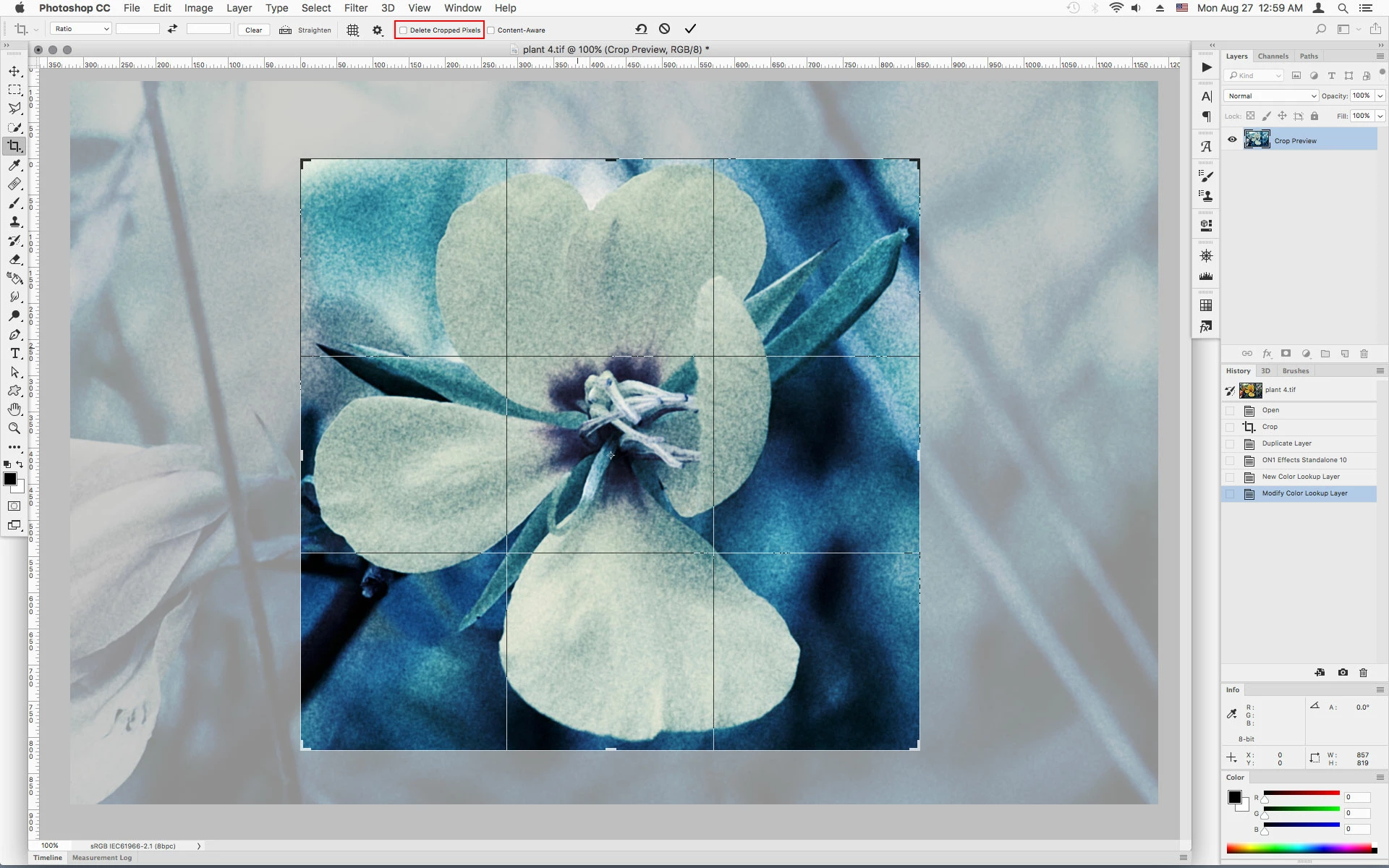
Hopefully you did not have Delete Cropped Pixels checked in the Crop Tool options.

If you click on the document with the Crop Tool that should reveal the cropped area or instead you can try Image>Reveal All.

Do you have earlier version of the document already saved?

4 replies

Inspiring
April 14, 2022

Another reason I hate Photoshop's willingness to stick to old conventions, which is probably an excuse to stay lazy on the development end. It really needs better feedback what has just happened. I was zoomed in, working on the image and I had delete cropped pixels checked. Fix this nightmare, Adobe. These are situations where your tools are not only unproductive, but they DESTROY people's work.

Participant
November 11, 2025

Agreed! Fire the person who didn't bother fixing that. They've actually caused harm to people.

Conrad_C
Community Expert
Community Expert
November 12, 2025

As Jane-e explained two years ago above, it was fixed. The old, traditional way was to always delete cropped pixels (destroy your work). That’s still how a lot of other photo apps work today: After you crop, those pixels are gone.


What they did was add the new option to preserve cropped pixels, and they added that many years ago. If you use that option, there is no harm done and the pixels can be recovered, thanks to the fix that they made, a Photoshop option you don’t always find in other photo apps.

Legend
August 27, 2018

Or, SAVE AS a new name, keeping the old file. You still have the uncropped file and the new file. You can bring in parts of both to save time in future.

Bojan Živković11378569
Community Expert
Community Expert
August 27, 2018

I am not sure what you state about saving and then cropping. Did you save file after cropping? If the answer is yes then try with above suggestion, otherwise, you may be able to go back to last save with File > Revert.

Jeff Arola
Community Expert
Jeff ArolaCommunity ExpertCorrect answer
Community Expert
August 27, 2018

Hopefully you did not have Delete Cropped Pixels checked in the Crop Tool options.

If you click on the document with the Crop Tool that should reveal the cropped area or instead you can try Image>Reveal All.

Do you have earlier version of the document already saved?

printer6009
Participant
August 28, 2018

I did have "Delete Cropped Pixels" turned on, so it was a total loss. However, I've fixed that so it won't happen again.

I ended up doing what Test Screen Name also suggested and simply using the cropped piece to rebuild the image based on the earlier version. Lost a few (12) hours of work, but it's all my own fault, anyway.

Thank you for the help, you've saved my future self from disaster, at least!

Participant
November 11, 2025

That's not your fault at all. Adobe team was incompetent when desinging this feature. Whoever put that feature in with no way to reverse it needs to be blacklisted from the industry.