

Answered
RGB values of clipped pixel in the info panel
Hi,
according to
https://helpx.adobe.com/photoshop/using/viewing-histograms-pixel-values.html
"the Info panel displays two sets of color values for the pixels under the pointer. The value in the left column is the original color value. The value in the right column is the color value after the adjustment is made."
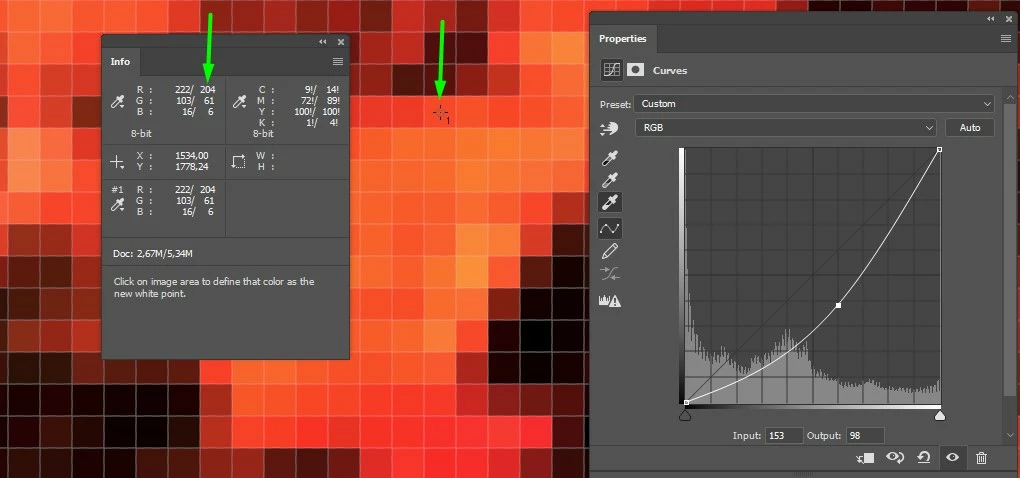
If I create a Curves level with no adjustement, when I select the eyedropper to set the white point and I press Alt (Win) or Option (Mac)
the left RGB values remains the same but the right RGB values change (when I move the eyedropper over clipped pixel, see image below).
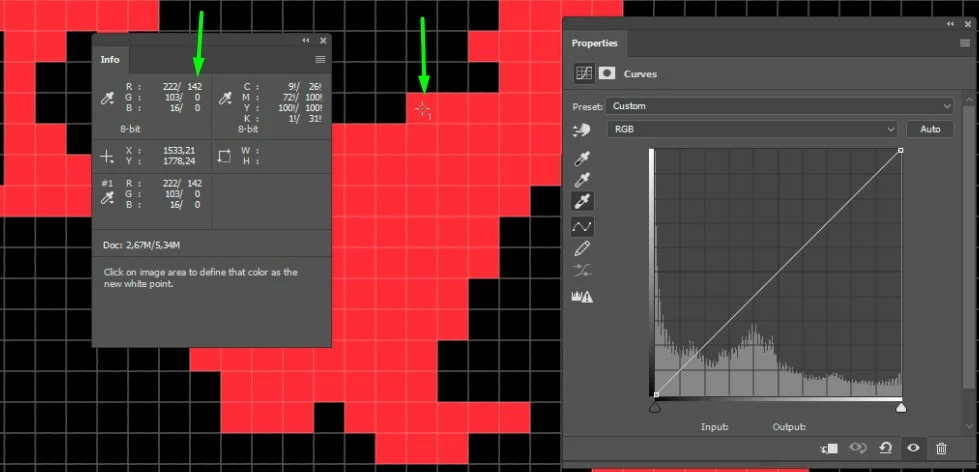
What does the new value refer to?
 AdChoices