
Right to Left Text (was: Photoshop CS6 User Manual)
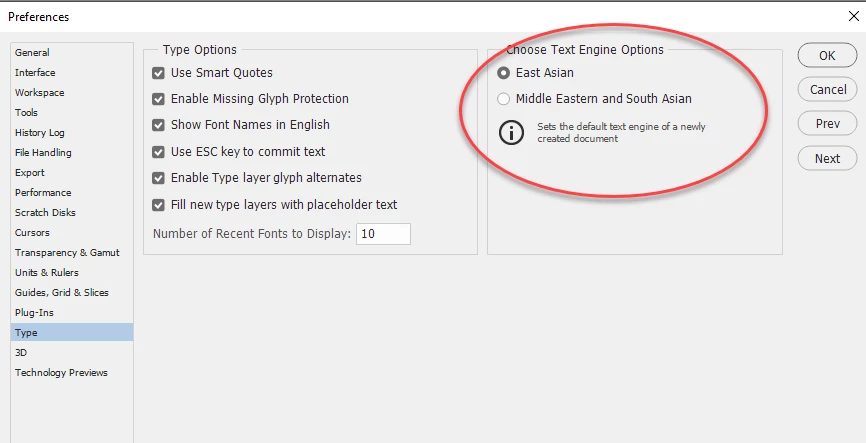
I am trying to use the Text box to add text to my projects in Photoshop CS6, but when I type the text is written from right to left and when I want to put a space in between numbers and letters the whole keyboard changes. For instance, if I want to put a mobile number with iits international code in: +44 (0) 123456789, the keyboard will write 12345 (0) +44 instead of +44 (0) 12345. In other words the keyboard reverses when the space bar is pressed and you then have to use CTRL to sort out the right way for the bracket. It is really doing my head in, what i want is for to right the text left to right like normal.
Can you help, please?
[Branched from unrelated thread on Photoshop CS6 User Manual (June 2012) by moderator.]
[Typos corrected for international translation.]
 AdChoices