janp50393892
Known Participant
February 4, 2020
Answered

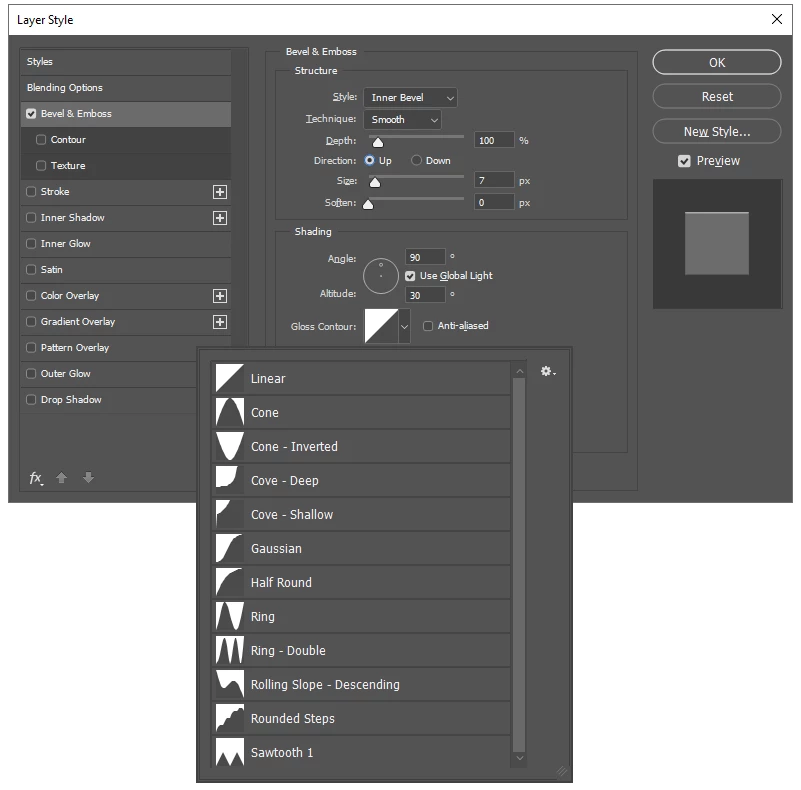
«Ring – Triple» in the Layer Style Effect Gloss Contour has disappeared.

  • February 4, 2020
  • 3 replies
  • 11013 views

Hello.

«Ring - Triple» in the Layer Style Effect Gloss Contour has disappeared.

I have the latest version of Photoshop and clicked the «Reset Preference On Quit» button in Preferences and restarted Photoshop, without this resolving the issue.

Grateful for tips.


Best regards,

Jan


This topic has been closed for replies.
Correct answer

Hi

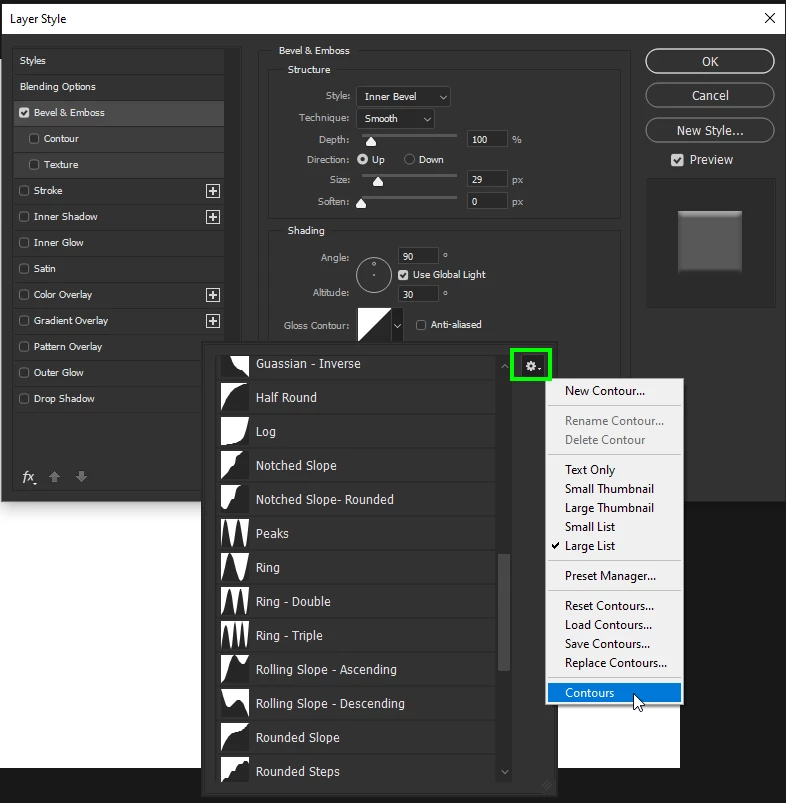
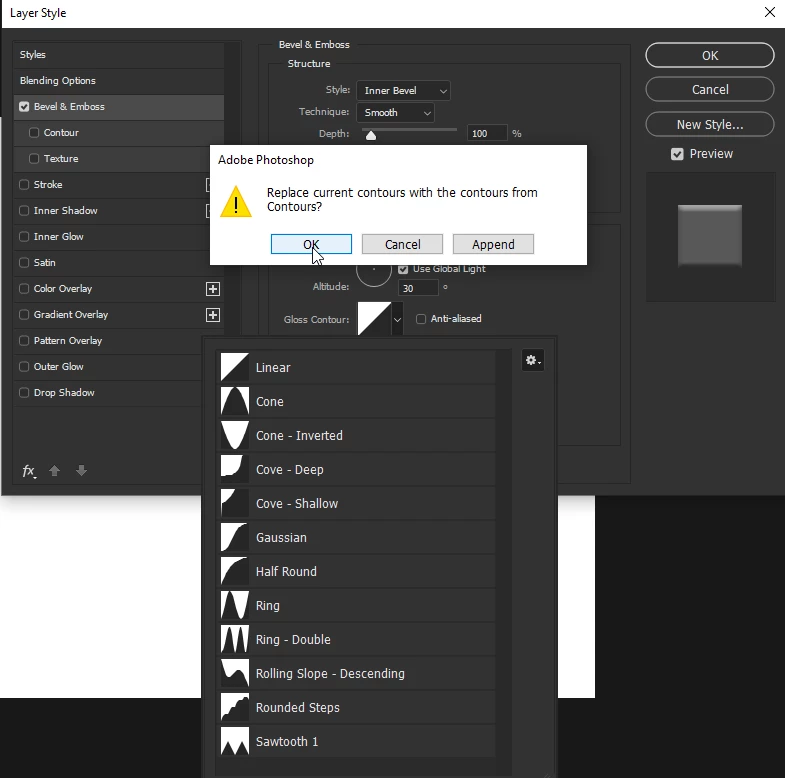
Click on the gear icon select Contours and OK


3 replies

Participant
July 15, 2021

Thank you helped me too! Lots of light and blessings. 


c.pfaffenbichler
Community Expert
Community Expert
February 4, 2020

Ah, Ged had already solved it. 

Correct answer
February 4, 2020

Hi

Click on the gear icon select Contours and OK


janp50393892
Known Participant
February 4, 2020

Wow - it was that simple.

Now the problem is solved.

Thank you very, very much for the tip!

Best regards,

Jan


February 4, 2020

You're welcome 🙂