Copy link to clipboard
Copied
Hi! I have the same problem. Suddenly this happened, that the images are blurry when I rotate them, before it wasnt at all like that.
I have set the transformation tool to "bicubic automatic" but it does not help.
This first image show sharp edges of the flower.
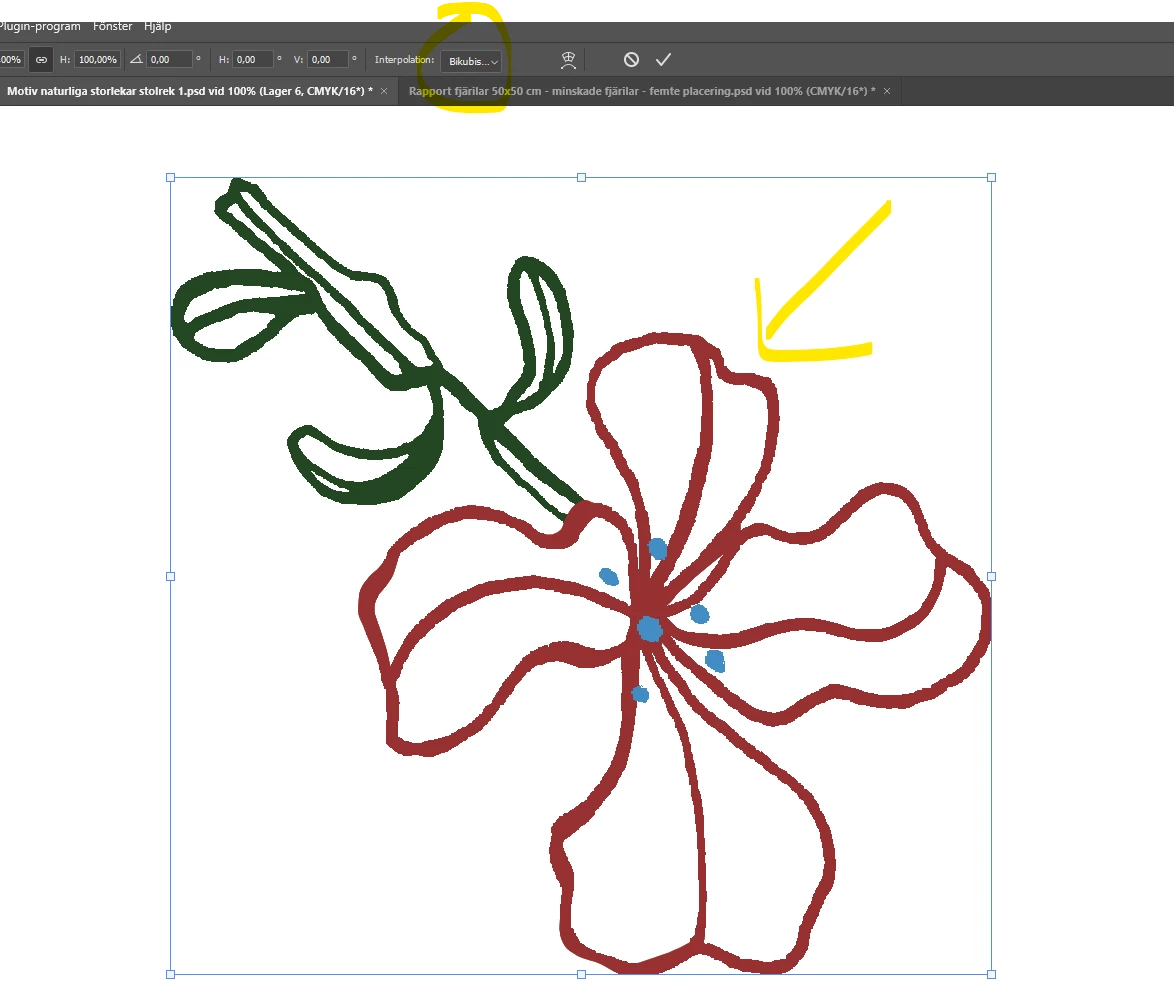
then, after rotating: the edge is blurry.
Would be extremly greatful for help! thank you so much in advance!
Copy link to clipboard
Copied
Hey, @kristinaplasgard. Welcome to the Photoshop Community. As it is a slightly older post, I'll separate your message into a separate post. I'll need more info to help you figure this out.
Thanks for attaching the screenshot. The images may appear slightly pixelated during the Transform; try committing the Transform action by clicking on the arrow or pressing CTRL/CMD + Enter & the elements should not appear as pixelated.
Let us know how it goes. Thanks!
Sameer K
Copy link to clipboard
Copied
What are the pixel dimensions of the canvas (image > image size) or the layer bounds (properties panel)?
Copy link to clipboard
Copied
My $0.02, always judge at 100% view.
Find more inspiration, events, and resources on the new Adobe Community
Explore Now