
Nikthegreek
New Participant
July 25, 2017
Answered

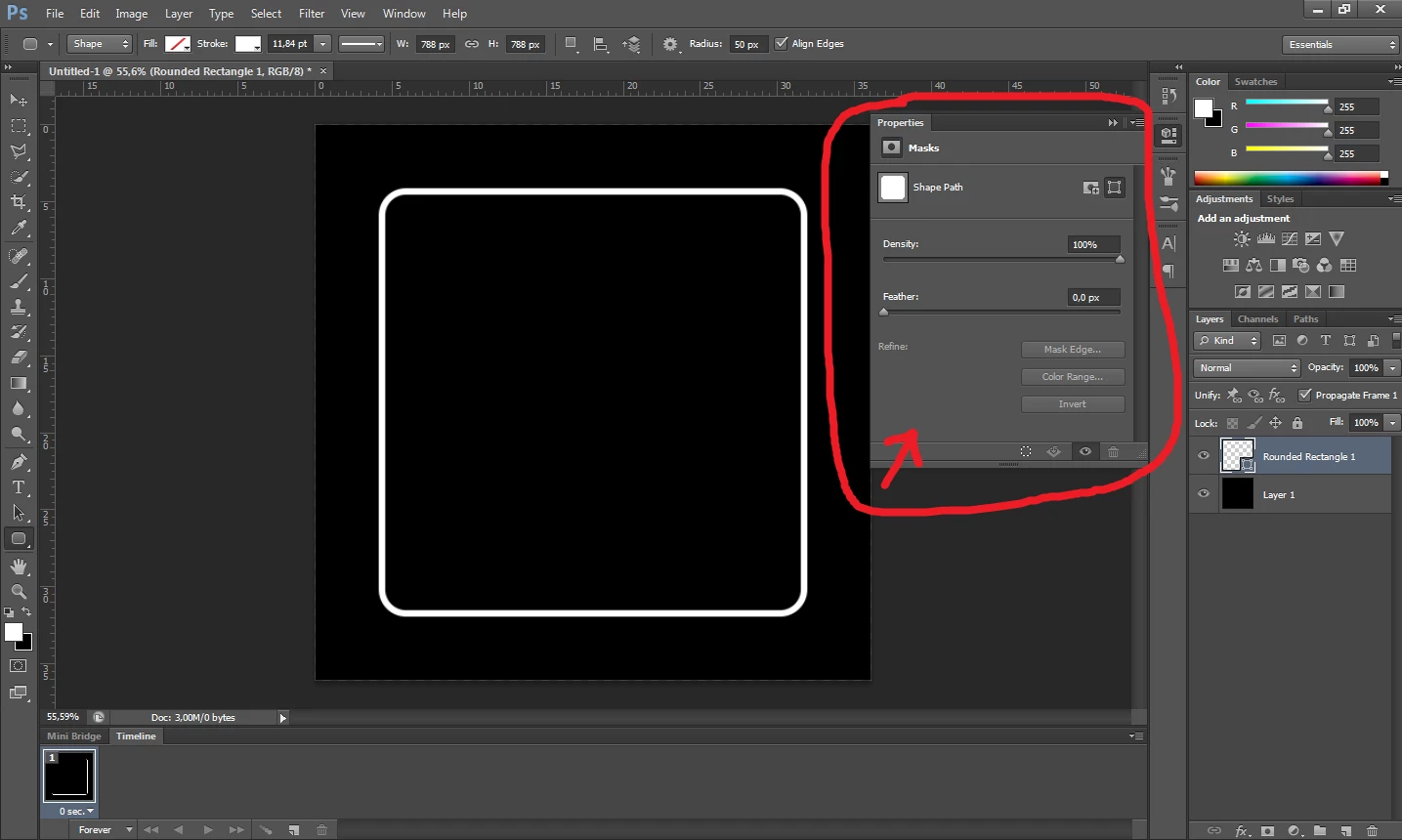
Rounded corners shape properties are not displayed properly!
  • July 25, 2017
  • 2 replies
  • 12758 views

How can I edit the corners? I think something is missing. Thanks for any help.

    This topic has been closed for replies.
    Correct answer davescm

    Hi

    What version of Photoshop is that? It looks like CS6?
    Live shapes came in with CC .  In CS6 you set the radius in the options bar before drawing the shape but cannot change the corner properties later.

    Dave

    2 replies

    JJMack
    Adobe Expert
    July 25, 2017

    Looks like you may have done something that change the rounded rectangle tool live shape layer to become a normal shape layer.

    JJMack
    davescm
    davescmCorrect answer
    Adobe Expert
    July 25, 2017

    Hi

    What version of Photoshop is that? It looks like CS6?
    Live shapes came in with CC .  In CS6 you set the radius in the options bar before drawing the shape but cannot change the corner properties later.

    Dave

    Nikthegreek
    New Participant
    July 26, 2017

    Yes it is CS6, thanks for the reply, maybe I will update to CC sooner or later

    Nikthegreek
    New Participant
    July 26, 2017

    This script can be used to change the corner radius in photoshop cs6.

    https://photoshopscripts.wordpress.com/2013/02/03/corner-editor-photoshop-script/


    I know but I prefer to just update to CC