
Running Multiple Actions Within One Action [SOLVED]
[EDIT: Aparently I was doing it right but just had a bit of an error due to miscliking and some syntax. The way it worked out in the end was to create the action by starting with making a snapshot and renaming it original, then playing each action, saving a snapshot and going back to original. Played without any issues!]
I have been searching far an wide, but found no tutorials or explinations on how to do this (inluding while searching on this forum). I have a couple of action which I've downloaded (for example creating multiple color edits for an image). Often these will have a "play all" action, which plays each of the actions included, saving them as "snapshots" so you can compare them.
I wanted to make my own "play all" action, so that I can run all my actions in one go and then pick whichever edit ends up looking nicest. However every time I try to create this action it never works out.
My first idea was to put each adjustment layer from the actions into a group, so you can just turn the visability on and off. That didn't work, for some reason halfway through the action it deletes most of the groups and I end up with only 3 groups of actions.
Second attempt I try to Make a snapshot of the original -> play action -> save snapshot -> go to original snapshot ->play second action etc etc. This worked perfectly well while recording the action, but when I played it, all the actions stacked on top of each other as if it was skipping the "go to original snapshot" step.
My final attempt, I tried playing an action -> create snapshot -> delete adjustment layers -> play action -> create snapshot etc etc etc. Again, it worked fine while recording, but for some reason when played, all the adjustments remain on the "Background" image, and then just continually stack on top of each other. As seen here (the imagine on the right is the snapshot of the 8th action while recording. The left is what it looked liked after I played it):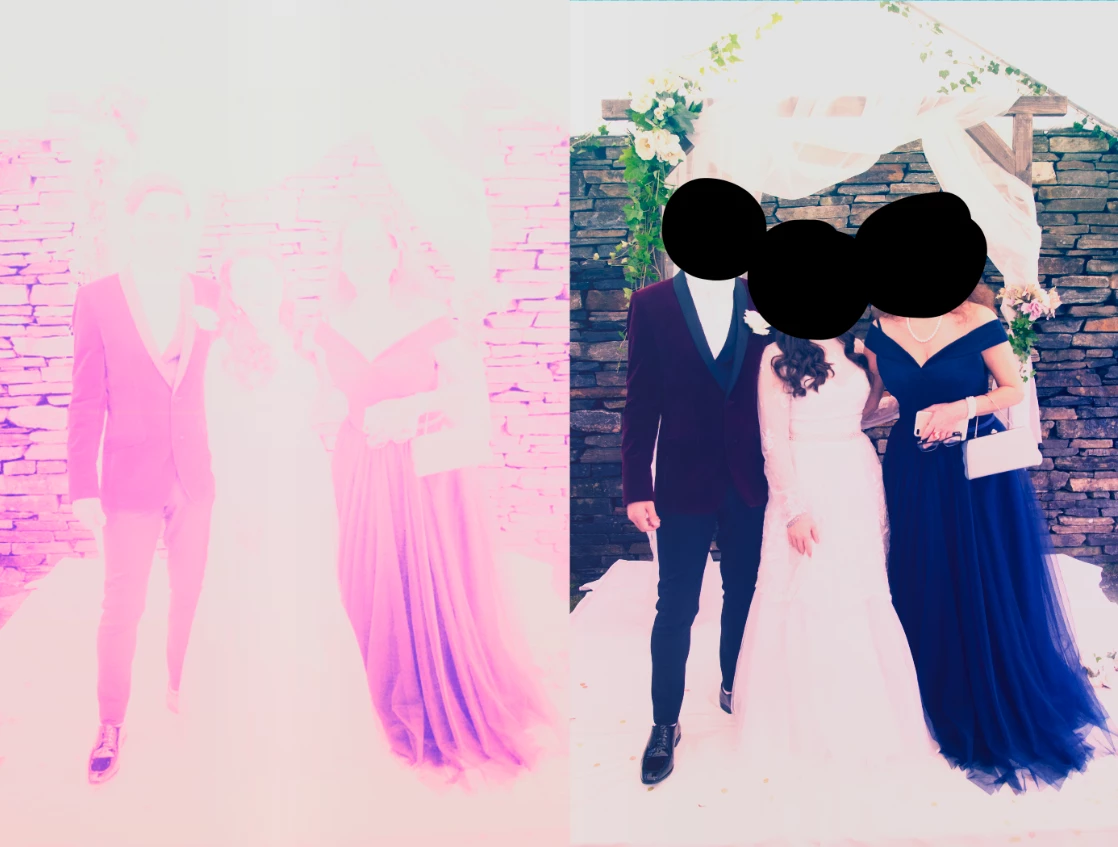
Here is what my final action looked like:
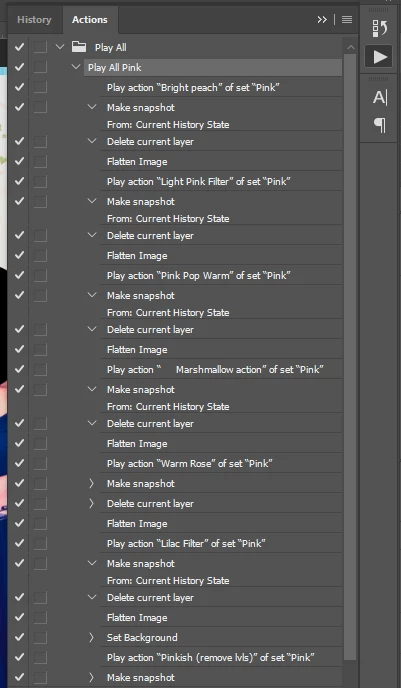
What am I doing wrong? Can someone point me in the right direction for some steps on how to do this properly? Thank you!
 AdChoices