
Inspiring
August 7, 2019
Question

Same setting different display in Photoshop

  • August 7, 2019
  • 2 replies
  • 940 views

I created photoshop file Set to 600x700px, resolution 72

I'm familiar with this file size, so I was surprised to see that the file photoshop created is far more smaller than what i'm used to

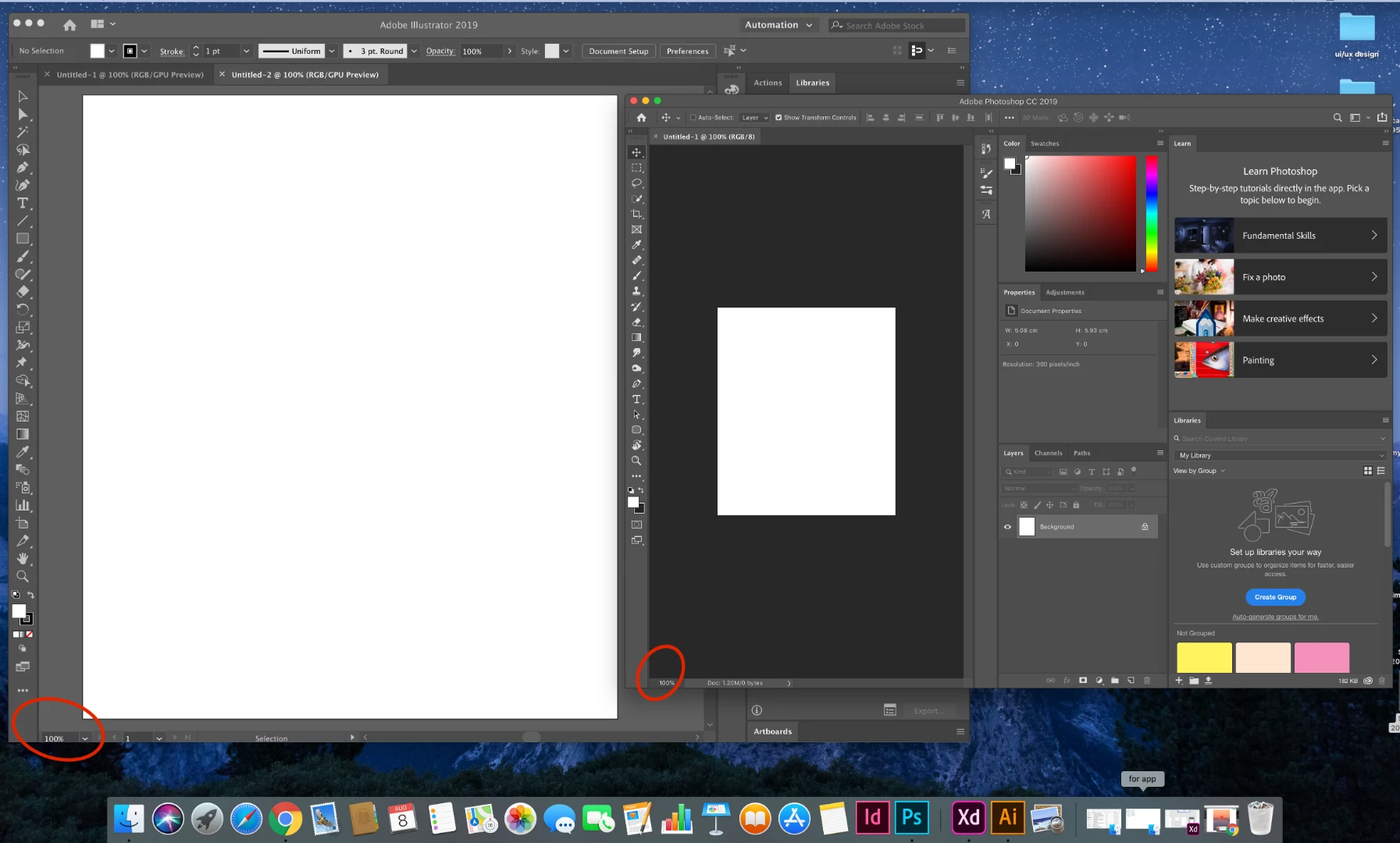
To make sure, I created file in illustrator- same setting, and as you can see there is difference,

on the right- the photoshop file and on the left the illustrator
Message was edited by: Sahil Chawla

    This topic has been closed for replies.

    2 replies

    Sahil.Chawla
    Adobe Employee
    Adobe Employee
    August 7, 2019

    Hi there,

    You're seeing a size difference, because at 100% view Photoshop always shows the actual size of the document, you have to go to View > Fit on Screen to fit the canvas on the screen.

    Please check this forum thread to know more: Photoshop CS6: Why don't images automatically open in 'Fit Screen' mode, by default?

    Regards,
    Sahil

    Inspiring
    August 7, 2019

    you right! but its kinda making me confused, isn't 100% suppose to give the actual size of the file?

    also, as far as i remember, i worked on 100% before and it did give me the same display as the illustrator

    Nancy OShea
    Community Expert
    Community Expert
    August 7, 2019

    Photoshop is a raster (pixel) editor.

    Illustrator is a vector (mathematical) editor. 

    On a low res display, your raster & vector images will appear approximately the same size.  But on a hi-DPI display, raster images  at 100% zoom will appear smaller in Photoshop because you're seeing actual pixels.  1 px = 1 px.

    To make things even more confusing, when you view the same raster image in a browser, the image will seem larger because your browser is compensating for the hi-DPI display.

    Nancy O'Shea— Product User & Community Expert
    Mylenium
    Legend
    August 7, 2019

    Check the respective preferences for High-DPI/ Retina handling in the programs.

    Mylenium

    Inspiring
    August 7, 2019

    its the same as I always do, that's why I don't understand what's wrong -_-