Exit
  • Global community
    • Language:
      • Deutsch
      • English
      • Español
      • Français
      • Português
  • 日本語コミュニティ
  • 한국 커뮤니티
0

Save for Web Error while trying to save a GIF

New Here ,
Aug 09, 2021 Aug 09, 2021

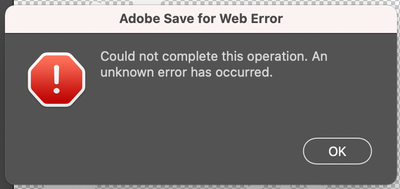
I was able to perform this function all day without any issue when randomly (5 minutes after saving my last GIF from Save for Web) it just started giving me this error:


Screen Shot 2021-08-09 at 5.06.37 PM.png


I tried restarting Photoshop and my OS. I tried saving as a GIF from other files and it still didn't work. Saving other file formats works fine.

TOPICS
macOS
211
Translate
Report
Community guidelines
Be kind and respectful, give credit to the original source of content, and search for duplicates before posting. Learn more
community guidelines
Adobe
Community Expert ,
Aug 10, 2021 Aug 10, 2021

Try resetting the preferences. 

Melissa Piccone | Adobe Trainer | Online Courses Author | Fine Artist
Translate
Report
Community guidelines
Be kind and respectful, give credit to the original source of content, and search for duplicates before posting. Learn more
community guidelines
New Here ,
Aug 10, 2021 Aug 10, 2021

Thanks, Melissa. That didn't work for me either.

Translate
Report
Community guidelines
Be kind and respectful, give credit to the original source of content, and search for duplicates before posting. Learn more
community guidelines
Community Expert ,
Aug 10, 2021 Aug 10, 2021
LATEST

Try using generate. You need to turn it on and name your layer - layer.gif and it will automatically save in the same location as your file. 

Melissa Piccone | Adobe Trainer | Online Courses Author | Fine Artist
Translate
Report
Community guidelines
Be kind and respectful, give credit to the original source of content, and search for duplicates before posting. Learn more
community guidelines