

JonathanArias
Legend
September 28, 2021
Question

save for web error

  • September 28, 2021
  • 5 replies
  • 713 views

Hi, 


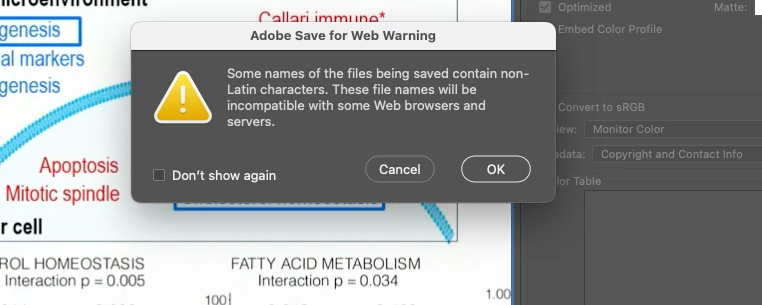
i am seen an error window that i never seen before when exporting images from photoshop using the save for web. i am getting this:
 

and these are the file names i am using:
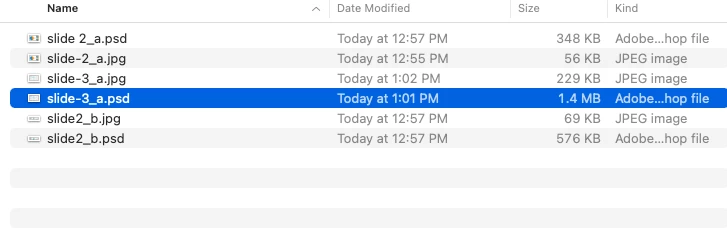
 

why are these file names for .jpg files an issue? and how should i name things than?

thanks

jonathan

This topic has been closed for replies.

5 replies

Legend
September 30, 2021

Do not work off Google Drive. Period. Only work with local files.

CShubert
Community Manager
Community Manager
September 30, 2021

Hi,

I did read your original post that you had issues while saving locally, but you seemed to still be saving with spaces or other characters in the file name.

I would suggest that you:

  1. Save for Web with no spaces or characters other than an underscore
  2. pick a different location other than where the origianl or similar files are, for testing

See if you still get this error. Trying to eliminate the charcater issue as well as the similar file names in the same location issue.

You can also go to Help/System Info and copy and paste the data here so others can see if something else in your OS or version of Ps is creating this.

Thank you,

CShubert
Community Manager
Community Manager
September 29, 2021

Hi,

Can you take Google Drive out of the equasion and just try to open and save for web on your local machine to see if you can at least do that without an error.  Let's try to get you to a point that you can save the files locally and then work on the next issue. Try that and let us know how it goes.

Thank you,

JonathanArias
Legend
September 30, 2021

yes, i did that. read my posts. if i save local i explained what happends

mglush
Community Expert
Community Expert
September 28, 2021

I would also like to suggest using a different file name to see if you continue to get the same error. It is best in naming files for the web to use no spaces in the name--so name your new files something different (like test) and make sure there are no spaces and see if you still have problems. Let us know the outcome.

Michelle

CShubert
Community Manager
Community Manager
September 29, 2021

Agree with @mglush , keep file names for the web to underscores as seperators and do not use a space between them.

Please let us know if that solves this issue.

Thank you,

JonathanArias
Legend
September 29, 2021

i did do that, yes, i opened the photoshop file from google drive. save for web, named it "slide2b.jpg" and i still get the same error:


I think its the google drive doing this.

cmgap
Community Expert
Community Expert
September 28, 2021

What is the name of the parent folder you are saving to? Try renaming that to see if the message goes away. Sometimes there is a character somewhere in the entire path that causes this message. You can alternatively tick the box that says don't show this message again.

JonathanArias
Legend
September 29, 2021

I am saving in a google shared drive. I will test local