Participant
January 20, 2020
Question

Saved JPEGs are dull and greyed out when ordering images online

  • January 20, 2020
  • 2 replies
  • 2903 views

Hi Folks,

When saving my images to my computer the image has color but when loading to a printing services website, it's dull and greyed out. I just purchased PS, used PSE for many year, so this is new to me. I can't figure out how to save with a simple sRGB?!? HELP

TYIA
 

This topic has been closed for replies.

2 replies

davescm
Community Expert
Community Expert
January 20, 2020

To save a copy to send elsewhere, use File > Export > Save for Web (legacy ) choose jpeg and tick both Convert to sRGB and Embed Color Profile.


Dave

D Fosse
Community Expert
Community Expert
January 20, 2020

Convert to sRGB.


You're saving with ProPhoto RGB color profile. ProPhoto requires full color management to be represented correctly. Photoshop does that, but most other software don't know what to do with it. ProPhoto should only be used as an internal editing color space, it should never leave your computer.


Is this coming from Lightroom? Lightroom sends to Photoshop as ProPhoto by default. Change that to sRGB in Lr Preferences > External Editing.


You should generally not use ProPhoto until you have some experience and understand the implications.

LinZD83Author
Participant
January 20, 2020


Thank you for your reply. 

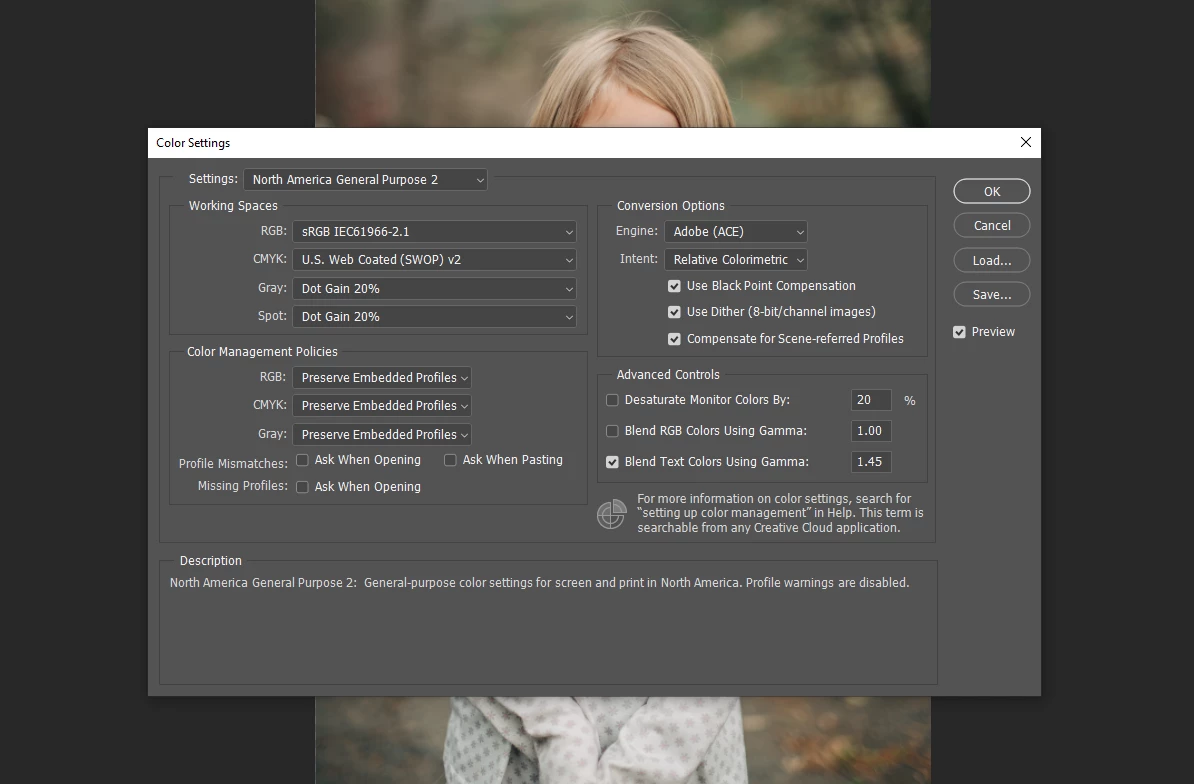
My LR preferences were already set to sRGB, not ProPhoto RGB. Where do you see it’s being saved under ProPhoto? It’s being saved under sRBG IEC.... (default).  

I see absolutely no sRGB only options. 

D Fosse
Community Expert
Community Expert
January 20, 2020

The working space is irrelevant. That's just a default for new files and missing profiles. An embedded profile will always override the working space.


The crucial item in Color Settings is Policies. This should always be set to "Preserve Embedded Profiles". And that's just what it does. Any incoming profile is preserved as is, and color managed as such.


Coming from Lightroom, the embedded profile is ProPhoto, unless you go in and change it. Which you should. ProPhoto is IMO a very bad choice of default. Defaults are for beginners, and should be safe settings. Those advanced users who need ProPhoto will know where to find it. They don't need a default.


Here's where you change it in Lightroom. Set it to sRGB. Then the files coming into Photoshop will already be in a safe color space and you don't need to do anything more.