Inspiring
October 21, 2018
Resuelto

Saving an animated .gif destroys animation

  • October 21, 2018
  • 2 respuestas
  • 902 visualizaciones

I have an animated .gif that I want to make part of a larger image. This image will be texted, so the animation will show.

I can add a larger background to the animated .gif, but when I save the file as "Compuserve GIF," the animation is gone.

In fact, even if I save the image under another name, without changing it in any way, the animation is gone.

I've also tried dragging all of the layers of the animated gif into a .psd file. But once again, if I save the file as a gif, there is no animation.

What can I do? I have Creative Cloud 19.1.6.

Please help! This is for invitations!
Este tema ha sido cerrado para respuestas.
Mejor respuesta de Noel Carboni

To save an animated GIF you can't use File > Save As.

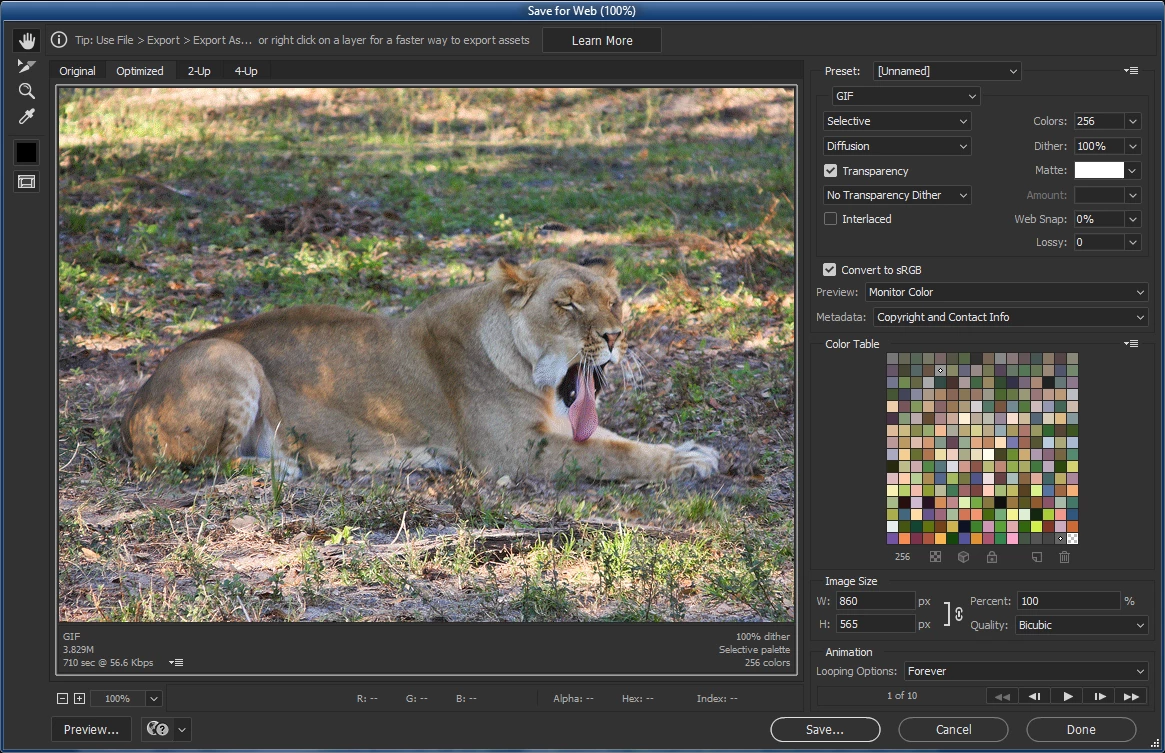
Use File > Export > Save for Web (Legacy) from a document that's been set up to do a Frame Animation.  You'll be presented with options in the lower right of the panel having to do with animation.

-Noel

2 respuestas

Noel Carboni
Noel CarboniRespuesta
Legend
October 21, 2018

To save an animated GIF you can't use File > Save As.

Use File > Export > Save for Web (Legacy) from a document that's been set up to do a Frame Animation.  You'll be presented with options in the lower right of the panel having to do with animation.

-Noel

Inspiring
October 21, 2018

Noel -- When I first tried this, I didn't understand exactly how gifs work. Then I realized that I had to merge my new background  with every frame of the original gif. Once I did that, and set the time for each frame, I was able to save it as you suggest, and it works!

lambiloon
Community Expert
Community Expert
October 21, 2018

hi please show us screenshots so we can see what is possible...thanks

Ali Sajjad / Graphic Design Trainer / Freelancer / Adobe Certified Professional