

Saving PS files in a specific size
Hi,
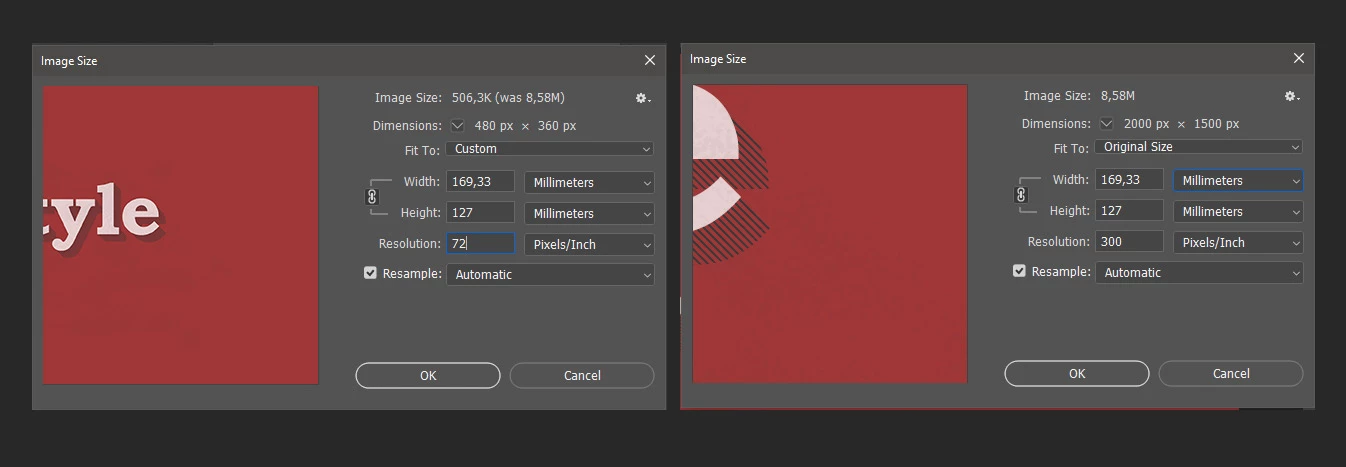
I've been using Photoshop for ages and have never had this issue. But I need to save my files at particular dimensions. For example: 20cm x 30cm at 150DPI, however, while the file is open at those exact specifications it's all good. But every single time I export it - in any way (PDF, JPEG, PNG, TIFF), it'll save but if I drag and drop to PS to check the size - it's then totally changed my specifications and I'm left with a totally different sized file.
Exact example: File saved with the following:
21.61cm x 30.63cm
Resolution : 150
Once saved/exported/all of the above:
Resized to the following:
45.01cm x 63.82cm
Resolution: 72
I've tried opening it in a document with the same resolution as it was saved in (150) but the size scaling still changed to 45.01cm x 63.82cm
I've read countless forums with similar problem but all answers disregard the problem as if the user is a rookie or making a silly mistake - however everyone complaining about this issue mentions that they are actually experienced users.
I'm happy for it to be something simple or an easy fix, however I just need a solution! I even tried different computers, different accounts for photoshop - everything!
I'm sending these images off to print so I can't risk the scale being off as that's the size they will be printed in.
Thanks so much
 AdChoices