
Saving psd. files as .pdfs sudden drop in quality. Please Help.
Hi,
I've been making some text based files in order to print a booklet.
This is something I've done many times before, first setting us the files as .psd files and then exporting (with no change to the regular settings) to PDF files. I then print the files, on a desktop laser printer and the results tend to be clear, solid black text.
I have recently had the issue, as of yet unresolved, that when printing from the final copies of these PDF files that they come out softer, weaker and slightly blurred. It is not an issue with the printer, as first expected, as it prints other files perfectly well (including earlier versions of drafts, and edits).
I noticed today, when comparing on preview (on mac) a great shift in difference between the sharpness of the text when zoomed in on between the PDF files from earlier/test stages in design and from the final copies. I haven't changed the export settings, and I have tried remaking the files (including typing out the text from scratch on new documents) and anything I save as a PDF. now does so in a much lower sharpness - which thus affects the prints. I've tried everything I can think of (including resetting Photoshop settings, remaking the files, re-editing and saving using the older versions which seem to print sharply, etc.).
I have attached a picture of this drop in quality, as observed in the PDF files.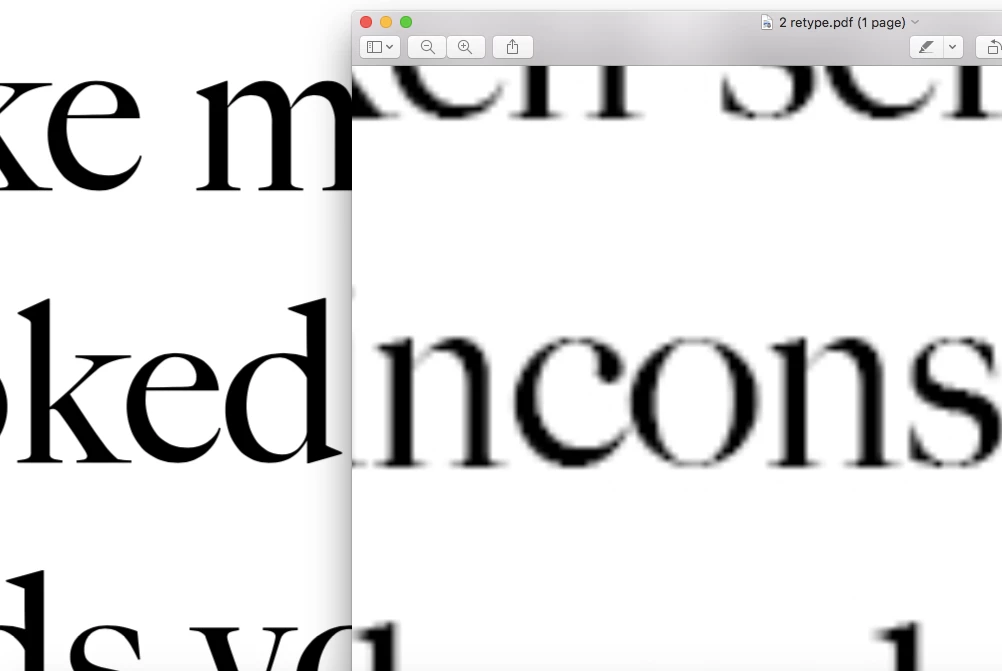
I would massively appreciate any advice or help.
Best
Harry
 AdChoices