
michelj81569870
Participant
November 5, 2018
Question

Scaling a Brush Preset

  • November 5, 2018
  • 1 reply
  • 245 views

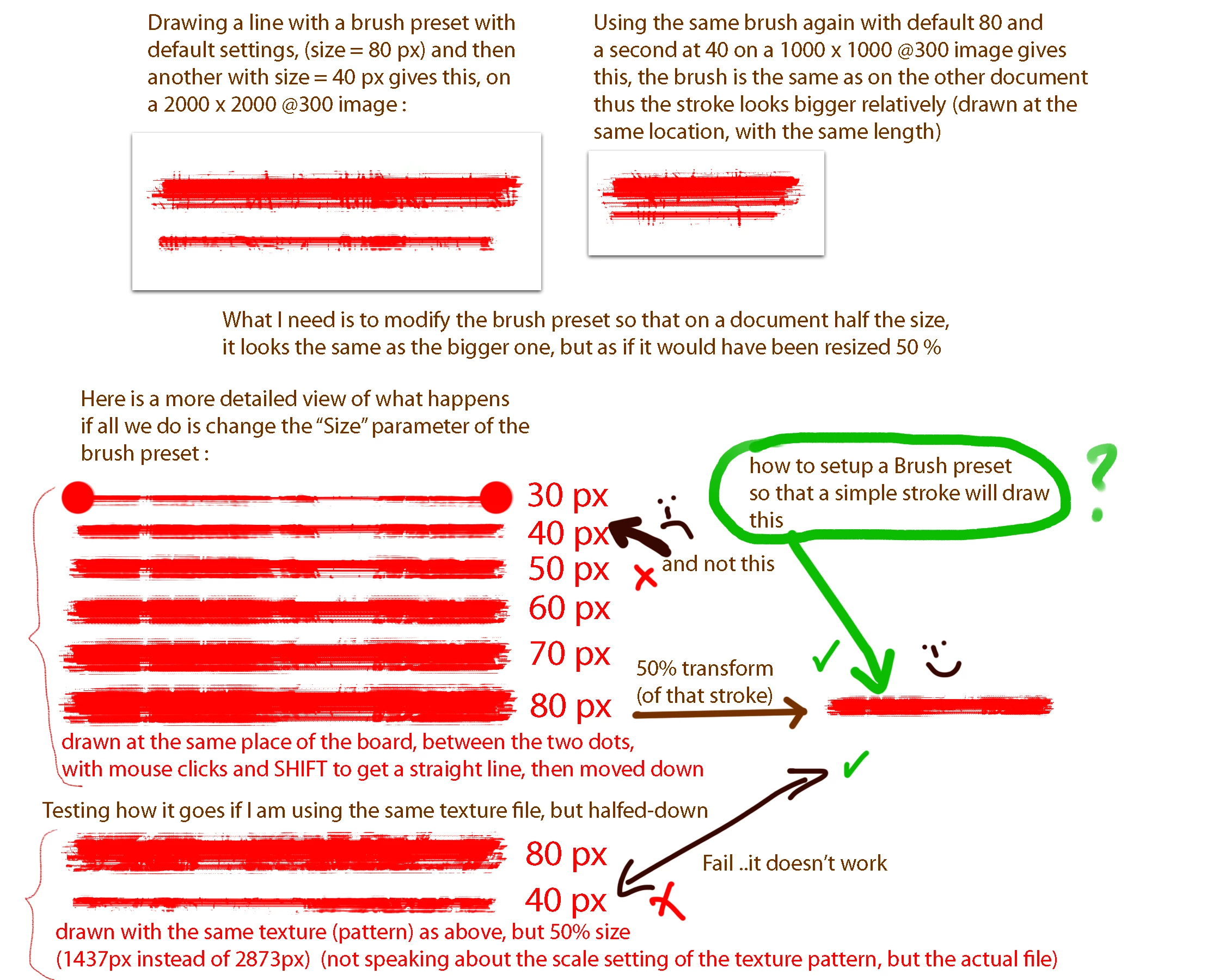
Hello, I have been fighting all day long to achieve this, I am almost giving up, almost because my last hope may be there. Let's see if anyone has the knowledge to help me. As my title says, I need to scale down a brush preset, and by that I litteraly mean it, the Size doesn't cut it, it does not give the result I am looking for.

I would like to have a preset half the size of another, but that gives the same look in the end, exactly as if I would have drawn with the bigger size and resized the picture. To illustrate this, I made 2 graphics, hopefully I can get myself understood :
Here is another one, with less explanations :
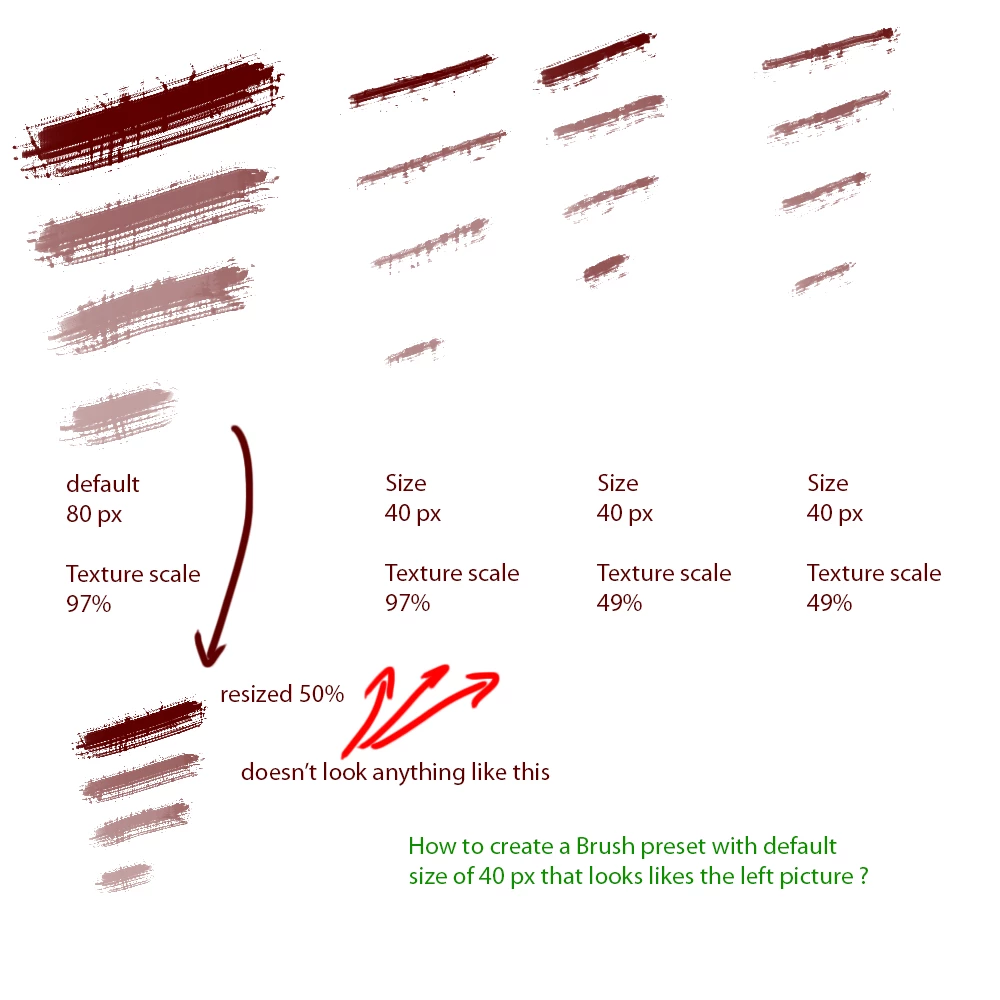
the most right example is different from the previous one because I loaded a texture image half the size of the others (same pic obviously)

Thanks for any info that could help me to sort this out.

This topic has been closed for replies.

1 reply

Community Expert
November 5, 2018

The brushes might be optimized for certain sizes.  I'm not entirely sure.  What kind of brush is it?  I would say the best advice you could get regarding that is from Kyle Webster, who is a mad scientist when it comes to Photoshop brushes.  I don't really know if he posts here,  but you might want to hit him up on twitter and see what he would say.  Sorry I couldn't be of more help

michelj81569870
Participant
November 5, 2018

Thanks for your insight, yes of course they are optimized for a certain size, and that is precisely the point, I want to shrink them down so that the result is the same as shrinking the strokes produced by the bigger sizes. Pretty sure its feasable, I do not know how though, did not find the trick.