

flowerchild31
Known Participant
January 22, 2020
Frage

Scratch Disk Full - can I change to one drive? Photoshop

  • January 22, 2020
  • 3 Antworten
  • 2487 Ansichten

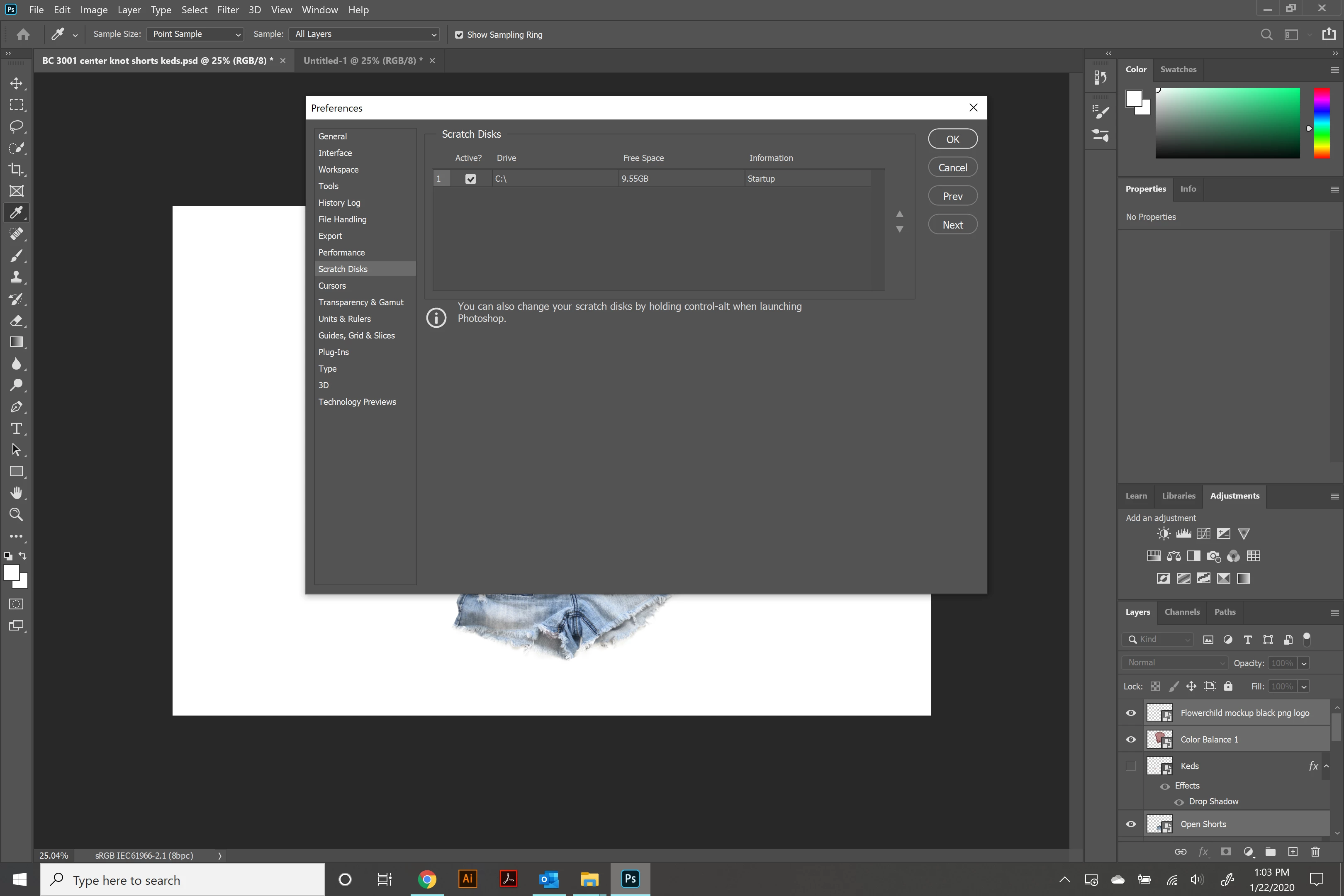
I keep getting the "scratch disk is full" and I'm wondering if I can change the C drive to One drive. I have much more space in my one drive, but I don't see where I can actually change the location..I am clicking and double clicking everything in this menu but am not given any more options.


I keep doing the disk clean up and defrag and am constantly clicking the purge option in photoshop but I think I have finally hit a dead end and need to do something different.


I am a newbie, so I apologize if this is common knowledge.
 

{Thread renamed by moderator}

Dieses Thema wurde für Antworten geschlossen.

3 Antworten

Inspiring
January 22, 2020

Just add an external drive as your scratch drive or move your files off your computer. I keep client work on cloud solutions that do not download unless I need them.

Legend
January 22, 2020

You cannot use OneDrive as scratch space, it must be a drive plugged into your computer.

Sahil.Chawla
Adobe Employee
Adobe Employee
January 22, 2020

Hi there,

That does not sound good, could you please let us know the version of Photoshop you're using by going to Help > System Info?

Also, we do not recommend saving or opening Photoshop files from a server or cloud as it might affect the performance.

You may setup an external drive as a scratch disk in Photoshop, please have a look here for more information: https://helpx.adobe.com/in/photoshop/using/scratch-disks-preferences.html

Regards,
Sahil

flowerchild31
Known Participant
January 22, 2020

Adobe Photoshop Version: 21.0.2 20191122.r.57 2019/11/22: e3e4068e635 x64


Thanks for getting back to me so quickly..