Exit
  • Global community
    • Language:
      • Deutsch
      • English
      • Español
      • Français
      • Português
  • 日本語コミュニティ
  • 한국 커뮤니티
0

Scratch Disk Full

New Here ,
Sep 16, 2020 Sep 16, 2020

Hey all, everytime i get my photoshop open then i add my file it comes up with scratch disk full, and not letting me do anything tried all the internet tutorials and am getting no where what can i do ?

249
Translate
Report
Community guidelines
Be kind and respectful, give credit to the original source of content, and search for duplicates before posting. Learn more
community guidelines
Adobe
Guest
Sep 16, 2020 Sep 16, 2020

Hi

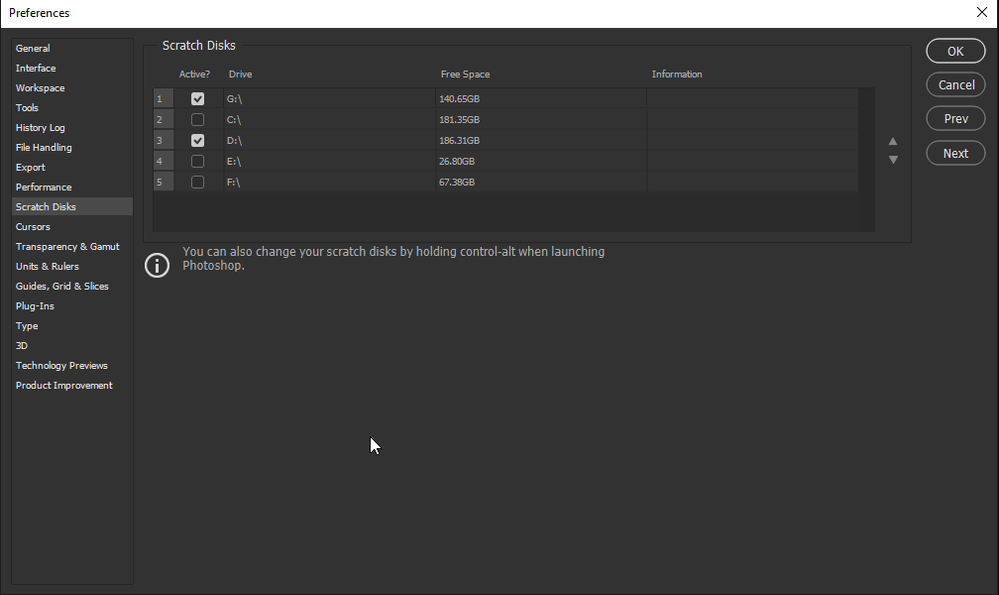
What exact version of Photoshop and operating system do you have, how much free space do you have available for the scratch disk, you can check in preferences

2020-09-16 12_08_18-Adobe Photoshop 2020.png

Translate
Report
Community guidelines
Be kind and respectful, give credit to the original source of content, and search for duplicates before posting. Learn more
community guidelines
New Here ,
Sep 16, 2020 Sep 16, 2020

Im using the newest version and im on an Apple mac book pro and there is 30GB free space 

Translate
Report
Community guidelines
Be kind and respectful, give credit to the original source of content, and search for duplicates before posting. Learn more
community guidelines
Guest
Sep 16, 2020 Sep 16, 2020

How large are the files you're working on, 30GB can fill up pretty quickly depending on the size of your files

Translate
Report
Community guidelines
Be kind and respectful, give credit to the original source of content, and search for duplicates before posting. Learn more
community guidelines
LEGEND ,
Sep 16, 2020 Sep 16, 2020
LATEST

If the total free space you have is only 30GB, you will need to either delete files or buy an external hard drive. You are going to have more problems than just Photoshop.

Translate
Report
Community guidelines
Be kind and respectful, give credit to the original source of content, and search for duplicates before posting. Learn more
community guidelines
Community Expert ,
Sep 16, 2020 Sep 16, 2020

Please read this (in particular the section titled "Supply pertinent information for quicker answers"):

https://community.adobe.com/t5/Community-Help/Guidelines-Tips-for-the-Adobe-Forums/td-p/4788157


You also may want to give these a glance if you haven’ t already 

https://helpx.adobe.com/photoshop/kb/optimize-photoshop-cc-performance.html

https://helpx.adobe.com/photoshop/using/scratch-disks-preferences.html

Translate
Report
Community guidelines
Be kind and respectful, give credit to the original source of content, and search for duplicates before posting. Learn more
community guidelines
LEGEND ,
Sep 16, 2020 Sep 16, 2020

From within Photoshop, you could try Edit > Purge > All, but if this is happening as soon as you open your file, it might not be of any help. Worth a try, at least. 

Translate
Report
Community guidelines
Be kind and respectful, give credit to the original source of content, and search for duplicates before posting. Learn more
community guidelines