
Scratch Disk issue, Photoshop is filling all space in my harddrive via System Dat a
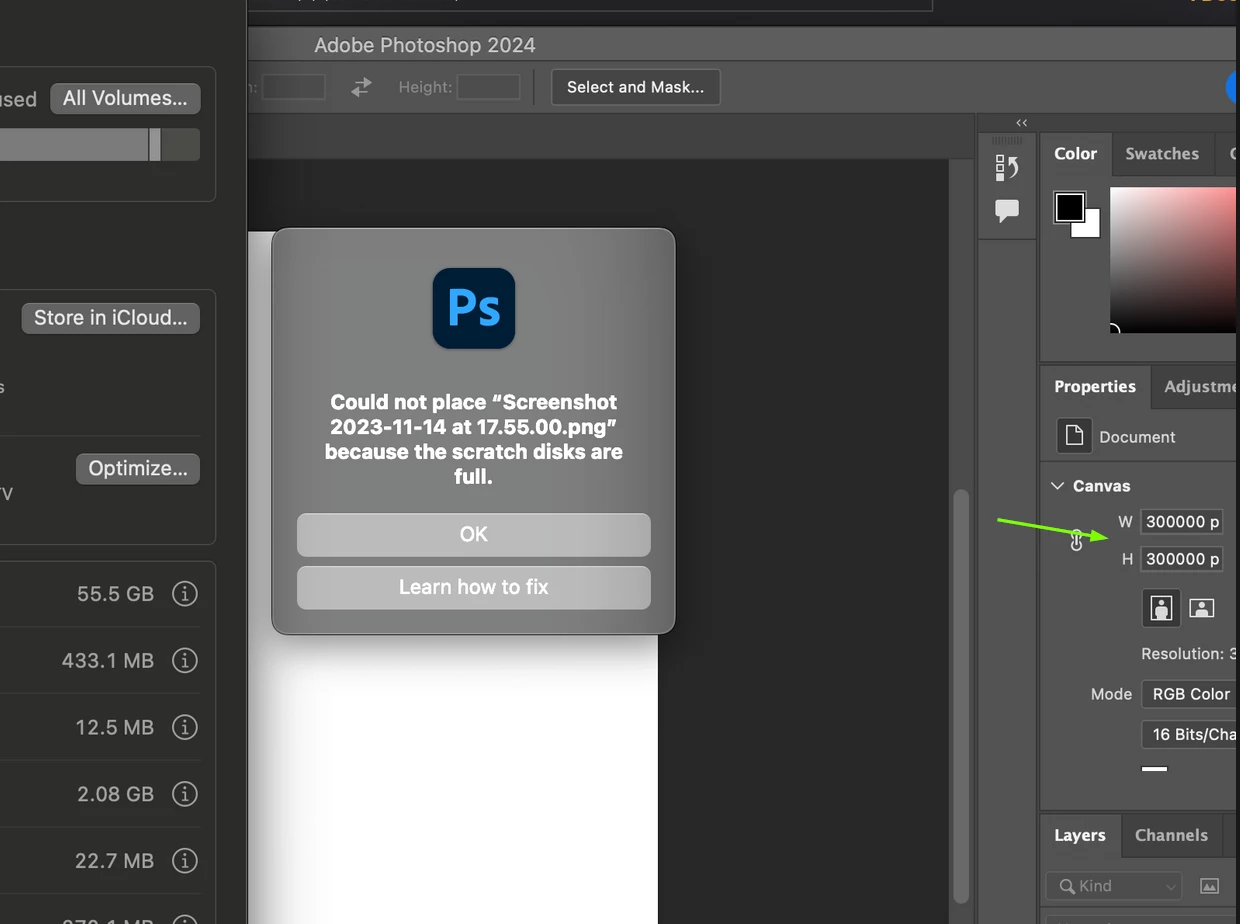
I've been encountering a persistent Scratch Disk issue in Photoshop despite following the recommended troubleshooting steps. My Mac is running on macOS Sonoma, and even with over 300GB of free space on my hard drive, the Scratch Disk error persists. Upon checking my storage usage while Photoshop is open, I noticed that System Data is consuming an unusually large amount of space, reaching up to 300GB. I couldn't find any effective method to clear this System Data, so I opted for a complete reinstall of my Mac.
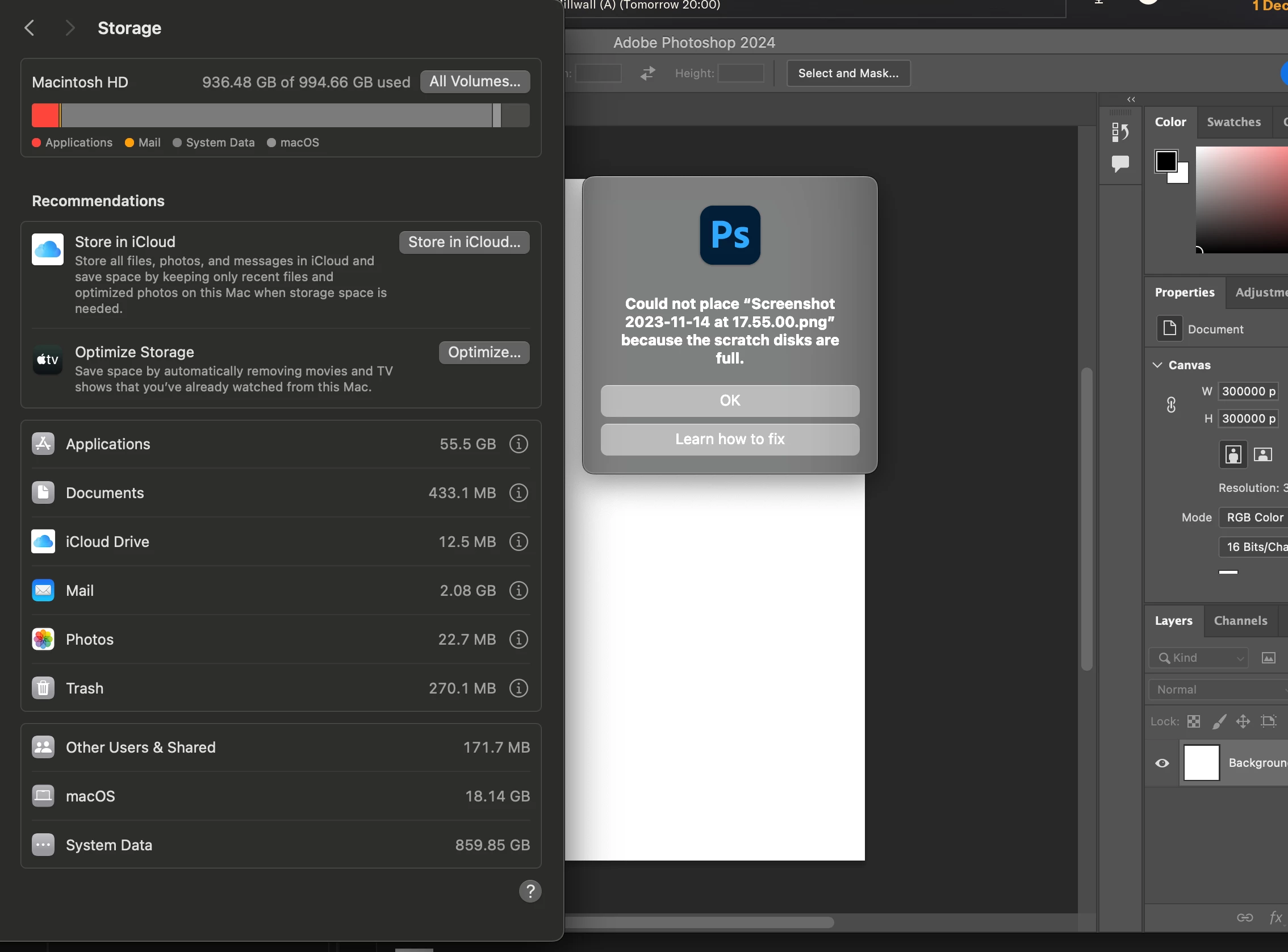
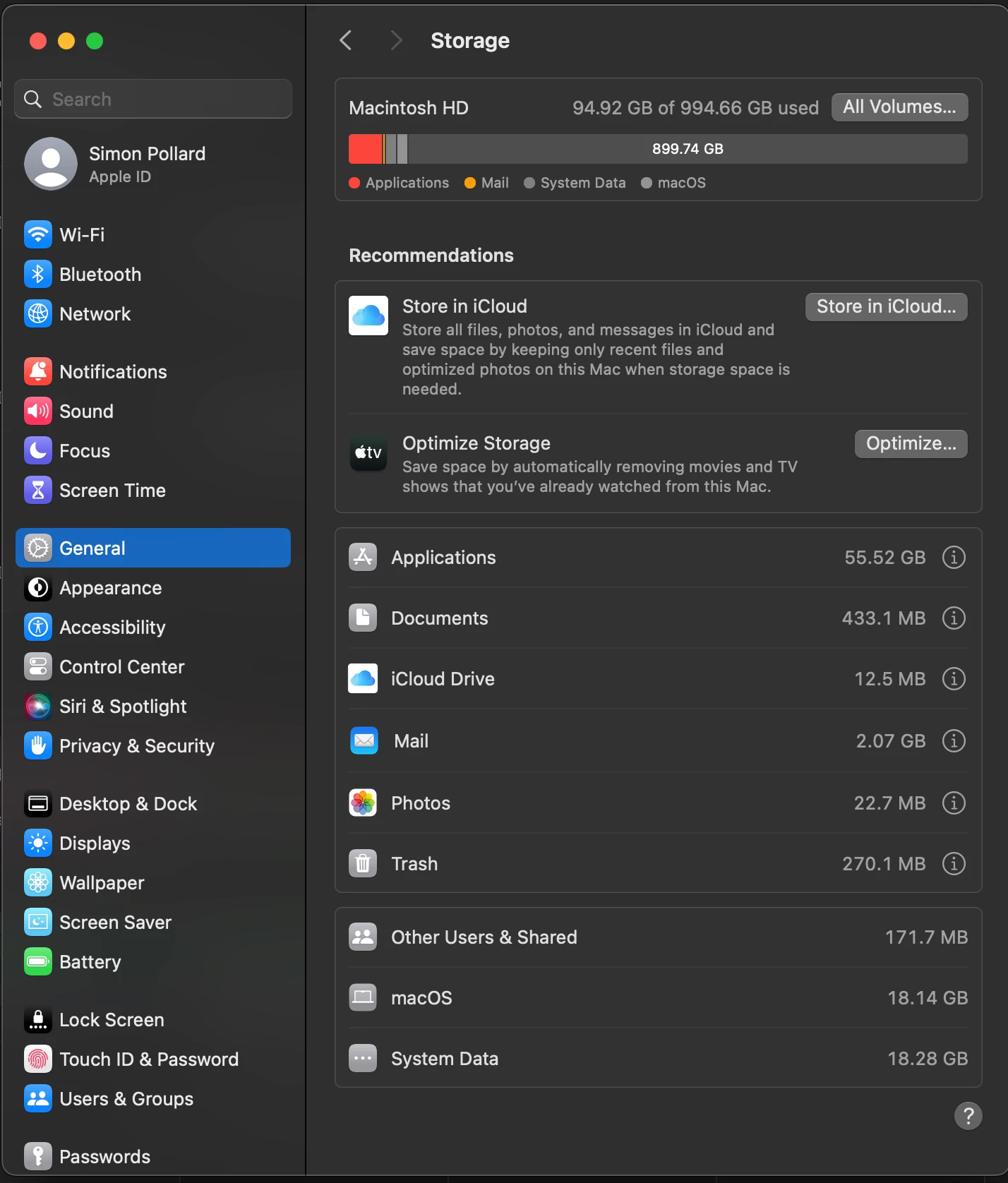
After the fresh installation, everything is running on the latest versions, including Photoshop. However, the Scratch Disk issue remains. When Photoshop is closed, I have around 900GB of free space and System Data occupies only 18GB. But as soon as I open Photoshop, the free space plummets to almost zero, and System Data balloons to 860GB again (screenshots attached).
I'm at a loss as to what's causing this sudden surge in System Data usage and how to rectify the Scratch Disk problem. Any assistance would be greatly appreciated.
 AdChoices