
SCRATCH DISK PROBLEM: PS lags & Mac HD scratch disk nearly full even though I have 250GB free space on Mac HD!
Hi,
I have been having major performance issues with the latest v20.0.1. It started since I updated to latest PS and also Mojave at the same time, not sure if that is the cause or not.
I have a MacBook Pro (15-inch, 2017), 2.9 GHz Intel Core i7 processor, 16 GB 2133 MHz LPDDR3,
Radeon Pro 560 4096 MB
Intel HD Graphics 630 1536 MB (graphics)
I use my Mac HD flash drive as my scratch disk, 500GB, with 190GB available.
I had been using my usual large files, of around 600MB, previously with no issues. Then I noticed major lags.
I have spend hours, and 3 separate sessions with adobe staff trying to fix the problem-everything has been tried-changing the performance settings several times , resetting PS, then I cleared 70GB of space on HD.
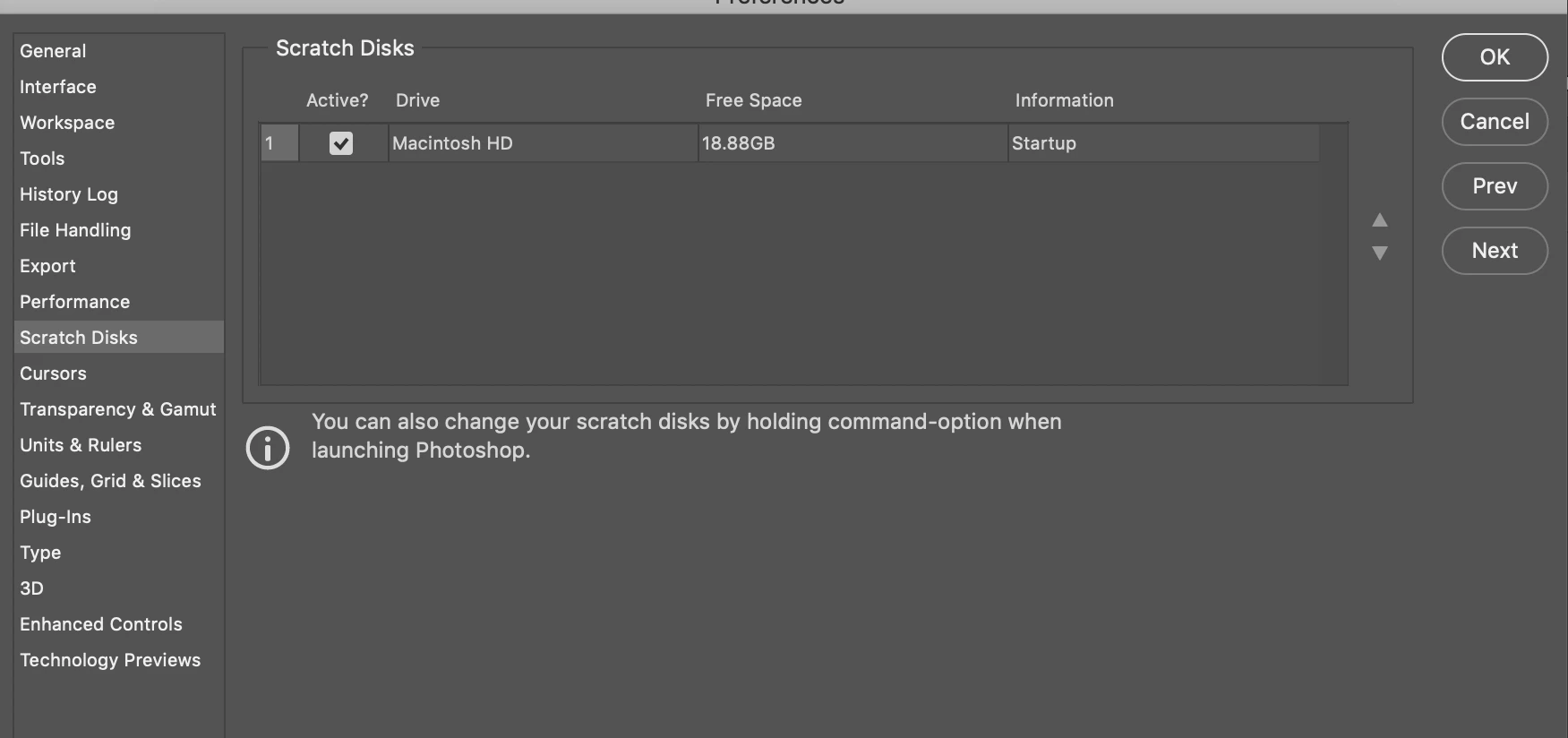
Even after that, the amount of free space on scratch disk only went from 15GB to 18GB of free space. (see below)
I have just spend 3 hours on chat with adobe rep, and after all that, they told me that it was just because I was using a large file (really??? 600MB is a too big?) and it is rendering. They could not explain to me why I was able to use 1GB PSD files, or PSD files with 3000 layers in the past (and this was on an older mac!). That annoyed me, because i felt like they were just saying, no there's no problem here, your file is just too large...well I work on large files, like Im sure a lot of people do, and have been fine before.
One interesting thing is that it can't seem to cope with large pixel layers anymore, again if that is the problem, then why was it fine before. I use transform, esp warp, and smart objects (but also render them after, so no smart objects left in file)-and it lags horribly. This is soo bad for a good machine and the latest photoshop
I haven't been able to work in 4 days and I still don't really understand what is going on.
Is 16GB ram too low for 600MB + files? Should I get an external SSD as a scratch disk with much more than 200GB?
Ive looked everywhere for a solution, any help would be so so appreciated
Thank you
 AdChoices