
Scratch Disks full, can't open PS to clear them, nothing works
I have been using photoshop for many years, since 2018. Never once have I ever had this issue.
I use a mac and apparently there's no storage available in my scratch disk. It's using my Mac system drive which has 4 gigabytes of space available. So I deleted all of the temporary files in the TMP folder, which yielded zero results.
I can't clear my cache because I can't even open photoshop. I can't uncheck or check that little box. I can't interact with anything other than the little arrows, and the 'OK' and 'Cancel ' buttons, which universally just close photoshop. I can't use the menu bar as there are no available options other than to quit. I can't even add another scratch disk if I could.
I don't know the issue. Possibly it could be that I have too many PSD files?? I don't know, I have under 100. Additionally, I do have a habit of force-quitting Photoshop so perhaps that could be the issue. I really need to be able to fix this otherwise I'll have to cancel my subscription and stop using the product.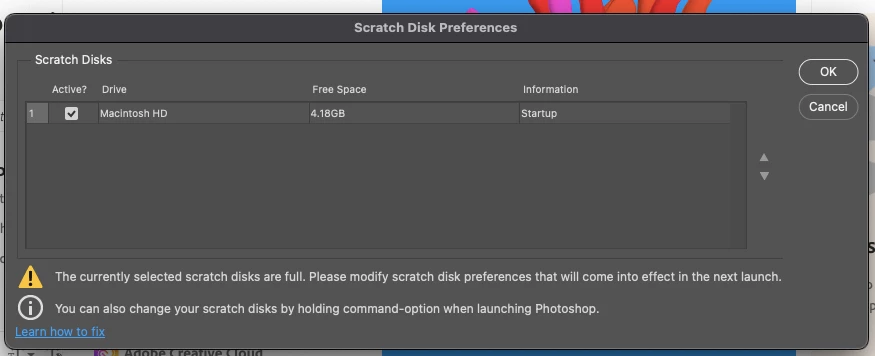
 AdChoices