
Known Participant
August 4, 2022
Question

scratch disks full

  • August 4, 2022
  • 3 replies
  • 870 views

hi, I'm having significant trouble with adobe photoshop, opening files, saving working, and adding in new images/text
I've tried deleting off files and even hidden ones, and I've done a malware check, which is all good.

but am still having significant trouble, I'm just wondering if you have any suggestions? . i've tried logging out and back into my adobe account, as well as resetting my preferences, I've received a message saying 'scratch disks are full' and have done all the above steps to try and restore it but nothing seems to help, there are some things i'm not willing to do like remove auto save or save fewer history status.

i'm unable to change the disks location or adjust the RAM [as storage is needed for other stuff as well]. As I've deleted well over 300 files and nothing has even slightly improved I'm hesitant to upgrade my iCloud storage [which I would be willing to do if I knew it would work]

just wondering if any suggestions could be made, or if an upgrade at our own expense of creative cloud can be made?. I've looked on the creative cloud website and cannot find anything ?


I'm also a little confused as [photo] states I'm not at the halfway mark of using iCloud storage?.
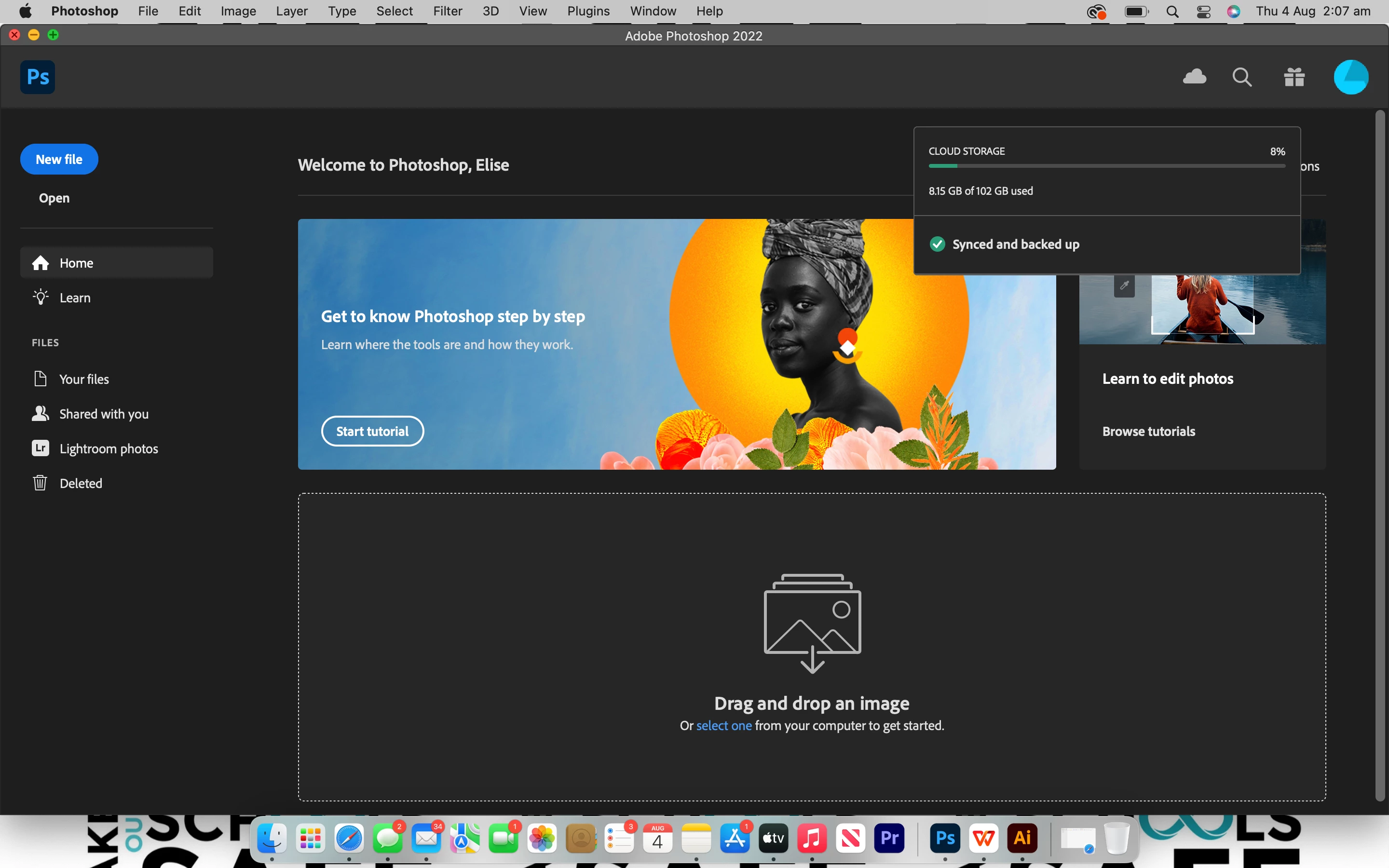


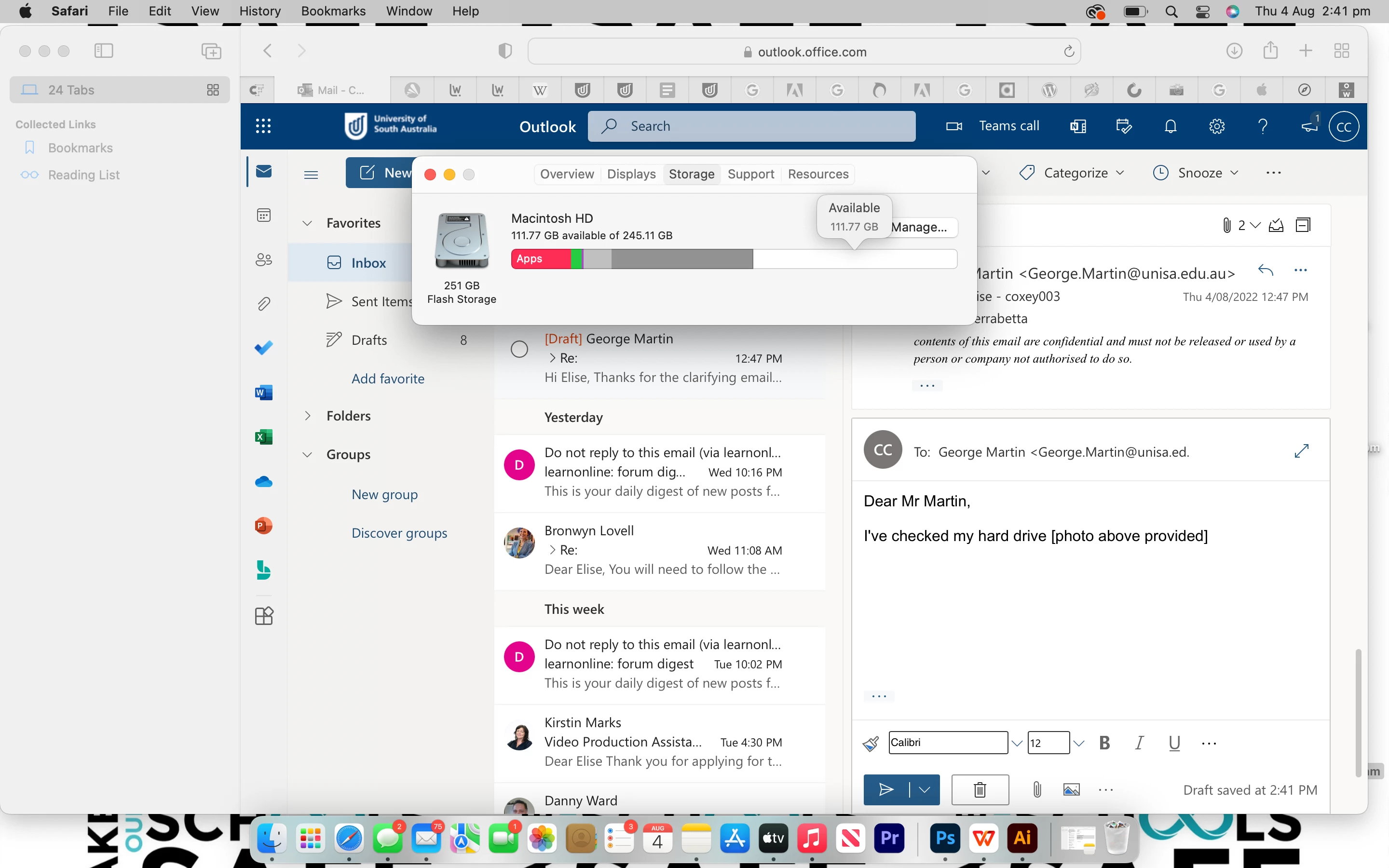
 I've checked my hard drive [photo below provided] and it states that i have well over 20GB, so I'm little confused and frustrated as to why my creative cloud apps are not working.
kind regards elise


This topic has been closed for replies.

3 replies

D Fosse
Community Expert
Community Expert
August 4, 2022

To be clear, scratch disk is not a Photoshop setting. It's real, physical disk space, and it needs to be on your machine.


Raster image editing generally requires huge amounts of memory, much more than any RAM you may have installed. All that temporary data has to go somewhere, and so it's written to disk. That's the scratch disk.


Think of scratch disk as Photoshop's main memory, and RAM as a fast access cache. The scratch disk needs to contain all history states for all open documents, in decompressed/expanded state, so it will vastly exceed your open file sizes.


The official system requirements don't emphasize this enough. It's mentioned, but almost in passing. In reality, it's the main and most common bottleneck people hit in Photoshop. It's more important than any other hardware specs.


For "casual" light-weight work, you can get away with, say 50 GB free space. For more serious work, however, I'd recommend at least 500 GB.

Legend
August 4, 2022

iCloud will make no difference. Scratch space has to be on your hard disk/SSD. Indeed, please tell us your image sizes exactly.


You say you deleted 300 files, but that doesn't tell us anything. Text files? Hour-long 4K videos? You have to look at actual disk space.

c.pfaffenbichler
Community Expert
Community Expert
August 4, 2022

You failed to mention your Performance and Scratch Disk settings or the usual image sizes you work on etc. 

Please provide meaningful information. 

https://helpx.adobe.com/photoshop/kb/optimize-photoshop-cc-performance.html

https://helpx.adobe.com/photoshop/using/scratch-disks-preferences.html


Have you seen this post? 

What is Scratch Disk? How to prevent Scratch Disk errors in Photoshop?