Mighty Meyer
Participant
February 4, 2018
Question

screen mode (F) - fullscreen with menu

  • February 4, 2018
  • 2 replies
  • 467 views

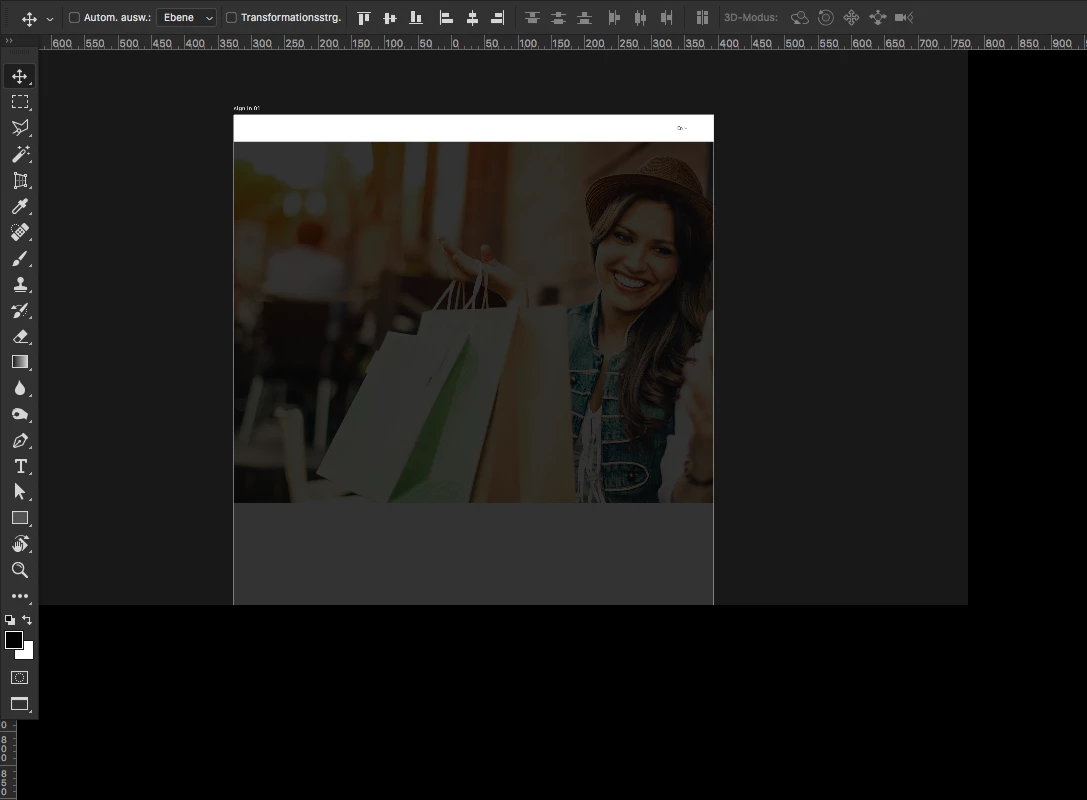
i updated to Photoshop CC 2018 and now my "screen mode (F) - fullscreen with menu" is faulty (bugy)

i did not fill up the screen and tools like transformation (cmd + t) are not working! Any idea?
    This topic has been closed for replies.

    2 replies

    martian73
    Inspiring
    February 6, 2018

    I found the solution on this thread: Full Screen Mode with Menu Bar issue with multiple monitors

    Turning off »Use Graphics Processor« in the Performance Preferences (Photoshop > Preferences > Performance > Graphic Processor Settings) and restarting Photoshop

    this worked for me.

    JJMack
    Community Expert
    Community Expert
    February 6, 2018

    But turning off the use of your GRO also trune off some Photoshop features like 3d, The rotate tool, liquify etc.

    JJMack
    martian73
    Inspiring
    February 7, 2018

    Oh yes, thats not good. Have you figured out a workaround? Anyone?

    JJMack
    Community Expert
    Community Expert
    February 4, 2018

    Please do a search in the forum Mac users have started threads on the problems already

    JJMack
