
Inspiring
May 7, 2020
Question

Script for Dodge and Burn Curves Inside Dedicated Group

  • May 7, 2020
  • 2 replies
  • 2172 views

I requested to have a script made and wanted me to post here. 


What i want is for the Curves to be Named Dodge and Burn inside a Dedicated group named Dodge & Burn, if there isn't a group named it create it, also if so can i have two scripts one for the Dodge and one for the Burn, as sometimes i Dodge more then Burn and won't need to add the Burn curve if i don't need it?


Here is a screenshot of the way i set up my Curves 
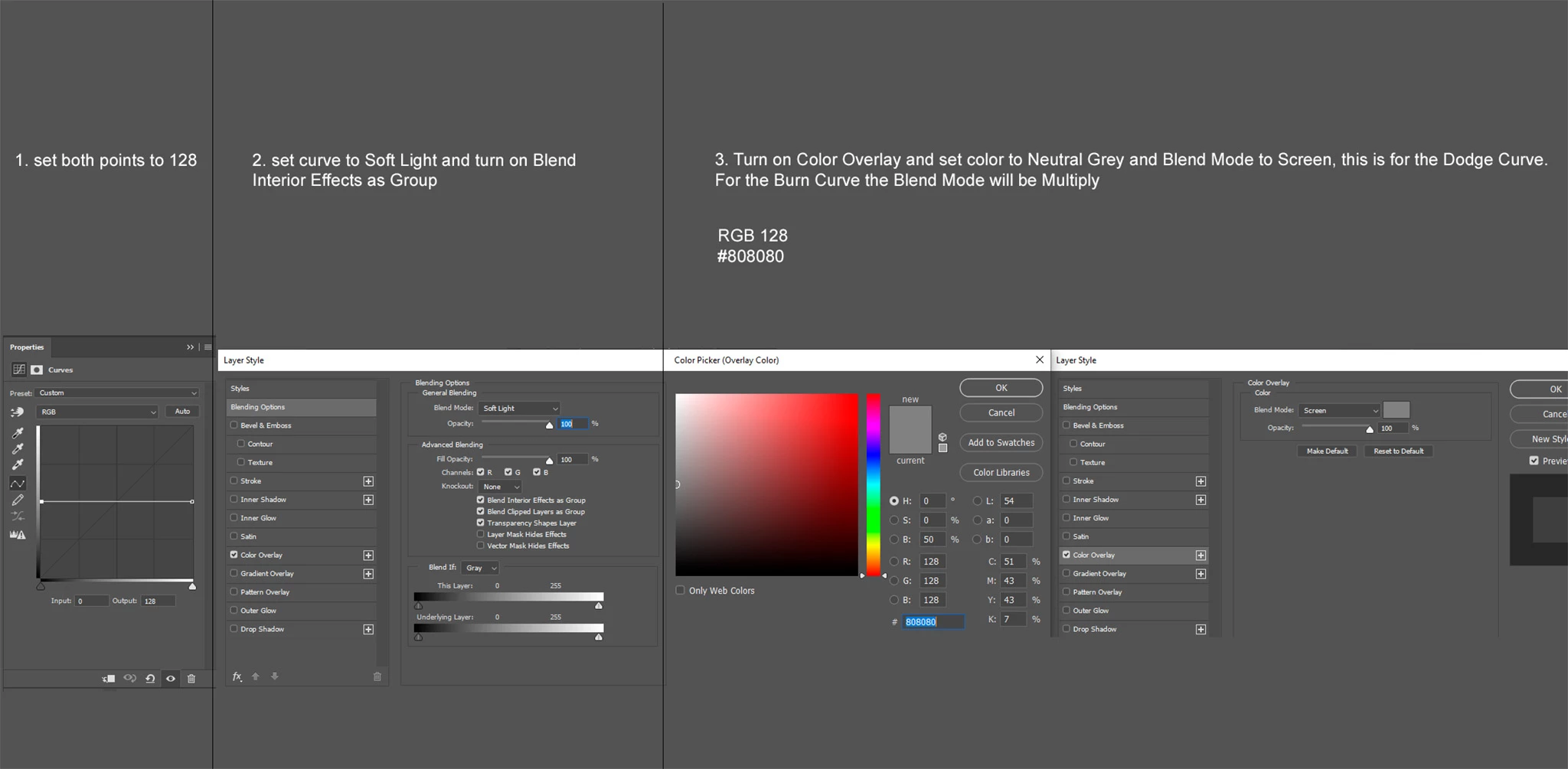
 

Both Curves are basically the same except the Burn needs to be set to Multiply within the Color Overlay settings. Oh btw they need to have a black mask also so I can start painting to reveal the effects


Thanks for the help i really appreciate it

This topic has been closed for replies.

2 replies

c.pfaffenbichler
Community Expert
Community Expert
May 8, 2020

Wouldn’t a single Layer with Blend Mode »Soft Light« and the color 191/191/191 achieve the same result as the two Layer combination? 

UnavowedAuthor
Inspiring
May 8, 2020

lol yes it would for the Dodge, what would the numbers be for the Burn? 64?

Stephen Marsh
Community Expert
Community Expert
May 8, 2020

Is this new post of yours an extension, continuation of your previous topic?


https://community.adobe.com/t5/photoshop/layer-automatically-assigned-to-group/m-p/11085982?page=1


UnavowedAuthor
Inspiring
May 8, 2020

Yes should I have made the request in the same thread? Sorry if I should have.