Known Participant
January 8, 2021
Resuelto

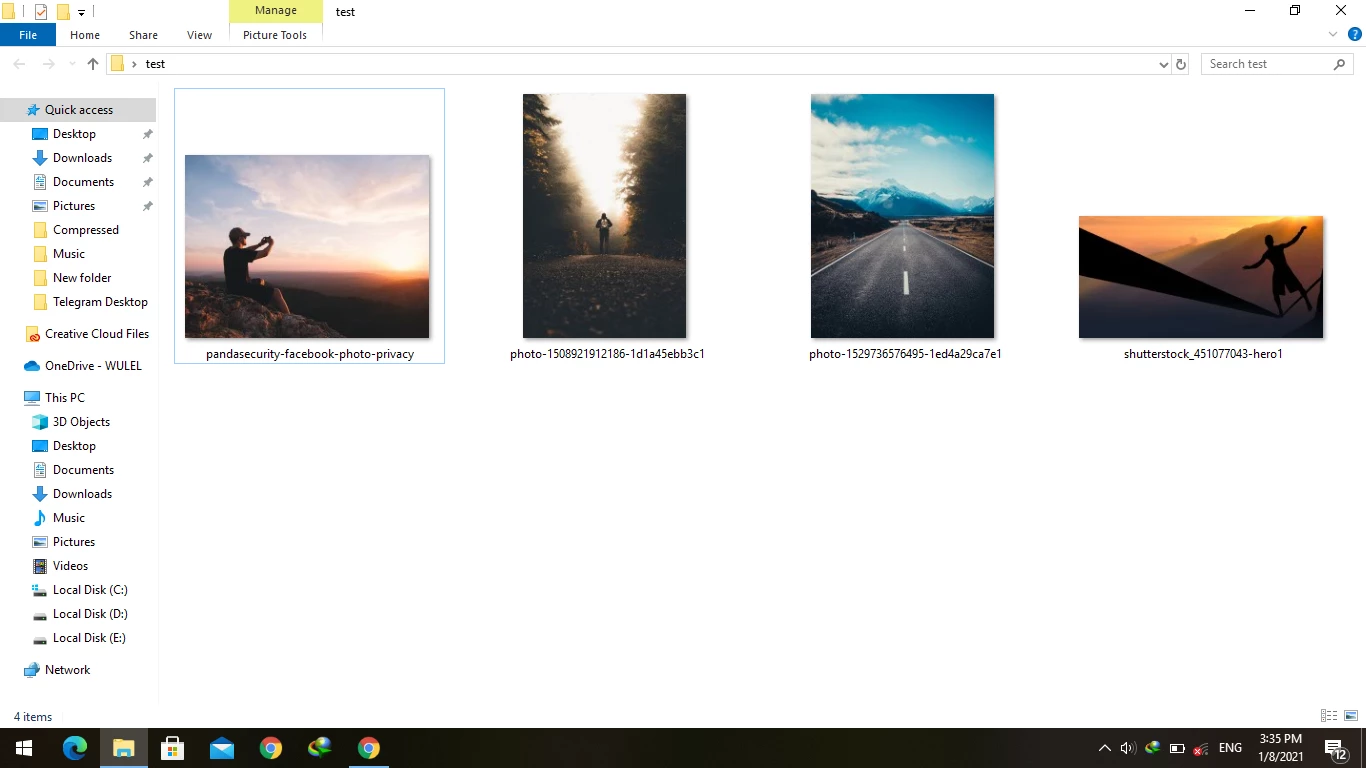
Script to change name of document to its size tag and save overwrite
  • January 8, 2021
  • 3 respuestas
  • 2853 visualizaciones

Hello everyone,

i need a script can change name of document to its size in cm then save over original file (not save as).

Este tema ha sido cerrado para respuestas.
Mejor respuesta de Stephen Marsh

OK, that is easy enough to separate the width and height into separate columns...

And. Yes but I need time that's better to separate it.


* Is it enough to have the value such as 10 or should it be expressed as 10 cm for example?

Ans. 10 cm it's better not 10 only


* Are you happy with the full path including filename? Or would you prefer only the filename?

Ans. I think the only file name its enough not path link as you put in.


* Do you need the resolution value?

Ans. Yes resolution its good to have in.


* Any other file property?

Thanks in advance 


Try this v2 code:


/* 
Folder to CSV list of files and print sizes in CM.jsx
Version 2.1

Script to change name of document to its size tag and save overwrite
https://community.adobe.com/t5/photoshop/script-to-change-name-of-document-to-its-size-tag-and-save-overwrite/td-p/11736503

Based on code from - https://forums.adobe.com/message/9697558#9697558
*/

#target photoshop;
app.bringToFront();

// Save the current ruler units dialog display settings
var savedRuler = app.preferences.rulerUnits;
var savedDialogs = app.displayDialogs;

main();

function main() {
    var inputFolder = Folder.selectDialog("Please select folder to process");
    if (inputFolder === null) return;
    // Filter and limit the file type input
    var inputList = inputFolder.getFiles(/\.(jpg|jpeg|tif|tiff|psd|psb|tga|png)$/i);

    app.displayDialogs = DialogModes.NO;

    var outputFile = File(Folder.desktop + "/" + decodeURI(inputFolder.name) + " - print sizes.csv");
    outputFile.open('w');
    // Write the column headers
    outputFile.writeln("Filename,Width (CM),Height (CM),Resolution (PPI)");
    for (var a in inputList) {
        open(inputList[a]);
        var aDoc = app.activeDocument;
        app.preferences.rulerUnits = Units.CM;
        // Round to 2 decimal places, regex tidy integers
        var printWidth = aDoc.width.value.toFixed(2).replace(/\.00$/, '');
        var printHeight = aDoc.height.value.toFixed(2).replace(/\.00$/, '');

        // Write the column values
        // Change to app.activeDocument.fullName to include the file path
        outputFile.writeln(decodeURI(app.activeDocument.name) + "," + printWidth + " cm" + "," + printHeight + " cm" + "," + aDoc.resolution.toFixed(3).replace(/\.000$/, '') + " ppi");
        app.activeDocument.close(SaveOptions.DONOTSAVECHANGES);
    }

    outputFile.close(SaveOptions.DONOTSAVECHANGES);
    alert(inputList.length + " images processed!\nCSV created:\n" + decodeURI(outputFile));

    // Restore the current ruler units dialog display settings
    app.preferences.rulerUnits = savedRuler;
    app.displayDialogs = savedDialogs;
}


3 respuestas

Stephen Marsh
Community Expert
Community Expert
January 9, 2021


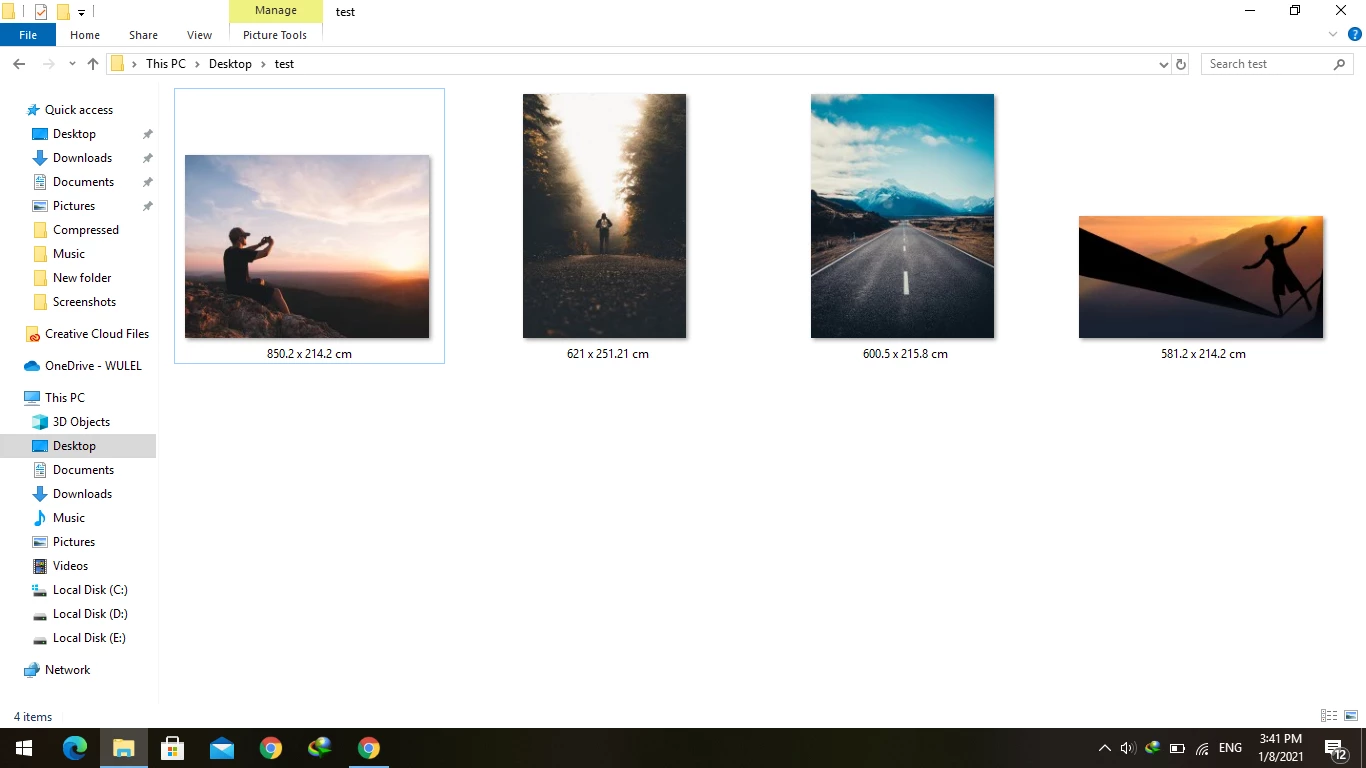
I'm not 100% happy with the following code, however, it will have to do for now...


/*
Copy and Rename Files to Width and Height in CM.jsx
Version 1.0
Script to change name of document to its size tag and save overwrite
https://community.adobe.com/t5/photoshop/script-to-change-name-of-document-to-its-size-tag-and-save-overwrite/td-p/11736503

Files that produce duplicate filenames will be skipped, always check the count of input vs. output files!
*/

#target photoshop

// Save the current ruler units dialog display settings
var savedRuler = app.preferences.rulerUnits;
var savedDialogs = app.displayDialogs;

var inputFolder = Folder.selectDialog("Select the input folder to rename Photoshop compatible files:");
// Limit file format input
var inputFiles = inputFolder.getFiles(/\.(jpg|jpeg|tif|tiff|png|psd)$/i);

// Create the output folder
var renameFolder = Folder(inputFolder + "/Renamed");
if (!renameFolder.exists) {
    renameFolder.create();
}

app.displayDialogs = DialogModes.NO;

// Loop over the input files
for (var a = 0; a < inputFiles.length; a++) {
    try {
        open(inputFiles[a]);
        // Start doing stuff
        fileRenamer();
        // Finish doing stuff
    } catch (e) {
        continue;
    }
}

// Limit file format input
var outputFiles = renameFolder.getFiles(/\.(jpg|jpeg|tif|tiff|png|psd)$/i);
alert("SCRIPT COMPLETED:" + "\r" + "* " + inputFiles.length + " input files were found" + "\r" + "* " + outputFiles.length + " files were copied and renamed" + "\r" + "* Duplicate sized files have been skipped as they would have the same filename.");

// Restore the current ruler units dialog display settings
app.preferences.rulerUnits = savedRuler;
app.displayDialogs = savedDialogs;

function fileRenamer() {

    var aDoc = activeDocument;

    // PLACEHOLDER: Add XMP metadata code to capture the PreservedFileName before renaming!

    // Capture the filename extension
    var ext = aDoc.name.replace(/^.+(\.[^\.]+$)/, '$1');
    app.preferences.rulerUnits = Units.CM;
    var docWidth = aDoc.width.value;
    var docHeight = aDoc.height.value;
    // Round to 2 decimal places
    var docDimensions = (Math.round(docWidth * 100) / 100 + ' x ' + Math.round(docHeight * 100) / 100 + ' cm');
    // Copy, rename and close source doc
    File(aDoc.fullName).copy(renameFolder + "/" + docDimensions + ext);
    aDoc.close(SaveOptions.DONOTSAVECHANGES);
}


https://prepression.blogspot.com/2017/11/downloading-and-installing-adobe-scripts.html


Known Participant
January 9, 2021

Thank you very much,

I will try and inform you about the result.

Stephen Marsh
Community Expert
Community Expert
January 10, 2021

Thank you. You may also be interested in the CSV output script posted in-line to another reply.

Stephen Marsh
Community Expert
Community Expert
January 9, 2021

I have created the script for you, however, there are a number of points worth noting:


  • There is no tag or reference to the width or height in CM or any other physical measurement unit, the native unit is pixels. In order to know the print size the resolution value will need to be correct to produce the print size
  • It is not best-practice to have a full point/period character before the actual filename extension, as some software gets confused as what is the actual extension
  • I agree with JJMack in that it is best to rename/copy to a new folder for safety. I also agree that Adobe Bridge is the better place to perform these types of operations than Photoshop (which is not to say that it can't be done in Photoshop)
  • Adobe Bridge's Batch Rename can resize from metadata width/height, however, it uses the pixel value and not a physical measurement value
  • Ideally there will be a graceful way to deal with multiple images that have the same print size. If multiple files are 10 x 15 cm in print size, only one of them can use that exact filename.


Known Participant
January 9, 2021

Thanks, Mr Stephen_A_Marsh,

I have appreciated this comment about my script there is many programs like adobe bridge to batch rename but for now, I want to use cm unit because it uses for my printing-house measurements and calculate easily by copy patch to MS Excel. That's all I need.

Best Regards.

Stephen Marsh
Community Expert
Stephen MarshCommunity ExpertRespuesta
Community Expert
January 10, 2021

OK, that is easy enough to separate the width and height into separate columns...

And. Yes but I need time that's better to separate it.


* Is it enough to have the value such as 10 or should it be expressed as 10 cm for example?

Ans. 10 cm it's better not 10 only


* Are you happy with the full path including filename? Or would you prefer only the filename?

Ans. I think the only file name its enough not path link as you put in.


* Do you need the resolution value?

Ans. Yes resolution its good to have in.


* Any other file property?

Thanks in advance 


Try this v2 code:


/* 
Folder to CSV list of files and print sizes in CM.jsx
Version 2.1

Script to change name of document to its size tag and save overwrite
https://community.adobe.com/t5/photoshop/script-to-change-name-of-document-to-its-size-tag-and-save-overwrite/td-p/11736503

Based on code from - https://forums.adobe.com/message/9697558#9697558
*/

#target photoshop;
app.bringToFront();

// Save the current ruler units dialog display settings
var savedRuler = app.preferences.rulerUnits;
var savedDialogs = app.displayDialogs;

main();

function main() {
    var inputFolder = Folder.selectDialog("Please select folder to process");
    if (inputFolder === null) return;
    // Filter and limit the file type input
    var inputList = inputFolder.getFiles(/\.(jpg|jpeg|tif|tiff|psd|psb|tga|png)$/i);

    app.displayDialogs = DialogModes.NO;

    var outputFile = File(Folder.desktop + "/" + decodeURI(inputFolder.name) + " - print sizes.csv");
    outputFile.open('w');
    // Write the column headers
    outputFile.writeln("Filename,Width (CM),Height (CM),Resolution (PPI)");
    for (var a in inputList) {
        open(inputList[a]);
        var aDoc = app.activeDocument;
        app.preferences.rulerUnits = Units.CM;
        // Round to 2 decimal places, regex tidy integers
        var printWidth = aDoc.width.value.toFixed(2).replace(/\.00$/, '');
        var printHeight = aDoc.height.value.toFixed(2).replace(/\.00$/, '');

        // Write the column values
        // Change to app.activeDocument.fullName to include the file path
        outputFile.writeln(decodeURI(app.activeDocument.name) + "," + printWidth + " cm" + "," + printHeight + " cm" + "," + aDoc.resolution.toFixed(3).replace(/\.000$/, '') + " ppi");
        app.activeDocument.close(SaveOptions.DONOTSAVECHANGES);
    }

    outputFile.close(SaveOptions.DONOTSAVECHANGES);
    alert(inputList.length + " images processed!\nCSV created:\n" + decodeURI(outputFile));

    // Restore the current ruler units dialog display settings
    app.preferences.rulerUnits = savedRuler;
    app.displayDialogs = savedDialogs;
}


JJMack
Community Expert
Community Expert
January 8, 2021

It sounds like you just need to rename the existing file not save a new file with the name you want then delete the old file. If you save over the file the filed name would not change. Save As with a new file name would  just create a second file with a different name. You can rename files  perhaps bridge has a rename feature that meets your requirements or a Bridge script could be created to rename the files with the names you want.  A Photoshop could also rename a document blacking file and close the open document without a save.  If you need to change the files content you would first need to save over the original file then do the file rename then close without a save.


IMO It would be best the save new file in a new folder then delete the old folder after you verify the new folder contains what you want.  Batch replacing files can be very destructive if somethings is not automated correctly.

JJMack
Known Participant
January 8, 2021

thanks mr.JJMack,

can you give me a link or more information about this bridge script?

JJMack
Community Expert
Community Expert
January 8, 2021

I only hack at Photoshop scripting.  I have never scripted Bridge.  All I know is thers is something called Bridhe Ttalk if bridge need the use Photoshop in the process.  Like Bridge menu Tools>Photoshop>Image Processor.... uses Bridgetalk toe Pass the selected files to the Photoshop script Images Processor. The only way I know that exist  is I have look at some of Adobe Photoshop scripts to see how things are done using javascript.  I see Adobe Scripts the can be used from the bridge tools menu use bridgetalk. 


The reason I suggested Bridge is  Bridge could do the rename just using the files meta data and file attributes.  The file would not need to be opened  into a Photoshop Document  just to do a rename. Decoding the files format into a Photoshop Document is a waste of time it is just  lengthening processing time and not used.


I can not state I use Bridge often I know it gas a Batch Rename feature. I have not used it. Its Dialog look quite powerful flexible you should look at what it can do.

JJMack
