Exit
  • Global community
    • Language:
      • Deutsch
      • English
      • Español
      • Français
      • Português
  • 日本語コミュニティ
  • 한국 커뮤니티
1

script to save as JPEG in photoshop not working!

Explorer ,
Jan 22, 2024 Jan 22, 2024

Hi guys,


I am new at scripting for Photoshop. 


I am using this code for saving as a JPEG but it isn't working:


open(new File("C:\\Users\\USER\\Downloads\\Adobe Scripting\\photoshop file test for saveAs.psd"))
jpgFile = new File ("/Temp001.jpeg")
jpgSaveOptions = new JPEGSaveOptions ()
jpgSaveOptions.embedColorProfile = true
jpgSaveOptions.formatOptions = FormatOptions.STANDARDBASELINE
jpgSaveOptions.matte = MatteType.NONE
jpgSaveOptions.quality = 1
app.activeDocument.saveAs (jpgFile, jpgSaveOptions, true, Extension.LOWERCASE)
 
When I run it in VS Code, this is the error I get in Photoshop:
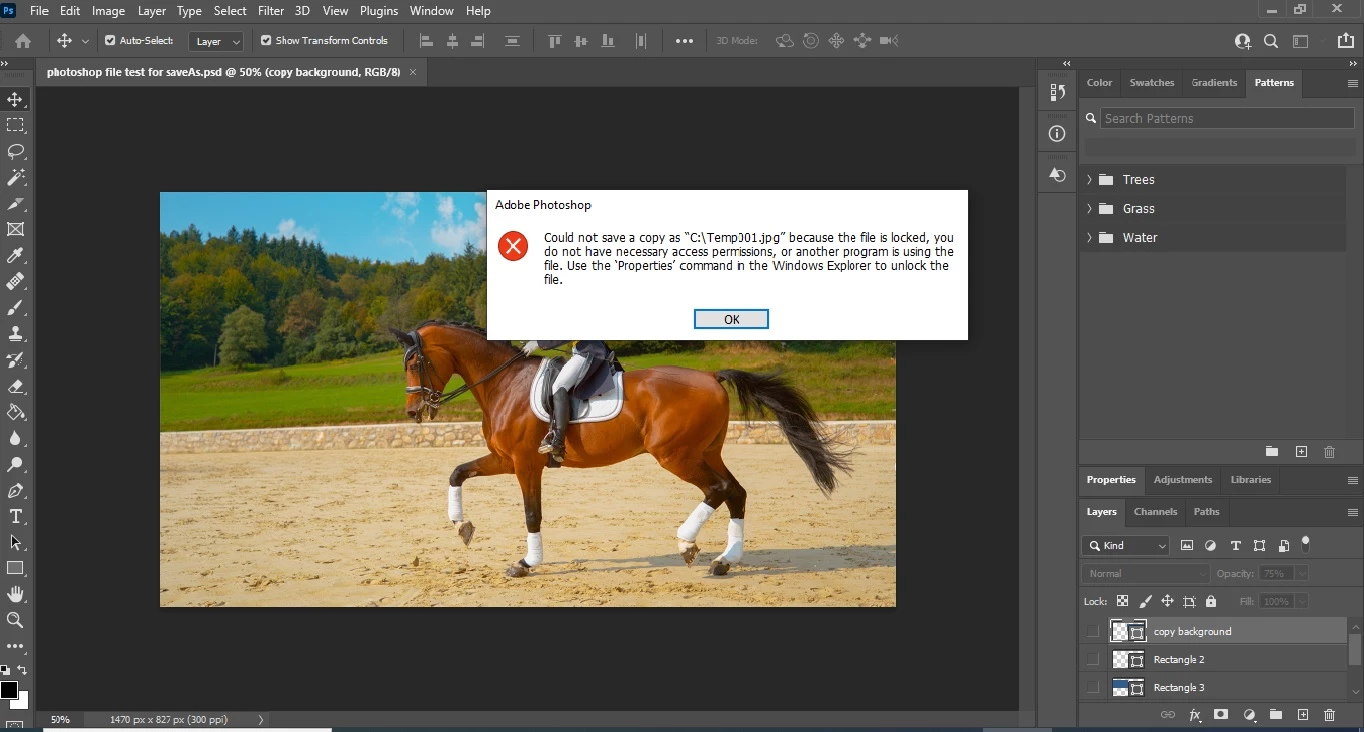
 
problem saving jpeg using script.jpg


What is wrong with my code? Please help!


Best regards,

Joseph 
TOPICS
Actions and scripting
639
Translate
Report
Community guidelines
Be kind and respectful, give credit to the original source of content, and search for duplicates before posting. Learn more
community guidelines

correct answers 1 Correct answer

Community Expert , Jan 22, 2024 Jan 22, 2024

You can use a relative path (to the logged-in user account ~) for the open step:


open(new File("~\\Downloads\\Adobe Scripting\\photoshop file test for saveAs.psd"));


Or ExtendScript cross-platform single forward slash directory separators in relative path, rather than escaped Windows OS double back slashes:


open(new File("~/Downloads/Adobe Scripting/photoshop file test for saveAs.psd"));


Try saving to a user folder such as the Desktop or Downloads rather than to the root system level. Al

...
Translate
Adobe
Community Expert ,
Jan 22, 2024 Jan 22, 2024

You can use a relative path (to the logged-in user account ~) for the open step:


open(new File("~\\Downloads\\Adobe Scripting\\photoshop file test for saveAs.psd"));


Or ExtendScript cross-platform single forward slash directory separators in relative path, rather than escaped Windows OS double back slashes:


open(new File("~/Downloads/Adobe Scripting/photoshop file test for saveAs.psd"));


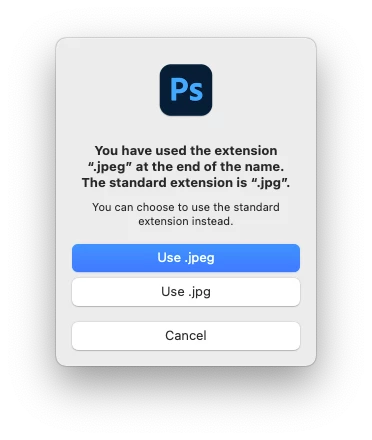
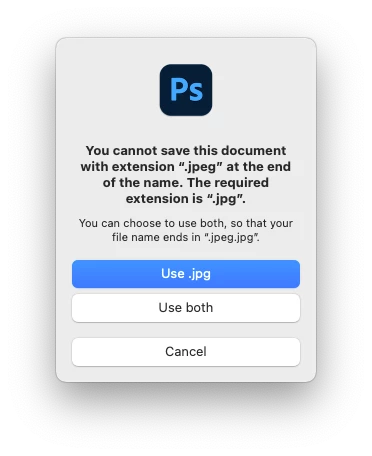
Try saving to a user folder such as the Desktop or Downloads rather than to the root system level. Also, even though a four letter JPEG extension is valid, Photoshop doesn't like them, so use a three letter JPG extension instead:


jpgFile = new File ("~/Desktop/Temp001.jpg");
jpgSaveOptions = new JPEGSaveOptions();
jpgSaveOptions.embedColorProfile = true;
jpgSaveOptions.formatOptions = FormatOptions.STANDARDBASELINE;
jpgSaveOptions.matte = MatteType.NONE;
jpgSaveOptions.quality = 1;
app.activeDocument.saveAs(jpgFile, jpgSaveOptions, true, Extension.LOWERCASE);


export-as-jpeg.pngjpeg.png

Translate
Report
Community guidelines
Be kind and respectful, give credit to the original source of content, and search for duplicates before posting. Learn more
community guidelines
Explorer ,
Jan 23, 2024 Jan 23, 2024

Hi Stephen. Let me try this out.

Translate
Report
Community guidelines
Be kind and respectful, give credit to the original source of content, and search for duplicates before posting. Learn more
community guidelines
Explorer ,
Jan 23, 2024 Jan 23, 2024
LATEST

Hi Stephen,


It worked, YIPEEEEEEEEEEEEEEEE!


This is the code I used:


open(new File("C:/Users/USER/Downloads/Adobe Scripting/photoshop file test for saveAs.psd"))
jpgFile = new File ("C:/Users/USER/Downloads/Adobe Scripting/Temp001.jpg")
jpgSaveOptions = new JPEGSaveOptions ()
jpgSaveOptions.embedColorProfile = true
jpgSaveOptions.formatOptions = FormatOptions.STANDARDBASELINE
jpgSaveOptions.matte = MatteType.NONE
jpgSaveOptions.quality = 1
app.activeDocument.saveAs (jpgFile, jpgSaveOptions, true, Extension.LOWERCASE)
 
Thank you very much!
 
 
Translate
Report
Community guidelines
Be kind and respectful, give credit to the original source of content, and search for duplicates before posting. Learn more
community guidelines
Explorer ,
Jan 22, 2024 Jan 22, 2024

Hi, i made this script some weeks ago, it may help

// Check if Adobe Photoshop application is open
if (app && app.name === "Adobe Photoshop") {
  // Get the active document
  var doc = app.activeDocument;
  
  // Check if a document is open
  if (doc) {
    // Set the location where you want to save the JPEG file
    var saveFolderPath = "C:\\Users\\User\\Desktop\\test\\";
    
    // Check if the save path exists
    var saveFolder = new Folder(saveFolderPath);
    if (!saveFolder.exists) {
      alert("The specified save folder does not exist.");
    } else {
      // Get the document name
      var docName = doc.name;
      
      // Remove the file extension from the document name, if present
      var fileName = docName.replace(/\.[^\.]+$/, "");
      
      // Define the full path for the JPEG file
      var savePath = saveFolderPath + fileName + ".jpeg";
      
      // Save the document at the specified location as JPEG
      var jpegOptions = new JPEGSaveOptions();
      jpegOptions.quality = 10; // Adjust the quality as needed (from 0 to 12)
      doc.saveAs(new File(savePath), jpegOptions, true);
    }
  } else {
    alert("No document is open in Photoshop.");
  }
} else {
  alert("Adobe Photoshop is not open.");
}


Translate
Report
Community guidelines
Be kind and respectful, give credit to the original source of content, and search for duplicates before posting. Learn more
community guidelines
Explorer ,
Jan 23, 2024 Jan 23, 2024

Thanks Pedro. Let me check it out. 

Translate
Report
Community guidelines
Be kind and respectful, give credit to the original source of content, and search for duplicates before posting. Learn more
community guidelines