Bojan Živković11378569
Community Expert
Community Expert
February 10, 2022
Answered

Script to select next path in the Paths panel and use Insert Path menu item from Actions panel

  • February 10, 2022
  • 4 replies
  • 3132 views

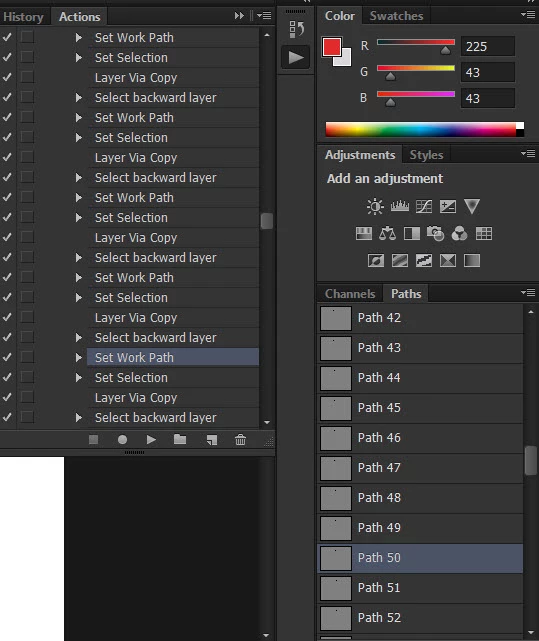
I need script for very boring task if possible to automate at least something in this work which consist of several thousand repeats multiplied by 5 steps. In essence I am replacing Set Work Path step with new path. Here are steps I am taking to accomplish task:


  • Select Set Work Path step in action
  • Select next path in Paths panel
  • Use Insert Path from Actions panel menu
  • Select previous action step Set Work Path
  • Delete Set Work Path
  • Select next Set Work Path step in action
  • Repeat....

This topic has been closed for replies.
Correct answer c.pfaffenbichler

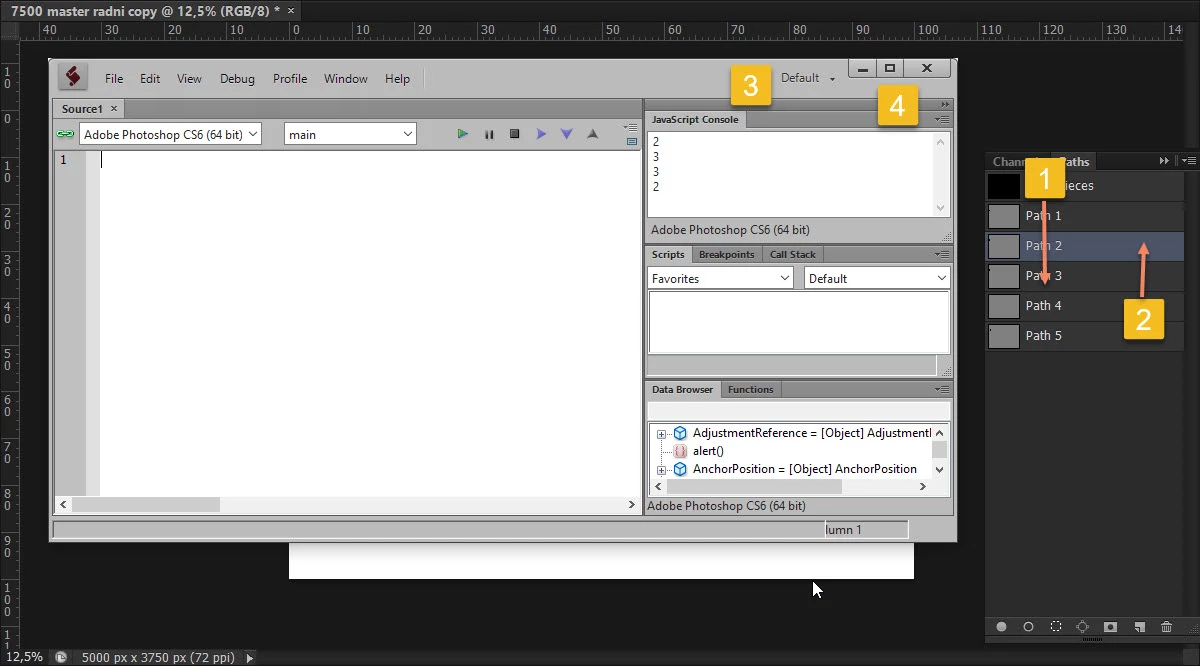
Thanks @Stephen Marsh , this script is selecting path below currently selected in the Paths panel but only briefly and then returns to originally selected and opens some dialogue.


// select next path;
// 2020, use it at your own risk;
if (app.documents.length > 0) {
var thisPathIndex = selectedPath ();
if (thisPathIndex != null) {
    if (thisPathIndex == activeDocument.pathItems.length) {thisPathIndex = 1}
    else {thisPathIndex++};
    var desc28 = new ActionDescriptor();
        var ref5 = new ActionReference();
        ref5.putIndex( stringIDToTypeID( "path" ), thisPathIndex );
    desc28.putReference( stringIDToTypeID( "null" ), ref5 );
executeAction( stringIDToTypeID( "select" ), desc28, DialogModes.NO );
};
};
////// determine selected path index //////
function selectedPath () {
    try {
    var ref = new ActionReference(); 
    ref.putEnumerated( charIDToTypeID("Path"), charIDToTypeID("Ordn"), charIDToTypeID("Trgt") ); 
    var desc = executeActionGet(ref);
    var theIndex = desc.getInteger(stringIDToTypeID("itemIndex"));
    return theIndex
    } catch (e) {return null}
    };

4 replies

Bojan Živković11378569
Community Expert
Community Expert
February 10, 2022

Here is the problem recorded as video https://www.screencast.com/t/9DikEWrmN2

Sorry for bad sound.

Kukurykus
Legend
February 10, 2022

No showed action set and not explained which 'Set Work Path' items are previous / next to each other.

Bojan Živković11378569
Community Expert
Community Expert
February 10, 2022

I have action which serves as template. There are 100 Set Work Path steps and 100 path outlines in the Paths panel. Each time I am selecting next or below Set Work Path step, also selecting below path outline in Paths panel then using Insert Path to record new Set Work Path step which will be recorded just below existing Set Work Path step. I must select and delete original Set Work Path step....

Bojan Živković11378569
Community Expert
Community Expert
February 10, 2022

You don't understand me 🙂 I don't want to do it involving the action, only the script and nothing else. So if you'll describe single sequence, I'm going to make the script from. Imagine you do it without action, all manually within one path item yet, step by step (with no action).


I do not understand you. I am recording action, action steps, without action and action steps involved script can't do much for me.

c.pfaffenbichler
Community Expert
Community Expert
February 10, 2022

One could include the »Insert Path«-paths into a Script, how many different Paths are there? 

Do you use them just for creating Selections or something else, too? 

Bojan Živković11378569
Community Expert
Community Expert
February 10, 2022

I am replacing exactly 100 paths. Thats one action which serves as template. Everything is the same beside paths. I am replacing paths or recording new path outline using Insert Path and deleting old path outline or existing Set Work Path step.

c.pfaffenbichler
Community Expert
Community Expert
February 10, 2022

Sorry, I do not understand. 


What about the Work Path? 

Which paths exist? 

What do they get replaced with? 

Stephen Marsh
Community Expert
Community Expert
February 10, 2022

@Bojan Živković11378569 – I'd like to help, but I don't know where/how to start?

Bojan Živković11378569
Community Expert
Community Expert
February 10, 2022

Please watch just posted video explanation.