
Participant
August 17, 2021
Answered

Scrollbars always present when not zoomed in
  • August 17, 2021
  • 2 replies
  • 760 views

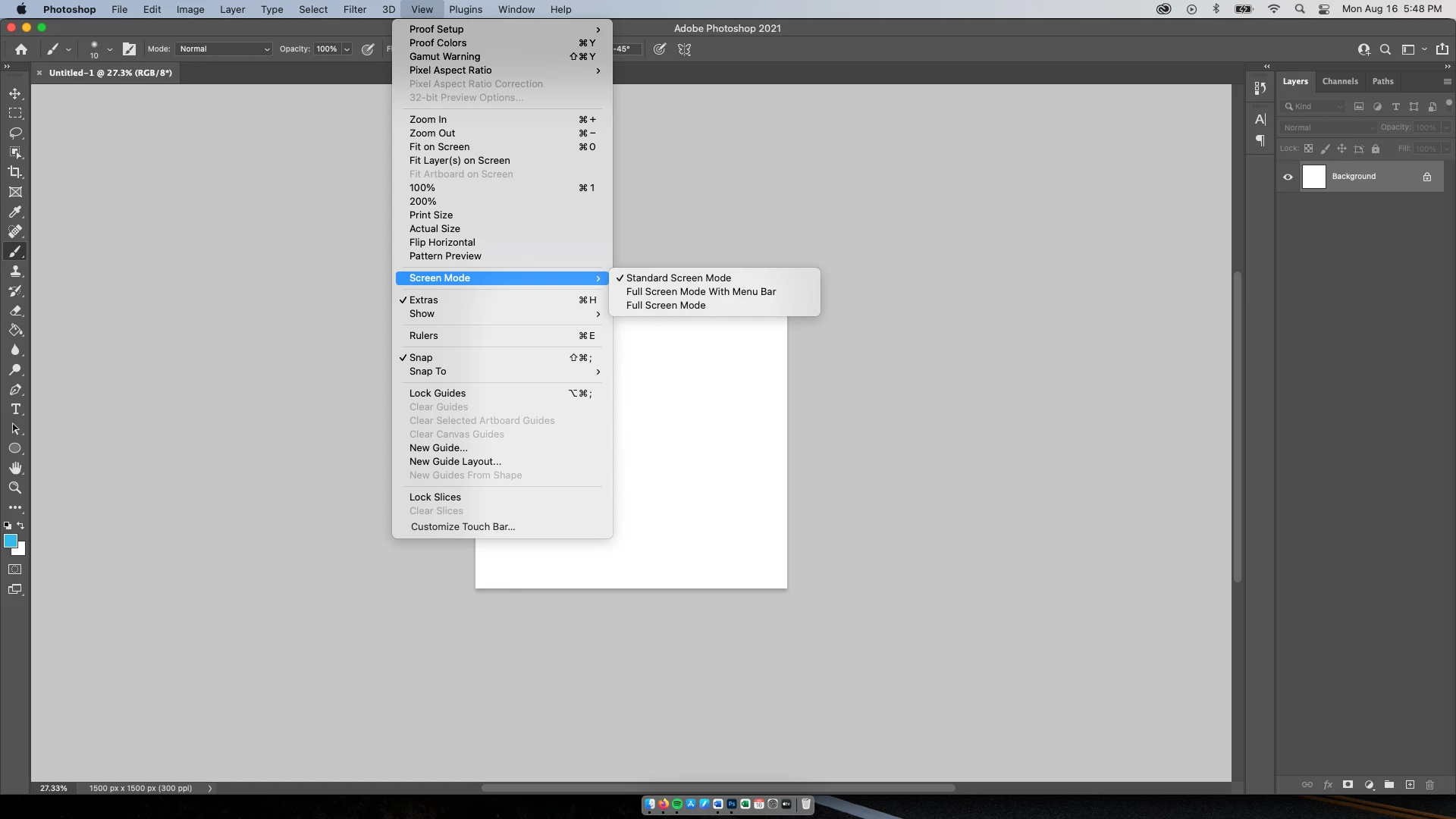
Reinstalled Photoshop this afternoon and noticed the scrollbars when you zoom are always present. Anybody know how to get rid of them to only show when you are zoomed in? I am currently using the most updated version of the creative cloud/ photoshop for August 2021. Thanks!
This topic has been closed for replies.
Correct answer Conrad_C

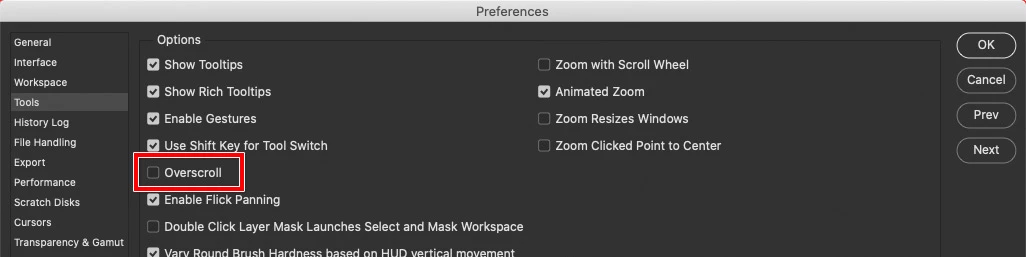
Disable the Overscroll preference, and the scroll bars will go away until you zoom in.


I prefer to leave Overscroll on because it lets an image of any size be moved around the screen. For example, that can let it get it out of the way of open panels. When Overscroll is off, small images are locked to the center of the screen (because scrolling has been taken away), and the bigger the screen, the more annoying that is, at least to me. So I like Overscroll on.

2 replies

Conrad_C
Community Expert
Conrad_CCommunity ExpertCorrect answer
Community Expert
August 17, 2021

Disable the Overscroll preference, and the scroll bars will go away until you zoom in.


I prefer to leave Overscroll on because it lets an image of any size be moved around the screen. For example, that can let it get it out of the way of open panels. When Overscroll is off, small images are locked to the center of the screen (because scrolling has been taken away), and the bigger the screen, the more annoying that is, at least to me. So I like Overscroll on.

Participating Frequently
May 9, 2022

Thanks for the help, Conrad. Couldn't figure that one out!

Andy

lambiloon
Community Expert
Community Expert
August 17, 2021

Hi try to use fullscreen mode and check F is shortkey it depends how you want to use the photoshop for which workspace...regards

Ali Sajjad / Graphic Design Trainer / Freelancer / Adobe Certified Professional