
Answered
Scrubby zoom selectivly greyed out
When using two windows scrub zoom is only available for one of them. (Likley not a problem with OpenGL)
Using OS windows 7, Version cs6 photoshop.
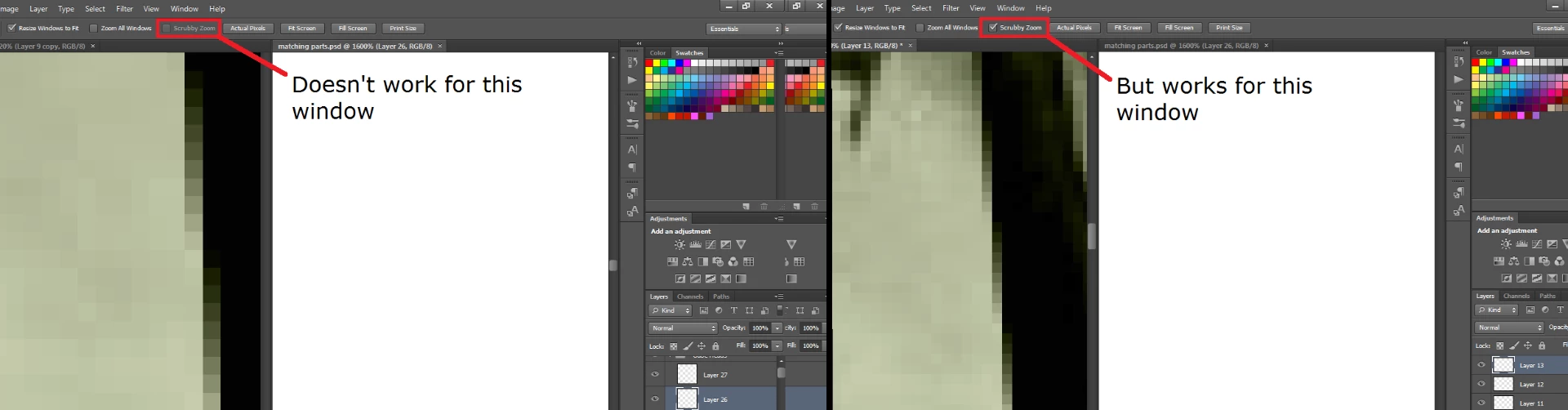

When using two windows scrub zoom is only available for one of them. (Likley not a problem with OpenGL)
Using OS windows 7, Version cs6 photoshop.
I don' know if this will help anyone but i had a similar issue, my scrubby zoom being greyed out and all, looked at a whole bunch of these conversations, tried all the graphics processor advanced settings thing and nothing worked I couldnt find a solution that worked online anywhere, but I fiddled around and figured this out.
If its greyed out and nothing else works it could be your GPU, either its not powerful enough or your dumb computer is using the weaker GPU for your cintiq or whatever screen tablet you're using like mine was, so go to display settings (windows 10 btw) and then under the multiple displays section, under graphics settings, select classic app>browse>find where photoshop.exe is stored> select> select high performance>restart computer, this fixed it for me, hope it helps someone else if they're having the same issue I was!
Already have an account? Login
Enter your E-mail address. We'll send you an e-mail with instructions to reset your password.
 AdChoices