jayrtom
Participating Frequently
February 6, 2019
Resuelto

select a specific pattern in several places of an image

  • February 6, 2019
  • 4 respuestas
  • 737 visualizaciones

I've already searched a lot for this nad couldn't find an answer... Maybe it isn't possible but I find that hard to believe

So, I have a very big image (1.5m x 1m) which has several icons scattered all around. They are all the same size, color (black) and appearance. Since, in relation to the image, they are very tiny and I can't locate all of them properly. Also, finding and editing each one of them is very combersome...

What I want is to erase all of them automatically. Can it be done?

Thanks
    Este tema ha sido cerrado para respuestas.
    Mejor respuesta de Trevor.Dennis

    Ultimately I think one can focus on the color as the crosses seem to be the only truly black elements, so all other elements should have more tone in at least one of the channels.

    And the Filter »Dust & Scratches« may be able to eliminate the spots (for example in some texts) where some individual pixels are black.


    Amazingly, it actually works.  You need to fudge it a tiny bit though. 

    Someone asked if the map was CMYK, but that seems unlikely if it was grabbed from an online source.

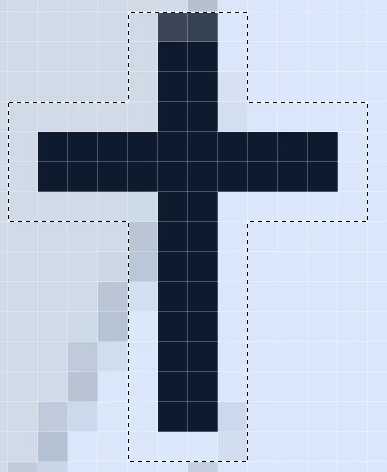
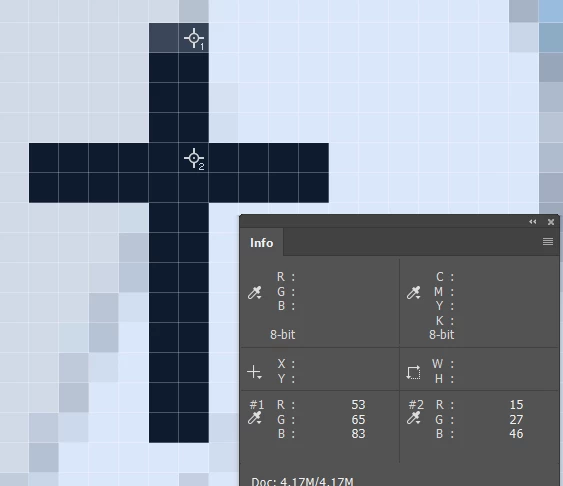
    The cross is not full black.  In fact it is not even a dark grey, and the top two pixels are slightly lighter.

    A fuzzy setting of twenty selects all but the top two pixels.  If you increase the fuzzy setting to get those problem pixels, it also gets the road names.

    So leave it at 20, and go Select > Modify > Expand 1 pixel

    This gets all of the crosses and nothing else.

    Content Aware Fill is not going to do a perfect job, but it is probably going to be close enough when you consider the alternative of doing it all manually

    4 respuestas

    jayrtom
    jayrtomAutor
    Participating Frequently
    February 7, 2019

    Thank you all!

    I tried the Dennis suggestion and it worked great. I'm sure all other suggestions would work also

    Norman Sanders
    Legend
    February 6, 2019

    If you make a duplicate layer, change the Blending Mode to Difference, click on the move tool and use the keyboard arrows to move the top layer one pixel right and one pixel down it highlights each cross and turns type blue . Here is an enlarged sample. Does that help? (It seems you can add a blank layer and circle each one, then kill the dupe layer of the map.)


    Norman Sanders
    Legend
    February 6, 2019

    I also.made a composite layer of the result shown above, put a blank layer below the composite and filled it with black. Then, returned to the top layer and used Blend if to lose the roads, etc. No brushwork at all. Enlarging the view is a help.

    Trevor.Dennis
    Community Expert
    Community Expert
    February 7, 2019

    Norman that is _very_ clever.  You still have those little grey cells working nicely.   (For those that don't know, Norman is more than 100 years old).

    Trevor.Dennis
    Community Expert
    Community Expert
    February 6, 2019

    Do they have any properties that make them stand out, like a particular colour?  In fact, select > Colour range, is the only thing I can think of.  If you dialled the fuzzy slider right down, and the icons are identical, this might work for you.

    jayrtom
    jayrtomAutor
    Participating Frequently
    February 6, 2019

    It's black but there are other blacks on the image so I can't do this...

    February 6, 2019

    Hi

    Even if you could select all the crosses the other issue is how are you going to remove them and fill in the blank that remains

    February 6, 2019

    Hi

    Can you post a sample of the image in question

    jayrtom
    jayrtomAutor
    Participating Frequently
    February 6, 2019

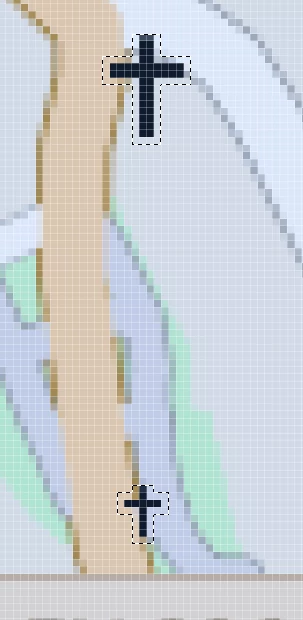
    Here a sample and the icons - It's a big map

    c.pfaffenbichler
    Community Expert
    Community Expert
    February 6, 2019

    Is the image originally RGB or CMYK?

    Was it a vector map originally maybe? (Which would make things a lot easier …)

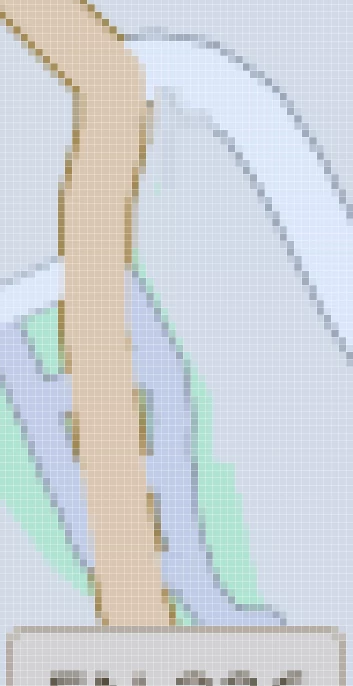
    Could you provide a larger segment without the red circling?