


MahaB82A
Legend
August 11, 2023
Answered

Select & Mask........

  • August 11, 2023
  • 2 replies
  • 592 views

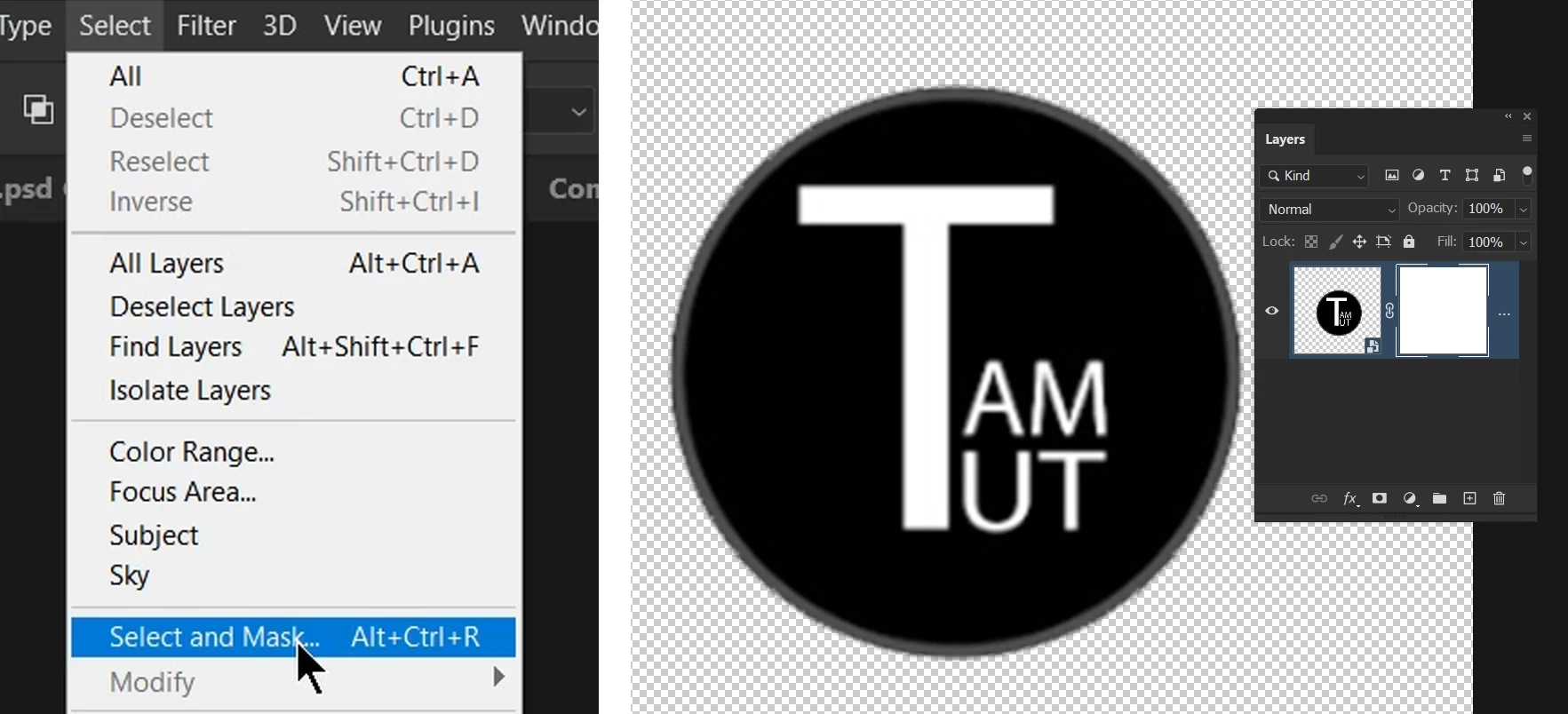
Attached is a logo with sharp edge. But making background transperent, edge sharpness is lost. I tried to make sharpness again by creating a Mask and Select & Mask........ dialog box but it did not work. Is it possible to do so? video is attached. 


This topic has been closed for replies.
Correct answer Kevin Stohlmeyer

Hi @MahaB82A your image size is quite small 213 x 200px. There will be some softness at that size with a raster program like Photoshop. If you need crisp edges I would suggest building this in Illustrator and saving as an SVG format.

2 replies

pixxxelschubser
Community Expert
Community Expert
August 11, 2023

If it's not good enough for you, you could mask the "black" circle with a vector mask and recreate the outer grey border with a vector shape.


MahaB82A
MahaB82AAuthor
Legend
August 11, 2023

I am in the process of learning Ps therefore vector mask & vector shape is new things to me.  

Kevin Stohlmeyer
Community Expert
Kevin StohlmeyerCommunity ExpertCorrect answer
Community Expert
August 11, 2023

Hi @MahaB82A your image size is quite small 213 x 200px. There will be some softness at that size with a raster program like Photoshop. If you need crisp edges I would suggest building this in Illustrator and saving as an SVG format.

MahaB82A
MahaB82AAuthor
Legend
August 11, 2023

Thanks. I will try.